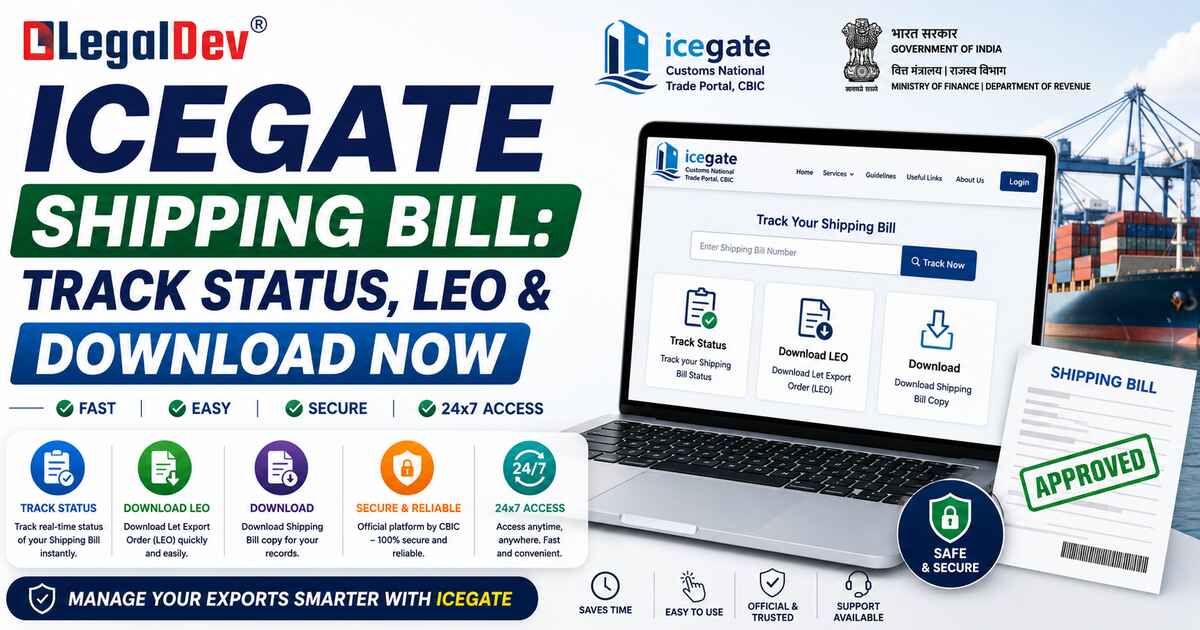
How to Track Your ICEGATE Shipping Bill Status – 2026 guide
If you've filed a shipping bill and have no idea where it's sitting in the customs system right now — you're not alone. Most exporters check once, don't recognize the status message, and assume everything is fine. That assumption can cost you time, and sometimes money. Here's exactly how to track your ICEGATE shipping bill status, what each status actually means, and how to download your shipping bill when it's ready.
What Is ICEGATE?
ICEGATE — Indian Customs Electronic Gateway — is the official digital platform of the Central Board of Indirect Taxes and Customs (CBIC). It connects exporters, importers, CHAs, freight forwarders, and shipping lines directly with Indian Customs, eliminating the need to physically visit customs offices for most transactions.
The portal handles electronic filing of shipping bills and bills of entry, customs duty payments, real-time document tracking, and EDI (Electronic Data Interchange) with trade partners. ICEGATE processes over 1.5 crore messages daily — it's not just a portal, it's the operational backbone of India's export-import ecosystem.
What Is a Shipping Bill?
A shipping bill is the mandatory customs declaration document filed by exporters when goods leave India. It carries information about the exporter, goods description, quantity, value, port of loading, destination country, and any export incentives being claimed.
It's also a working document — used by customs, DGFT, banks, and GST authorities for verification and processing of export-related benefits. Based on the type of goods and incentives involved, there are five main types:
-
Free Shipping Bill — For exports with no incentive claim
-
Drawback Shipping Bill — To claim duty drawback on inputs used
-
DEEC/DEPB Shipping Bill — Under export promotion schemes
-
Dutiable Shipping Bill — Where export duties apply
-
IGST Refund Shipping Bill — Linked to GST refund claims
Getting the type wrong at filing stage can delay your refund or drawback claim by weeks. Worth double-checking with your CHA before submission.
Key Highlights
|
Detail
|
What to Know
|
|
Health Cover
|
Track without login using Port Code, SB No., and Date
|
|
Download Method
|
Login required — Services > Document Download
|
|
Documents Needed
|
Shipping Bill Number, Date, Port Code
|
|
Processing Rate
|
Over 95% of shipping bills processed electronically via ICEGATE
|
|
Refund Impact
|
LEO + EGM filing both required before IGST refund triggers
|
How to Check ICEGATE Shipping Bill Status (No Login Needed)
This is the public enquiry route — no registration required.
Step 1: Go to the official ICEGATE portal at icegate.gov.in Step 2: Navigate to Services → Enquiry → Public Enquiries 1.0 Step 3: Select Document Status → Shipping Bill Step 4: Enter the following:
-
Port Code
-
Shipping Bill Number
-
Shipping Bill Date
-
CAPTCHA code
Step 5: Click Submit Step 6: The View Status screen will show you exactly where your shipping bill currently stands — whether it's filed, under assessment, examination ordered, or LEO granted
That's the fastest way to get a real-time status check without logging in at all.
Shipping Bill Status Messages — What They Actually Mean
This is where most exporters get confused. Here's a plain-English breakdown:
|
Status
|
What It Means
|
|
SB Filed
|
Shipping bill submitted to customs — processing not yet started
|
|
Under Assessment
|
Customs officer is verifying the document details
|
|
Examination Order
|
Physical examination of goods has been ordered
|
|
Let Export Order (LEO)
|
Goods are cleared — your shipment can physically leave the port
|
|
EGMs Filed
|
Shipping line has filed the Export General Manifest
|
|
Drawback Processed
|
Your duty drawback claim has been processed
|
LEO is the most important status to watch for. Until LEO is granted, your goods cannot be loaded. And here's the thing many exporters miss — even after LEO, the IGST refund won't process until the shipping line files the EGM. Both need to happen.
If your shipping bill shows LEO but the IGST refund is still stuck, check whether EGM has been filed. Also verify that your bank account is correctly linked to your GSTIN and that the figures on your GST return match the shipping bill exactly.
How to Download Shipping Bill from ICEGATE
For the official PDF copy — digitally signed and legally valid — you need to log in.
Step 1: Go to icegate.gov.in Step 2: Log in or register
-
Existing users: Enter your credentials
-
New users: Register with your IEC, email, mobile number — OTP authentication required
Step 3: From the homepage, go to Services → Document Download Select Document Download (or E-Sanchit) and choose the Shipping Bill option
Step 4: Enter your shipping bill details:
A single mismatch in any of these fields will return no results. Accuracy here matters.
Step 5: Click Search — if the bill is processed, a Download or PDF icon will appear next to it. Click and save.
The downloaded copy is digitally signed. It's the official document accepted by banks, DGFT, and GST authorities for refund and verification purposes.
Alternative Ways to Check Shipping Bill Status
The ICEGATE portal is the primary channel, but not the only one:
-
Email enquiry — Send your shipping bill number, port code, and submission date to the ICEGATE helpdesk. Useful when the portal is slow or inaccessible.
-
SMS tracking — Send shipping bill details via SMS to the designated ICEGATE number for quick status updates. Charges may apply depending on your provider.
-
Your CHA — Your Customs House Agent has real-time access to the customs EDI system. For anything urgent, this is usually the fastest route.
-
Logistics partner portal — If your freight forwarder has integrated tracking, the shipping bill status may be visible directly on their dashboard.
The ICEGATE portal updates status approximately once every 24 hours based on data from the customs EDI system. If you've just made a change or filed something, wait a day before rechecking.
Common Problems and How to Handle Them
Shipping bill not showing on DGFT portal? Check if LEO has been granted and EGM has been filed. If either is pending, the data transfer from ICEGATE to DGFT won't have happened yet.
ICEGATE registration delayed? Usually happens when uploaded documents aren't legible or the IEC isn't yet linked to the CBIC database. Ensure your IEC is updated before re-attempting.
Shipping bill not appearing in the portal at all? If the shipping line hasn't filed the EGM yet, the bill may show as "Pending EGM." This is not a filing error — follow up directly with the shipping company.
IGST refund pending even after LEO? Three common reasons: EGM not filed by the carrier, bank account not linked to the correct GSTIN, or a data mismatch between the GST return and the shipping bill. Check all three before raising a grievance.
Why Tracking Shipping Bill Status Actually Matters
Some exporters treat this as an afterthought. It shouldn't be. Regular tracking helps you catch customs assessment delays before they hold up physical cargo movement. It lets you confirm LEO in time to coordinate with the port and the shipping line. And for duty drawback and IGST refund claims, knowing the exact status of your shipping bill tells you where in the pipeline your money is sitting.
According to CBIC data, over 95% of shipping bills are now processed electronically via ICEGATE, significantly reducing clearance time. The infrastructure is there — using it properly is on the exporter.
Benefits of Tracking Your Shipping Bill Status
-
Catch and fix documentation errors before they cause shipment delays
-
Confirm LEO in time to coordinate port operations and shipping line schedules
-
Track IGST refund and duty drawback progress against specific shipping bills
-
Stay compliant without depending entirely on your CHA for updates
-
Give buyers real-time shipment clarity — which matters for long-term trade relationships
-
Build a cleaner audit trail for GST reconciliation and export incentive claims
FAQs
Q1: Can I check ICEGATE shipping bill status without logging in?
A1: Yes — the Public Enquiries 1.0 section on ICEGATE lets you check shipping bill status without any login. You need the Port Code, Shipping Bill Number, and Shipping Bill Date. The status updates in real time based on customs EDI data.
Q2: What does LEO mean in ICEGATE shipping bill status?
A2: LEO stands for Let Export Order. It's the customs officer's formal approval that the goods have been verified and cleared for physical export. Until LEO is granted, your shipment cannot be loaded onto the vessel or aircraft. It's the most critical status for any exporter to watch.
Q3: What is the difference between LEO and EGM in shipping bill tracking?
A3: LEO (Let Export Order) is the customs clearance issued before goods are loaded — it means the goods are approved for export. EGM (Export General Manifest) is filed by the shipping line after the goods have actually departed. Both are required for IGST refund processing — LEO alone is not enough.
Q4: How do I find my shipping bill number for ICEGATE tracking?
A4: Your shipping bill number appears on the shipping bill copy issued after filing, on your export invoice, and in your CHA's export documentation. If you've misplaced all of these, your CHA can retrieve it from the customs EDI system, or contact the ICEGATE helpdesk with your IEC and shipment date.
Q5: Why is my IGST refund pending even though LEO has been given?
A5: Three things to check: first, whether the shipping line has filed the EGM — without EGM, the refund won't trigger. Second, verify that your bank account is linked to the correct GSTIN on the GST portal. Third, cross-check that the invoice value and GSTIN on your GST return match the shipping bill exactly. Any mismatch stalls the refund.
Q6: How long does it take to get LEO after filing a shipping bill on ICEGATE?
A6: For electronically filed shipping bills at EDI ports, LEO is typically granted within a few hours to one working day if the document is in order and no physical examination is ordered. If an examination order is issued, it depends on port availability and the examining officer's schedule — this can take longer.
Q7: Is downloading a shipping bill from ICEGATE free?
A7: Yes — downloading your shipping bill PDF from the ICEGATE portal is completely free for registered exporters and their agents. The downloaded copy is digitally signed and officially valid for bank submissions, DGFT filings, and GST refund claims.
Q8: What should I do if my shipping bill is not visible on the DGFT portal?
A8: Check your ICEGATE shipping bill status first. If LEO has not been granted or the shipping line hasn't filed the EGM yet, the data won't transfer to DGFT. Wait for both to be completed and allow 24–48 hours for the system sync. If the issue persists after that, raise a grievance through the DGFT portal.
Q9: What is the Port Code for Nhava Sheva (JNPT) on ICEGATE?
A9: The port code for Nhava Sheva (Jawaharlal Nehru Port Trust) on ICEGATE is INNSA1. You'll need this along with your Shipping Bill Number and Date to track status or download your shipping bill. Other common codes: INMAA1 for Chennai, INBOM1 for Mumbai (sea), INDEL4 for Delhi Air Cargo.
Q10: Can I track shipping bill status for air, sea, and land exports on ICEGATE?
A10: Yes — ICEGATE provides status tracking for all export modes, including air, sea, and land shipments processed through EDI ports. The same Public Enquiries section works for all three. For courier and postal shipments, a separate tracking section is available on the ICEGATE enquiry portal.
Need help with GST? Let our experts handle it for you.
✔ Fast Process ✔ 100% Online ✔ Trusted by Businesses