E-Way Bill Part A: Meaning, Details and How to Fill It
Every e-way bill starts with Part A, and it's the half that can't be touched once you hit submit. This is where the transaction itself gets recorded: what's being sold, to whom, and for how much. Get something wrong here, and the fix isn't an edit button, it's cancelling the whole thing and starting over. So it's worth knowing exactly what goes into it before you begin.
What Part A Actually Records
Think of Part A as the "what and why" of a shipment. The "how," meaning the vehicle and the transporter, belongs to Part B instead, and that section only comes into play once Part A is locked in.
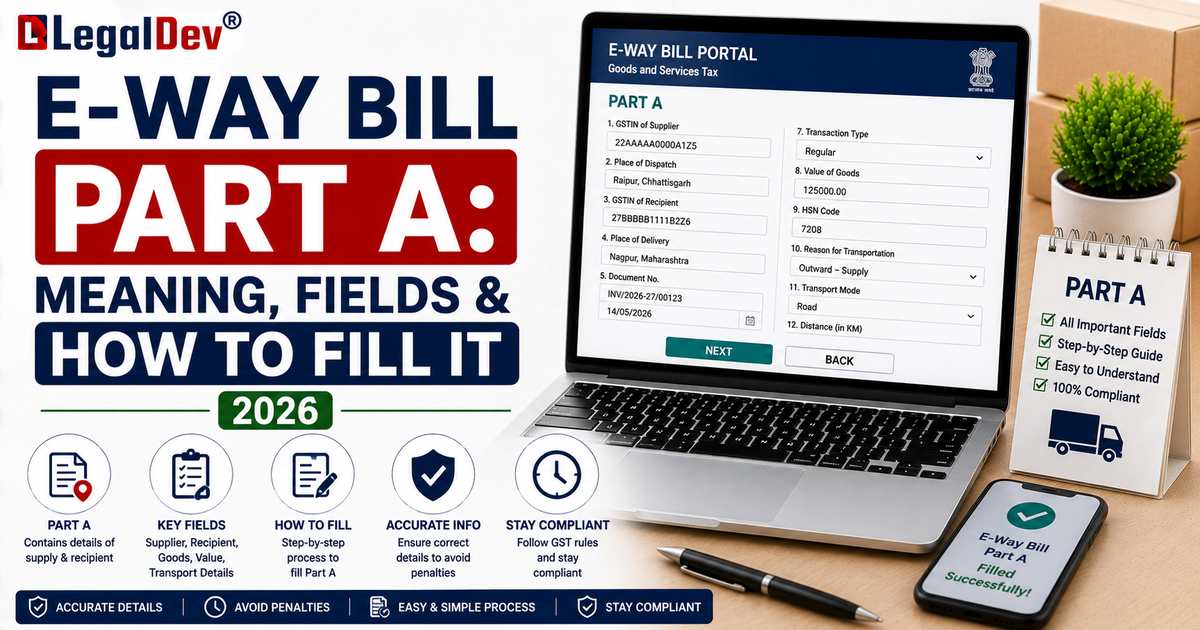
Every Field, Explained
|
Field
|
What it means
|
|
GSTIN of Supplier
|
The sender's GST registration number, or "URP" if they're unregistered
|
|
GSTIN of Recipient
|
The receiver's GST registration number, or "URP" if unregistered
|
|
Place of Delivery
|
Destination PIN code; this is also what drives the distance and validity calculation
|
|
Document Type
|
Tax Invoice, Bill of Supply, Delivery Challan, Bill of Entry (imports), or Credit Note (returns)
|
|
Document Number and Date
|
The reference number and date on that document; it must fall within 180 days of the e-way bill's generation date
|
|
Value of Goods
|
Taxable value of the consignment, as shown on the invoice
|
|
HSN Code
|
Identifies the type of goods and decides the applicable GST rate
|
|
Reason for Transportation
|
A dropdown: Supply, Export, Job Work, SKD/CKD, Recipient not known, Line Sales, Sales Return, Exhibition or Fairs, Others
|
|
Transport Document Number
|
If it's already known, the goods receipt number, railway receipt number, or airway bill number
|
Filling It Out, Step by Step
Log in and click "Generate New." Pick your transaction type, Outward if you're the supplier, Inward if you're receiving from an unregistered supplier, then choose the sub-type that matches why the goods are moving. Select the document type and enter its number and date.
Type in the recipient's GSTIN, and the portal pulls their registered name and address automatically. Confirm or adjust the place of delivery, then add the item details: description, HSN code, quantity, unit, taxable value, and the applicable tax rate.
Once that's all in, you have a choice. Save Part A and hand it off to a transporter to complete Part B, or, if you already know the vehicle, keep going and fill Part B yourself in the same session.
Who Actually Fills This In?
Usually the supplier, since they're the one causing the movement in most transactions. But if the supplier is unregistered, the responsibility shifts to the recipient. And in some arrangements, a transporter ends up filling Part A themselves, if neither the buyer nor seller has done it.
Why You Can't Edit It Later
This is deliberate, not an oversight in the system's design. Part A is meant to be a real-time, tamper-resistant record of what happened, and letting people edit it after the fact would undercut the entire point of the e-way bill as a compliance tool. If something's wrong, cancellation and re-generation is the only route. Our E-Way Bill Correction page walks through exactly what that looks like.
How Part A Differs From Part B
Part A is the transaction. Part B is the transport. And here's the part that trips people up: validity doesn't start counting down until Part B is filled, because that's the point where the actual distance to be travelled gets locked in. See E-Way Bill Part B for the rest of that story.
Frequently Asked Questions
Is an e-way bill valid with only Part A filled in?
It exists as a record, but it isn't ready for actual transport yet. Validity only kicks in once Part B is added.
Can Part A be saved and Part B completed later?
Yes, this is common when the vehicle isn't confirmed yet. Part A gets saved and assigned to a transporter's ID, who then logs in separately to finish Part B once transport is arranged.
What does "URP" mean in the GSTIN field?
Unregistered Person. It shows up whenever the supplier or recipient doesn't have a GST registration.
Is there a time limit tied to the invoice date in Part A?
Yes. The e-way bill can't be generated for an invoice dated more than 180 days before the generation date.
Read Next
For the transport side of things, head to E-Way Bill Part B. For the full generation walkthrough covering both parts together, see How to Generate an E-Way Bill.