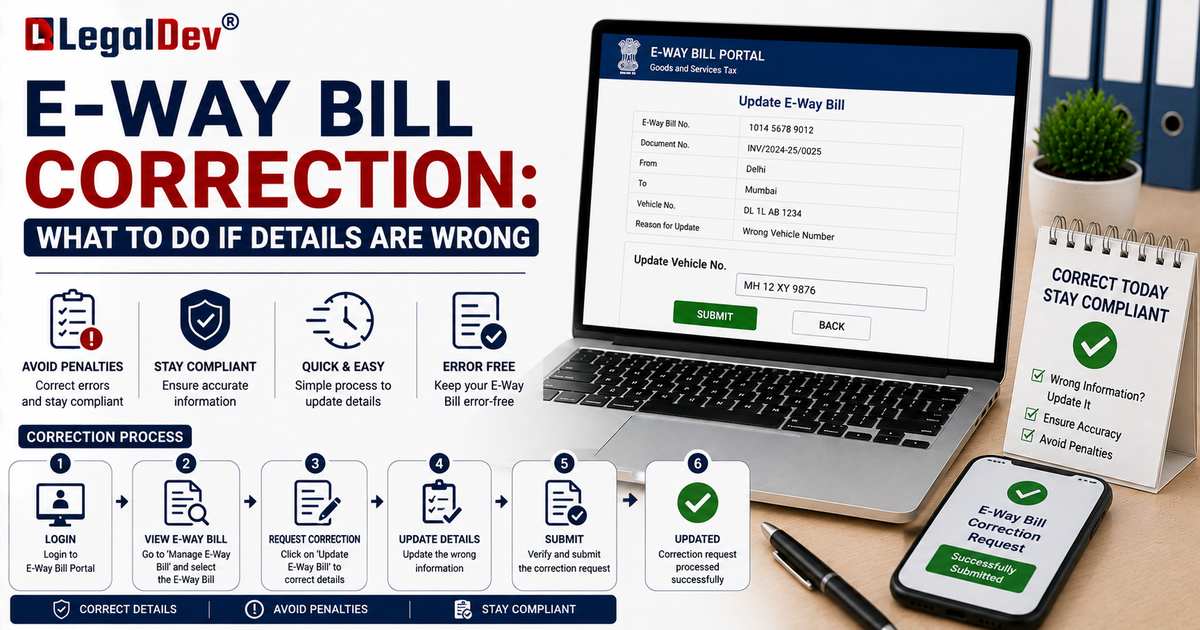
E-Way Bill Correction: What to Do If Details Are Wrong
Not every mistake on an e-way bill needs the same fix. Some details can be corrected directly on the portal without much fuss. Others can't be edited at all, no matter how small the error, and require cancelling the bill and starting over. This page explains which is which.
The Core Rule: Part A Can't Be Edited, Part B Can
An e-way bill has two sections, and they're treated very differently once generated:
-
Part A (invoice number, invoice date, GSTIN of supplier and recipient, item description, HSN code, taxable value, place of delivery) is locked once submitted. There is no "edit" option for these fields.
-
Part B (vehicle number, transporter ID, transport document number) can be updated during transit, since these details often change for genuine logistics reasons.
This is a deliberate design choice: Part A represents the underlying transaction, which shouldn't change after the fact, while Part B represents the physical logistics of getting the goods there, which reasonably can.
What You Can Fix Without Cancelling
-
Vehicle number, if the vehicle changes due to breakdown, trans-shipment, or reassignment. See our dedicated Vehicle Number Update guide for the exact steps.
-
Transporter ID or transport document number, when the appointed transporter or their document reference changes.
-
Mode of transport, if goods switch from road to rail, for example, mid-journey.
What You Cannot Fix Without Cancelling
-
Invoice number or invoice date.
-
GSTIN of the supplier or recipient.
-
Value of goods or taxable amount.
-
Item description, quantity, or HSN code.
-
Place of delivery (state or address), if the recipient's location itself was entered incorrectly.
If any of these are wrong, the only option is to cancel the e-way bill (within 24 hours of generation, and only if goods haven't started moving), and generate a fresh one with the correct details. See our E-Way Bill Cancellation page for that process.
What If You Discover the Error After 24 Hours?
This is where things get tighter. If more than 24 hours have passed and the incorrect e-way bill can't be cancelled directly:
-
Ask the recipient to reject it. The recipient can reject the e-way bill within 72 hours of generation, which creates a formal record disputing the details, though it doesn't delete the original entry.
-
Correct the underlying transaction through GST returns. If a credit note or debit note is needed to fix the invoice value or details, issue that against the original invoice in your GST filings.
-
Generate a fresh, correct e-way bill for the actual movement of goods, referencing the corrected invoice or credit note.
There is no mechanism in the current rules to directly "fix" Part A details on an e-way bill once both the 24-hour cancellation window and the 72-hour rejection window have passed.
Common Data Entry Mistakes
-
Wrong GSTIN digit, especially when copying from a long alphanumeric string manually.
-
Mismatched invoice value, where the amount entered on the e-way bill doesn't match the actual invoice.
-
Incorrect HSN code, which can affect the applicable tax rate shown.
-
Wrong "Bill To" vs "Ship To" GSTIN, especially relevant now that Ship-To GSTIN declaration is mandatory from August 2026 for Bill-to-Ship-to transactions.
-
PIN code typos, which throw off the auto-calculated distance and validity period.
Preventing Errors in the First Place
-
Cross-check the invoice and e-way bill entry side by side before submitting, rather than relying on memory.
-
Use auto-population features, like e-invoice integration, where available, to avoid manual re-entry of the same data.
-
Set up a simple internal checklist for staff generating e-way bills: GSTIN, invoice number, value, HSN, and destination PIN code, checked against the invoice every time.
Frequently Asked Questions
Can I edit the invoice value on an e-way bill after generation?
No. Invoice value is a Part A detail and cannot be edited once submitted. You'll need to cancel the e-way bill and generate a new one with the correct value.
Is there a time limit for correcting Part B details like vehicle number?
You can update Part B details, including vehicle number, at any point during the e-way bill's validity period, not just within a fixed window like the 24-hour cancellation rule.
What if the recipient's GSTIN was entered wrong?
This is a Part A detail, so it can't be edited directly. Cancel within 24 hours if possible, or use the recipient rejection route within 72 hours, then generate a fresh e-way bill.
Does correcting an e-way bill also require correcting my GST return?
If the underlying invoice value or details were wrong, yes, you'll typically need a credit note or debit note in your GST returns to keep your tax filings consistent with the corrected transaction.
Read Next
For vehicle-specific changes, go straight to How to Update Vehicle Number in an E-Way Bill. For a wrong e-way bill that needs to be scrapped entirely, see E-Way Bill Cancellation.