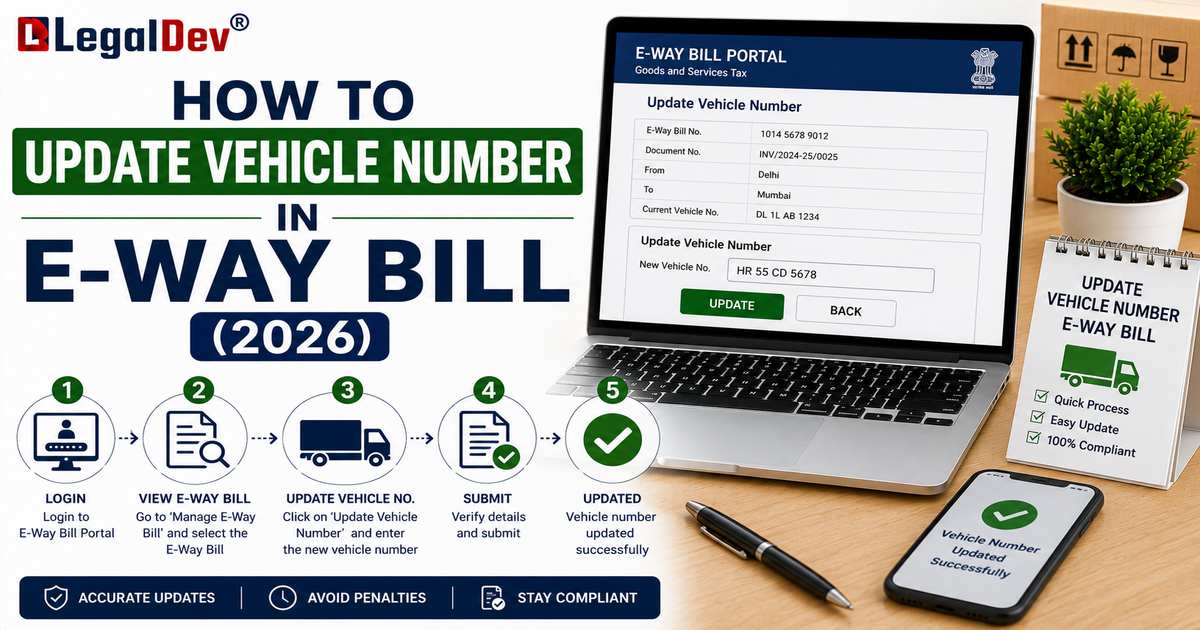
How to Update Vehicle Number in an E-Way Bill
Vehicle breakdowns, last-minute transporter changes, or trans-shipment mid-route are common enough that GST rules specifically allow you to update the vehicle number on an already-generated e-way bill, without needing to cancel it. This page covers exactly when and how to do that.
When You Need to Update the Vehicle Number
-
The original vehicle breaks down, and goods are moved to a replacement vehicle.
-
Goods are trans-shipped from one vehicle to another as part of a multi-leg journey.
-
The vehicle number wasn't known at the time of generating Part A, and needs to be added once transport is arranged.
-
A different vehicle is assigned by the transporter after the e-way bill was generated with an earlier vehicle number.
Unlike Part A details (invoice number, value, GSTIN), the vehicle number sits in Part B, which the rules specifically allow you to update during transit. This is a routine, expected update, not something that requires cancelling the e-way bill.
Step-by-Step: How to Update Vehicle Number
-
Log in to the e-way bill portal at ewaybillgst.gov.in.
-
Click "e-Way Bill" from the left-hand menu, then select "Update Vehicle No."
-
Enter the E-Way Bill Number (EBN) you want to update, or select it from your recent list.
-
The system displays the current Part B details for that e-way bill.
-
Enter the new vehicle number, in the standard format (for example, AB12AB1234).
-
Select the reason for the change: "Due to break down," "Due to trans-shipment," or "Others."
-
Enter the place from where the vehicle change is being made.
-
Submit. The e-way bill now reflects the updated vehicle details, and the validity period continues as originally calculated.
Who Can Update the Vehicle Number?
The vehicle number can be updated by:
-
The supplier, if they generated the original e-way bill.
-
The recipient, if the e-way bill was generated on their GSTIN.
-
The transporter, if the e-way bill has been assigned to their transporter ID.
Importantly, updating the vehicle number does not require the consent of the other parties involved; whoever has access to the e-way bill on the portal can make this specific update, since it's considered a routine logistics change rather than a substantive correction.
Does Updating the Vehicle Number Affect Validity?
No. Changing the vehicle number does not reset or extend the validity period. If your e-way bill is also close to expiry because of the same delay that caused the vehicle change, you'll need to handle that separately through the extension process. See E-Way Bill Extension for that process.
Vehicle Number Format Requirements
The portal expects the vehicle registration number in the standard Indian format, without spaces or special characters, for example: RJ14AB1234. Entering an incorrect format is one of the most common reasons an update gets rejected by the system, so double-check the registration certificate before submitting.
What If You Need to Change More Than the Vehicle Number?
If the correction you need involves something beyond the vehicle number, like the transporter ID, transport document number, or the mode of transport, those can also generally be updated in Part B without cancellation. But if the issue is with Part A details, like the invoice value or recipient GSTIN, cancellation and re-generation is required instead.
Frequently Asked Questions
Can I update the vehicle number multiple times for the same e-way bill?
Yes, there's no fixed limit on how many times the vehicle number can be updated during the validity period of an e-way bill, as long as each update reflects a genuine change in transport.
Do I need to update the vehicle number if the goods arrive before the original validity expires?
Only if the vehicle actually changed during transit. If the same vehicle completes the entire journey, no update is needed.
Is a new e-way bill required if the vehicle number is wrong?
No, for a Part B detail like vehicle number, you correct it through the "Update Vehicle No." feature rather than cancelling and generating a new e-way bill.
Does the transporter need separate login access to update the vehicle number?
Yes, transporters need their own registration and login on the e-way bill portal, and the e-way bill needs to be assigned to their transporter ID or GSTIN for them to make this update. See E-Way Bill for Transporters for the full transporter workflow.
Read Next
For everything about who fills in vehicle and transport details from the start, see E-Way Bill Part B. If your shipment is also running out of validity time, check E-Way Bill Extension.