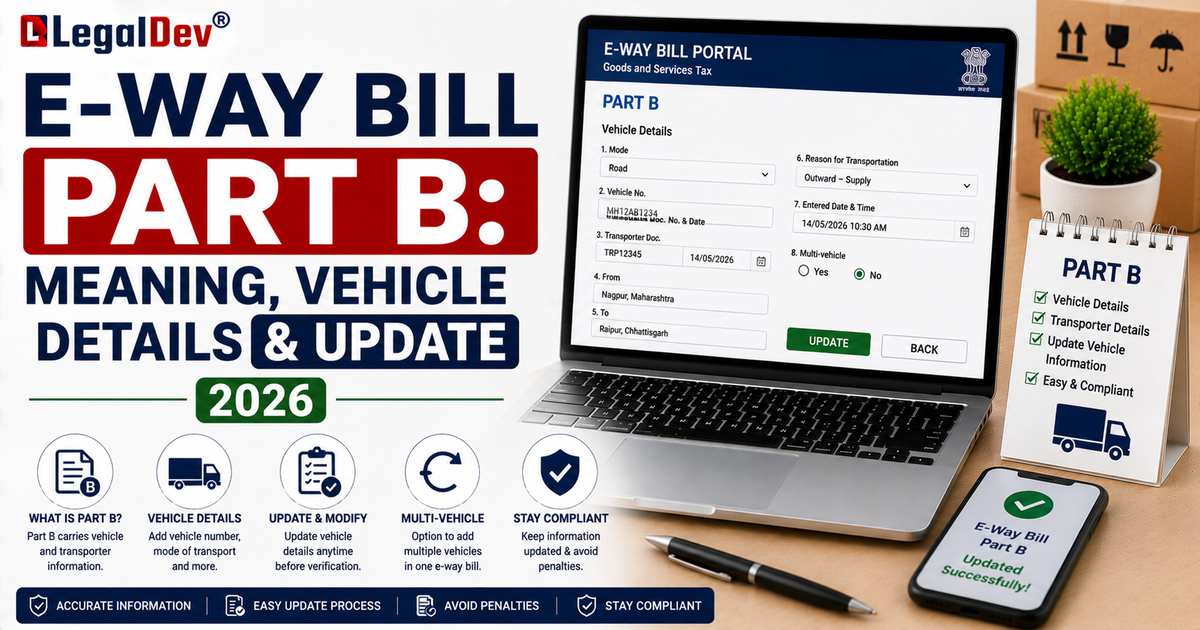
E-Way Bill Part B: Meaning, Vehicle Details and How to Update It
If Part A is the paperwork, Part B is the truck. This is where the actual logistics get recorded, the vehicle, the transporter, the mode of transport, and it's also the point where an e-way bill's validity clock actually starts ticking. Here's what goes into it and how to keep it current once goods are already moving.
What This Section Covers
Part B answers a different question than Part A does. Part A tells you what's being shipped and why. Part B tells you how it's getting there and who's driving it.
The Fields, and What They Mean
|
Field
|
What it means
|
|
Mode of Transport
|
Road, rail, air, or ship
|
|
Vehicle Number
|
Needed for road transport, in standard registration format (for example, RJ14AB1234)
|
|
Transporter ID
|
A 15-digit ID, either the transporter's GSTIN or their TRANS ID if unregistered
|
|
Transport Document Number and Date
|
Goods receipt number, railway receipt number, airway bill number, or bill of lading, depending on mode
|
|
Approximate Distance
|
Auto-calculated from PIN codes, adjustable within a 10% buffer
|
For the full mechanics behind that last field, see our E-Way Bill Distance Calculation page.
Filling It Out
Once Part A is done, either continue straight into Part B, or, if the e-way bill has been handed off to a transporter, they log in separately to finish it. Pick the mode of transport. Moving by road with your own vehicle? Enter the registration number. Using a third-party transporter instead? Enter their ID, and let them add the vehicle once it's confirmed. Confirm the distance the system calculates, adjusting it within the allowed margin if needed, then submit. That's it, the e-way bill is now active.
Why Validity Waits for Part B
Distance is what decides how long an e-way bill stays valid, and distance depends on a confirmed route. Part A alone doesn't lock that in, so the system holds off on starting the countdown until Part B is submitted. There's a practical upside here too: a supplier can prepare Part A well ahead of time without burning through validity while still waiting to confirm which vehicle is available.
Who's Allowed to Fill This In?
The supplier, if they're handling their own transport and already know the vehicle. The transporter, if the job's been assigned to them without a vehicle confirmed yet. Occasionally the recipient, in setups where they're the one arranging transport.
Changing the Vehicle Mid-Journey
Unlike Part A, this section can be updated after generation, no cancellation required. A breakdown, a switch to a different vehicle mid-route, a change of transporter, none of that means starting over. See How to Update Vehicle Number in an E-Way Bill for the exact steps.
When One Consignment Needs More Than One Vehicle
If size or capacity forces a single consignment to split across multiple vehicles, each leg gets documented separately in Part B, while the underlying Part A record stays exactly the same throughout.
Frequently Asked Questions
Does every e-way bill need Part B filled in?
Yes, for it to actually be usable. An e-way bill with only Part A completed doesn't have an active validity period.
Do I need to calculate the distance myself?
No. The portal works it out from the PIN codes; you just confirm or nudge the number within the buffer it allows.
What if the transporter never gets around to filling Part B?
Then the e-way bill sits incomplete, and technically the goods shouldn't be moving yet. Chase the transporter, or fill it in yourself if you happen to have the vehicle details.
Can just anyone update the vehicle number?
No, only the supplier, recipient, or the transporter that Part B was assigned to. It's not open to whoever happens to be handling the truck that day.
Read Next
For the transaction side of the picture, see E-Way Bill Part A. For vehicle number changes specifically, check How to Update Vehicle Number in an E-Way Bill. If you're a transporter, our full E-Way Bill for Transporters guide covers everything else you'll run into.