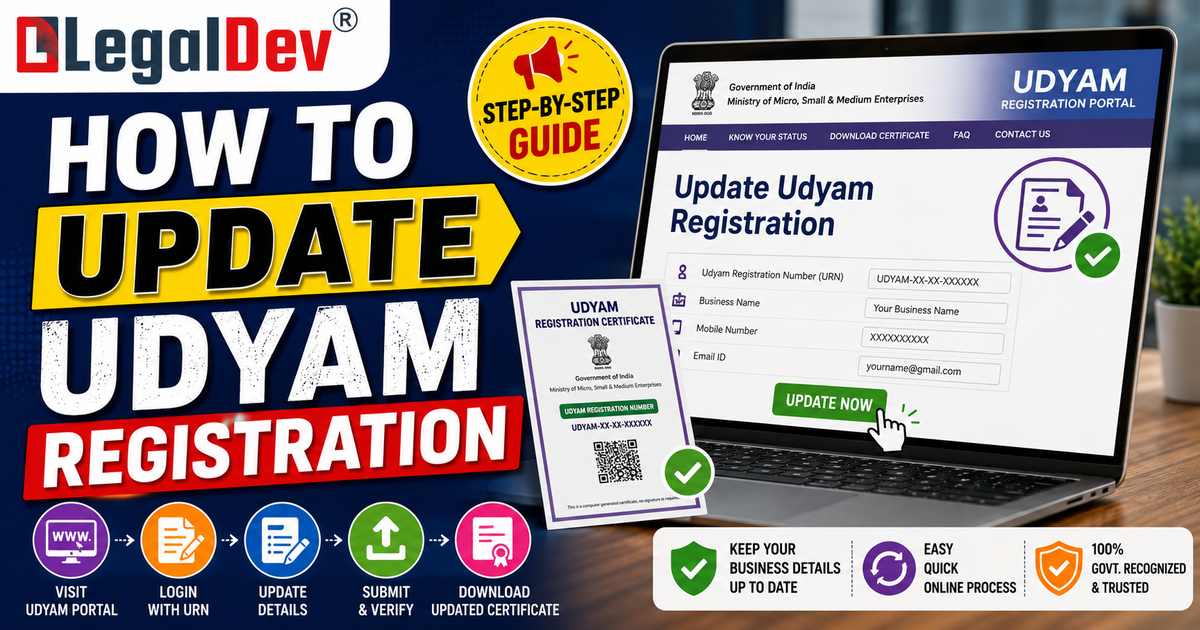
How to Update Udyam Registration
Updating a Udyam registration means keeping the details behind your URN, address, contact information, bank account, NIC activity code, current, since an outdated registration can quietly lose you access to the loan schemes, tender eligibility, and subsidies it's supposed to secure. Some of this happens for you automatically: turnover and investment figures pull directly from your GST returns and Income Tax Return each year through API integration with those systems. Everything else, address changes, a new bank account, an added business activity, has to be updated manually through the "Update/Cancel Udyam Registration" section on the portal.
This page is part of the same cluster as our MSME Registration guide, which covers registering under Udyam from scratch, and our Udyam Verification tool, which checks any URN's current status and details. If you're looking to download your certificate as-is rather than change what's on it, our Udyam Certificate Download guide covers that separately. This page is entirely about the update process itself: what changes automatically, what you have to change yourself, and the details that catch businesses out.
Quick Answer: Updating Your Udyam Registration
-
Go to udyamregistration.gov.in and select "Update/Cancel Udyam Registration" from the homepage.
-
Enter your URN and complete Aadhaar-linked OTP verification.
-
Turnover and investment figures update automatically each year, pulled from your GST returns and ITR filings, no manual entry needed for these two fields specifically.
-
Everything else, address, NIC code, bank details, contact information, and limited name changes, has to be updated manually by editing the relevant section and resubmitting.
-
Aadhaar, PAN, GSTIN (as your core identity), and business constitution (proprietorship, partnership, company, and so on) can't be edited through an update. Changing any of these requires cancelling the existing registration and applying fresh.
-
The whole process is free. No government fee applies, and any site or agent charging specifically for the update itself isn't the official portal.
What Updates Automatically vs What You Update Manually
This distinction matters more than most guides give it credit for, since it determines exactly what you need to log in and do versus what the system already handles on its own.
Updates automatically, from GST and ITR data:
-
Annual turnover, pulled from your filed GST returns and Income Tax Return.
-
Investment in plant, machinery, or equipment, cross-referenced against your filed ITR.
-
Enterprise classification (micro, small, or medium), recalculated automatically each year based on the turnover and investment figures the system pulls in.
Requires a manual update, through the portal yourself:
-
Business address, if you've relocated or opened an additional location.
-
NIC activity code, if you've added a new product line or business activity.
-
Bank account details.
-
Mobile number, email address, and contact person.
-
Business name, within limited scope, major name changes typically need supporting documentation.
-
GSTIN, if you've newly registered for GST or added a GSTIN after your original Udyam registration.
Because turnover and investment update themselves from your filed returns, the most reliable way to keep your Udyam classification accurate is simply filing your GST returns and ITR on time and correctly, the Udyam system inherits accuracy (or inaccuracy) directly from those filings.
Fields That Can Never Be Changed Through an Update
A few core identity fields are locked permanently once a Udyam registration is created, and no update option touches them:
-
Aadhaar number of the individual who registered the enterprise.
-
PAN, since it's the anchor identifier tying Udyam, GST, and income tax records together.
-
GSTIN, as the core registered identity, though adding a newly obtained GSTIN as additional information is a manual update, not a change to the original identity link.
-
Business constitution (proprietorship, partnership, LLP, private limited company, and so on).
If any of these genuinely needs to change, a sole proprietorship converting into a private limited company being the most common real-world scenario, the correct route isn't an update at all. The existing Udyam registration has to be cancelled, and a fresh registration applied for under the new PAN, entity type, or constitution. This mirrors a similar rule on the GST side, where a GSTIN's PAN can't be edited either, cancellation and reapplication is the only route once your core legal identity changes.
Step-by-Step: How to Update Udyam Registration Online
-
Visit udyamregistration.gov.in and select "Update Details" or "Update/Cancel Udyam Registration" on the homepage.
-
Enter your Udyam Registration Number (URN). If you've forgotten it, recover it first through the portal's PAN or Aadhaar search tool.
-
Complete Aadhaar OTP verification, using the mobile number linked to the Aadhaar of the individual who originally registered the enterprise.
-
Navigate to the section you need to update, business details, address, or NIC activity code, and edit the relevant fields.
-
Upload supporting documentation where the change requires it, an updated address proof for a relocation, for example.
-
Submit the update. Most changes reflect within a couple of working days, and a revised certificate becomes available for download once processed.
The Reclassification Rule Most Businesses Don't Know
Udyam classification, micro, small, or medium, is based on turnover and investment thresholds, and the government applies a genuinely asymmetric rule to how classification changes take effect, one that catches a lot of growing businesses off guard:
-
Moving up a category (from micro to small, or small to medium) only takes effect after the enterprise has crossed the higher threshold for a full financial year. A business that has a strong single year pushing it above the micro threshold doesn't immediately lose micro-category benefits; the upgrade is confirmed only once the higher figures hold for an entire year.
-
Moving down a category (from medium to small, or small to micro) takes effect immediately on self-declaration, without waiting for a full financial year to confirm the decline.
The practical effect: the system is deliberately more cautious about upgrading you out of beneficial status than about downgrading you into it. A business right at a threshold boundary should factor this asymmetry into planning around loan applications or tender eligibility that depend on a specific enterprise category, since a single strong quarter doesn't automatically bump the classification the way a rough one can immediately soften it.
Why Keeping This Updated Actually Matters
-
Banks and NBFCs verify current Udyam details before approving MSME-linked credit facilities, including collateral-free loans under CGTMSE. An outdated address or a mismatched turnover figure can hold up a loan application at exactly the wrong moment.
-
Government tender platforms check Udyam status directly. A certificate flagged as needing an update, or showing stale details, can affect eligibility for tenders reserved for a specific MSME category.
-
Subsidy and scheme eligibility is frequently tied to current classification, not the classification at the time of original registration years earlier.
Common Update Errors and How to Fix Them
-
OTP not received, or authentication failing. This is almost always caused by an Aadhaar-linked mobile number that's changed since the enterprise was originally registered. Update the mobile number with UIDAI first; it typically takes a short window to reflect, before retrying Udyam verification.
-
Turnover doesn't match your ITR or GST filings. The portal cross-verifies these figures automatically, and a mismatch, rather than being silently accepted, triggers a verification flag. Enter the exact turnover as declared in your latest filed ITR, not an estimate, and resolve any underlying GST-versus-ITR inconsistency first.
-
A new state address added without a corresponding GSTIN for that state. Since GST registration is state-specific, adding a business location in a new state without the matching state GSTIN can break the portal's automatic turnover validation for that location.
-
A first-year business with no prior ITR to reference. Enter a reasonable projected or estimated turnover for the first update cycle, then correct it with actual figures once your first ITR is filed.
-
Export turnover incorrectly included in the MSME threshold calculation. Export turnover is excluded from MSME classification limits; including it by mistake can push a business over a threshold it hasn't actually crossed domestically.
-
PIN code or address validation errors. The system auto-fills state and district from the PIN code entered, so a mistyped PIN code produces a location mismatch even when the rest of the address is correct.
When You Can't Update, You Need a Fresh Registration Instead
A handful of changes go beyond what the update function is built to handle, and attempting to force them through the standard update flow generally fails:
-
A change in business constitution, proprietorship converting to a private limited company, for instance, requires cancelling the existing Udyam registration and registering fresh under the new entity's PAN and details.
-
A change in the underlying PAN, for any reason, follows the same cancel-and-reapply route.
-
Duplicate or genuinely broken registrations, where the existing URN shows persistent errors that a standard update can't resolve, sometimes need to go through cancellation and reapplication rather than repeated update attempts.
Documents Typically Needed for Specific Updates
-
Address change: an updated utility bill, lease agreement, property tax receipt, or other current address proof.
-
Business name change: the underlying legal document establishing the new name, a rebranding certificate, updated trademark registration, or the relevant business name change certificate from the appropriate registering authority.
-
Bank account update: a cancelled cheque or recent bank statement showing the account holder's name and IFSC code.
Frequently Asked Questions
Do I need to update my Udyam registration every year?
Turnover and investment figures update automatically from your GST and ITR filings, so there's no separate manual step needed for those specifically, provided your returns are filed accurately and on time. Other details, address, contact information, bank account, only need updating when they actually change, though checking your registration periodically is worth doing to catch any flagged mismatches early.
Can I change my business's PAN on an existing Udyam registration?
No. PAN, along with Aadhaar and your business constitution, is a locked core identity field. If your PAN genuinely changes, the correct route is cancelling the existing Udyam registration and applying fresh under the new PAN.
Why does my Udyam certificate show "Update Required" or "Inactive"?
This typically means a mismatch was found between your declared figures and your GST or ITR records, or that annual verification of your details hasn't been completed recently. Logging into the portal, reviewing your current turnover and investment figures against your latest filed returns, and resubmitting where needed generally resolves this.
Does upgrading from micro to small enterprise happen immediately if my turnover grows this year?
No. Moving up a category only takes effect after the higher turnover or investment figures hold for a full financial year. A single strong year doesn't immediately reclassify you; a downward move, by contrast, does take effect immediately on self-declaration.
Is there a fee to update Udyam registration details?
No. Updating Udyam registration details is completely free through the official government portal. Any website or agent charging a fee specifically for the update process itself isn't the official channel.
What happens if I converted my proprietorship into a private limited company? Can I just update the existing Udyam registration?
No, a change in business constitution isn't something the standard update function covers. You'll need to cancel the existing Udyam registration under the old entity and apply for a fresh one under the new company's PAN and details.
Need Help Keeping Your Udyam Registration Current?
Between the automatic GST/ITR data pulls, the fields that can never be edited, and the asymmetric reclassification rule, keeping a Udyam registration genuinely current takes more than logging in once a year. LegalDev handles Udyam updates, reclassification checks, and fresh registrations for businesses that have changed constitution. See our MSME Registration service to register or manage your Udyam details, or use our free Udyam Verification tool to check a URN's current status before relying on it. Already have your certificate current and just need a fresh copy? See our Udyam Certificate Download guide.