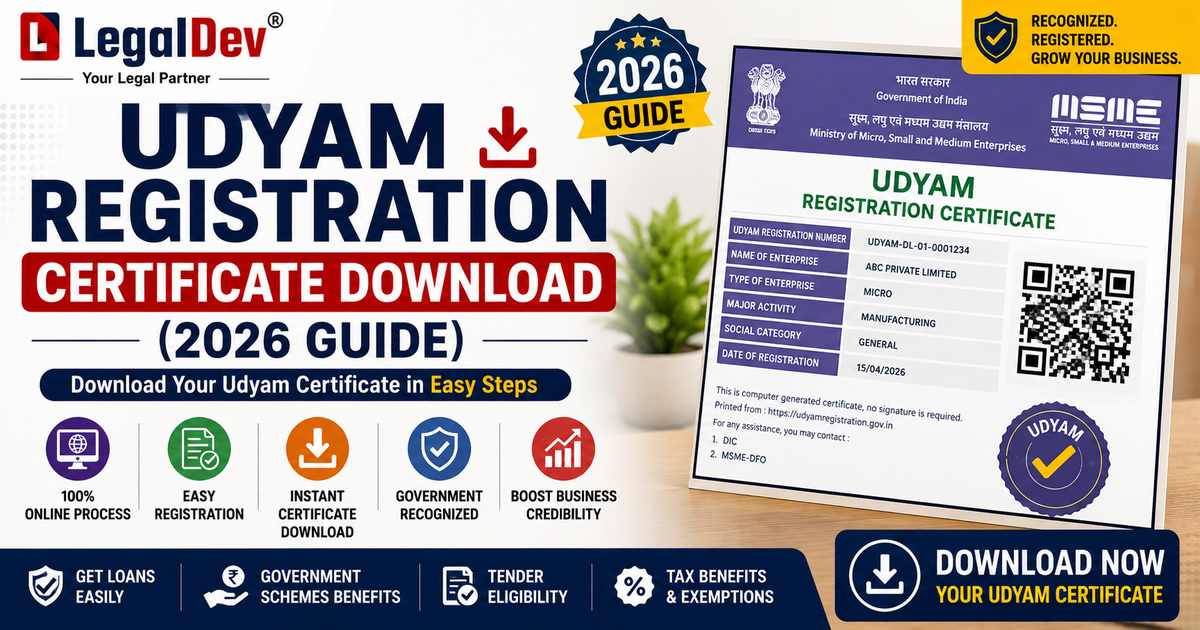
Udyam Registration Certificate Download
Downloading your Udyam registration certificate takes about two minutes on the official government portal, udyamregistration.gov.in, and it's completely free, every single time, with no limit on how often you can redownload it. All you need is your Udyam Registration Number (URN) and access to the mobile number or email registered against it, since the portal verifies every download request with an OTP before releasing the PDF. If you can't find your URN, or your business is still sitting on an old Udyog Aadhaar certificate that was never migrated, both of those situations have their own straightforward fix, covered below.
This page sits inside the cluster shared by our MSME Registration guide, which covers registering a new business under Udyam from scratch, and our Udyam Verification tool, which lets you check any Udyam number's validity and details instantly. This page exists specifically for the download and print step, the thing most people searching for "udyam certificate download" actually need right now.
Quick Answer: How to Download Your Udyam Certificate
-
Go to the official portal, udyamregistration.gov.in, no other website issues a valid Udyam certificate download.
-
Click "Print / Verify" on the homepage.
-
Enter your Udyam Registration Number (URN) and the mobile number or email linked to your registration.
-
Enter the OTP sent to your registered mobile or email.
-
Once verified, your certificate appears on screen. Save it as a PDF, then print if needed.
-
Lost your URN? Use the "Forgot Udyam Registration Number" option, or the Search by PAN/Aadhaar tool on the same portal, to recover it before downloading.
The entire udyam download process is free of cost, directly from the government portal. There's no official app, agent fee, or paid shortcut required for a genuine msme certificate download.
What the Udyam Certificate Actually Is
The Udyam certificate is the official government recognition of a business as a Micro, Small, or Medium Enterprise, issued by the Ministry of MSME. It replaced the older Udyog Aadhaar Memorandum (UAM) system in July 2020, and it's now the only valid form of MSME registration recognised for government benefits, collateral-free loans under CGTMSE, priority sector lending rates, GeM tender eligibility, and various state and central subsidy schemes.
Unlike a physical certificate that gets issued once and filed away, the Udyam certificate lives permanently on the government portal against your URN. Nothing about it expires or gets "used up" by downloading it; you can go back for a fresh udyam certificate download pdf as many times as you genuinely need one.
Step-by-Step: How to Download the Udyam Certificate Online
-
Visit udyamregistration.gov.in directly. Confirm the URL carefully, since a number of look-alike sites exist purely to charge a fee for something the government provides free.
-
Select "Print / Verify" from the main menu.
-
Enter your URN, formatted as UDYAM-XX-00-0000000, exactly as it appears on your original registration confirmation.
-
Enter the mobile number or email address registered at the time of Udyam registration.
-
Request and enter the OTP. This step is mandatory and can't be skipped, since it's what confirms the download request is coming from the actual registered business owner or an authorised representative.
-
View, download, and save the certificate once OTP verification succeeds. It generates as a PDF, ready to print on A4 paper.
If you're downloading on behalf of someone else, an accountant handling paperwork for a client, for instance, this is generally only permitted with the registered owner's explicit authorisation, since access is gated by OTP sent to their own registered contact details.
Recovering a Forgotten Udyam Registration Number
A genuinely common scenario: the business owner remembers registering, but the URN itself is lost, buried in an old email, or never noted down properly in the first place. Two recovery routes exist on the same official portal:
-
"Forgot Udyam Registration Number", which sends the URN to your registered mobile number or email once you confirm your identity.
-
Search by PAN or Aadhaar, under the portal's proprietor search tool, which looks up the URN tied to your PAN or Aadhaar number directly.
Once you have the URN back, the standard Print/Verify download process above works exactly the same way.
Can You Download the Udyam Certificate Using Only Aadhaar?
This comes up often, and the honest answer is: not directly, but almost. Aadhaar was central to your original Udyam registration, since the process is Aadhaar-linked at the point of application. For the actual download step, though, the portal asks for your URN plus OTP verification, not a raw Aadhaar-number lookup on its own. What Aadhaar does let you do is recover your URN if you've lost it, through the PAN/Aadhaar search tool described above, after which the standard URN-plus-OTP download proceeds as normal. So an udyam certificate download by aadhaar, or an aadhar udyog download, in practice means using Aadhaar to find your URN first, then downloading the certificate itself using that URN.
What About an Old Udyog Aadhaar Certificate?
If your business registered before July 2020, under the earlier Udyog Aadhaar Memorandum (UAM) system, that old certificate is no longer the valid form of MSME recognition on its own. The government required existing UAM holders to migrate to Udyam registration, and businesses still operating purely on an old Udyog Aadhaar number, without completing that migration, risk losing access to current MSME benefits tied specifically to a valid Udyam registration.
If you're searching for an udyog aadhar download or trying to print an old UAM certificate, the practical next step usually isn't retrieving the old document, it's completing the Udyam Re-Registration process on udyamregistration.gov.in to migrate your existing Udyog Aadhaar details into a current Udyam registration. Once migrated, you get a proper URN and can download the certificate through the standard process above, and your business becomes eligible for benefits that reference Udyam specifically rather than the retired UAM system.
Is There Really No Fee for Downloading?
Correct, there isn't, and it's worth stating plainly since this is exactly where a lot of people get misled. The official government download is entirely free, with no cap on how many times you can do it. Third-party websites that charge a fee to "process" or "expedite" your download udyam certificate request are not affiliated with the government, and paying them buys nothing you couldn't get directly, and for free, at udyamregistration.gov.in. If a site asks for payment before showing your certificate, that's the clearest signal you're not on the official portal.
Verifying a Udyam Certificate Is Genuine
Downloading your own certificate is one use case; checking someone else's is another, and it comes up constantly in vendor onboarding, loan processing, and tender evaluation. Since a Udyam certificate can be freely and repeatedly downloaded by its rightful owner, there's also, unfortunately, no shortage of fabricated or altered copies in circulation. Rather than trusting a PDF at face value, use our free Udyam Verification tool to check the URN directly against live government records, confirming the registered business name, enterprise category, and current status before relying on it for any decision.
Common Download Errors and How to Fix Them
-
OTP not received. Wait a few minutes and request again; if it still fails, confirm the registered mobile number is active and hasn't been changed since registration.
-
Registered mobile number no longer in use. You'll need to update it first through the portal's "Update Udyam Certificate" option before OTP-based download will work.
-
URN entered incorrectly. A very common source of failed attempts: confusing the digit zero (0) with the letter O, or the digit one (1) with a lowercase L. Copy the URN directly from your original registration confirmation or email rather than retyping it from memory.
-
Portal temporarily unavailable. The Udyam portal occasionally undergoes scheduled maintenance; if the download fails repeatedly, try again after a few hours rather than assuming your registration itself has an issue.
Frequently Asked Questions
Is Udyam certificate download really free?
Yes, entirely. The government charges nothing to register, print, or redownload a Udyam certificate, at any point, any number of times. Any website charging a fee purely for the download itself isn't the official government portal.
Can I download my Udyam certificate without remembering my URN?
Yes. Use "Forgot Udyam Registration Number" or the PAN/Aadhaar search tool on udyamregistration.gov.in to recover your URN first, then proceed with the standard URN-plus-OTP download.
Can I download an old Udyog Aadhaar certificate the same way?
Not in the way that still counts for current MSME benefits. Udyog Aadhaar (UAM) was replaced by Udyam in July 2020, so if your business never migrated, the priority is completing Udyam Re-Registration to get a valid URN, rather than retrieving the old UAM document.
How many times can I download my Udyam certificate?
There's no limit. The certificate lives permanently on the government portal against your URN, and you can generate a fresh PDF whenever you need one, for a bank, a tender submission, or your own records.
Do I need OTP verification every time I download the certificate?
Yes, this is a mandatory security step to confirm the download request is coming from the registered business owner or an authorised representative with access to the registered mobile number or email.
How can I verify someone else's Udyam certificate is genuine?
Use our free Udyam Verification tool to check the URN directly against government records, confirming the registered business name and status, rather than relying on the appearance of a PDF someone has shared with you.
Need Help With Udyam Registration or Verification?
Whether you're registering for the first time, migrating an old Udyog Aadhaar certificate, or need to confirm a business partner's Udyam status before signing a deal, getting this right protects real benefits, loan eligibility, tender access, and subsidy schemes tied specifically to valid Udyam registration. See our MSME Registration service to register or migrate, or use our free Udyam Verification tool to check any Udyam number instantly.