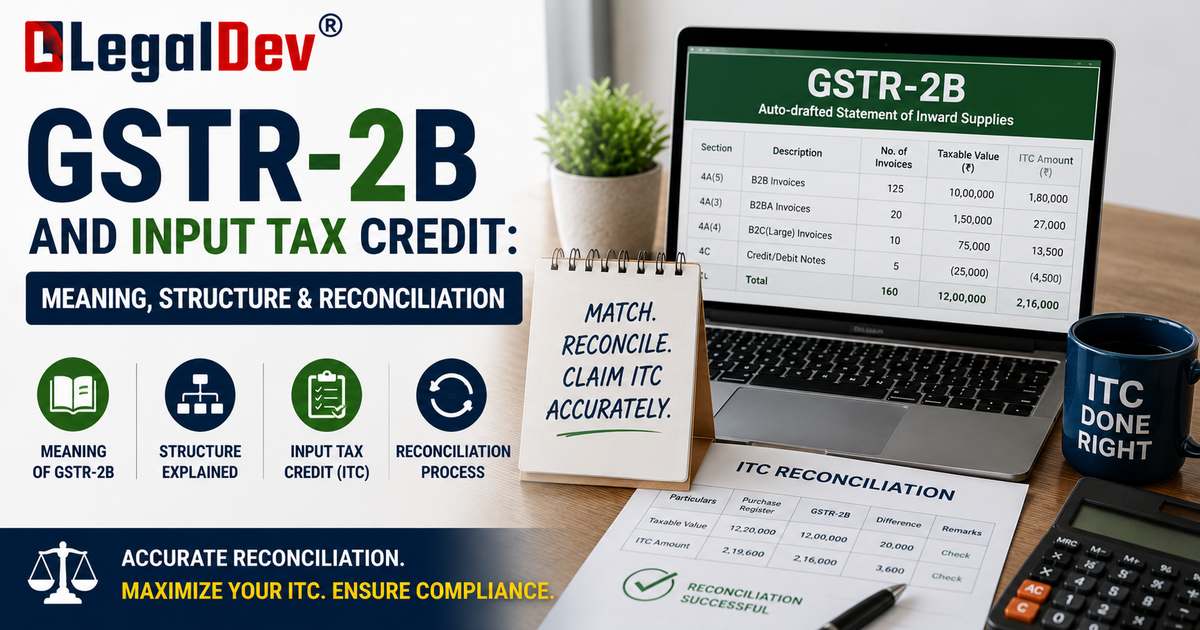
GSTR-2B and Input Tax Credit
Since ITC eligibility was tied directly to an auto-drafted statement rather than a taxpayer's own records, GSTR-2B has become the single most important document in the monthly ITC cycle. This page looks specifically at what GSTR-2B is, how it is structured, how it differs from GSTR-2A, and how to reconcile it before filing a return.
For where GSTR-2B fits into the overall claim process, see How to Claim Input Tax Credit. For the underlying legal conditions ITC must meet, see Conditions for Claiming Input Tax Credit.
What Is GSTR-2B?
GSTR-2B is an auto-drafted, ITC-specific statement generated by the GST system for every registered taxpayer, built from the returns filed by their suppliers — specifically GSTR-1 (or the Invoice Furnishing Facility) filed by regular suppliers, GSTR-5 filed by non-resident taxable persons, and GSTR-6 filed by Input Service Distributors.
Unlike a return, GSTR-2B is not something a taxpayer files. It is a reference document the system produces on their behalf, meant to give a fixed, dependable figure for how much ITC is available for a given period before that period's GSTR-3B is filed.
When Is GSTR-2B Generated?
GSTR-2B follows a fixed monthly cycle:
-
For monthly filers, GSTR-2B for a tax period is generated on the 14th of the following month. For example, GSTR-2B for March is generated on 14 April.
-
For quarterly (QRMP) filers, GSTR-2B is generated on the 14th of the month following the end of the quarter.
-
The statement picks up supplier filings within a defined cut-off window — broadly, from the 12th of the current month to the 11th of the following month for GSTR-1, with a slightly later cut-off for import data.
-
If the previous period's GSTR-3B has not been filed, the draft GSTR-2B for the next period may not generate on schedule until that filing is completed.
Since the rollout of the Invoice Management System, the statement generated on the 14th is treated as a draft. If a taxpayer takes any Accept, Reject, or Pending action in IMS after the 14th but before filing GSTR-3B, GSTR-2B needs to be recomputed so the final ITC figure reflects those actions. This is a meaningful change from the earlier practice of treating GSTR-2B as fully frozen the moment it was generated.
Structure of GSTR-2B
GSTR-2B organises invoice-level data into categories that map directly onto specific tables of GSTR-3B:
|
Section
|
What It Shows
|
Where It Flows in GSTR-3B
|
|
ITC Available
|
Eligible credit that can be claimed
|
Table 4A
|
|
ITC Not Available
|
Credit that is blocked or ineligible (e.g., blocked under Section 17(5), supplier under composition, wrong place of supply, or time-barred under Section 16(4))
|
Not claimed; shown for information
|
|
ITC Reversal
|
Credit that must be reversed, including cases under Rule 37A
|
Table 4B
|
|
Import of Goods
|
ITC on goods imported, based on bill of entry data
|
Table 4A
|
Each entry also shows the supplier's GSTIN, invoice details, and the specific reason where credit is marked as not available — which makes it far easier to identify exactly which invoices need supplier follow-up rather than treating a mismatch as a single unexplained figure.
GSTR-2B vs GSTR-2A: What's the Difference?
GSTR-2A and GSTR-2B are often confused because both draw from the same underlying supplier filings, but they behave very differently:
|
Aspect
|
GSTR-2A
|
GSTR-2B
|
|
Nature
|
Dynamic — updates continuously as suppliers file or amend
|
Static (with IMS-based recomputation) — fixed once generated for the period
|
|
Generation
|
Real-time, no fixed date
|
Fixed monthly cycle, on the 14th
|
|
Use for ITC claims
|
Reference only; not used to determine final ITC
|
The basis for what can actually be claimed in GSTR-3B
|
|
Reliability for filing
|
Can shift after a return is filed, causing later mismatches
|
Provides a fixed cut-off, reducing the risk of moving figures
|
The practical rule of thumb: GSTR-2A is useful for tracking what suppliers are uploading through the month, but GSTR-2B is what actually determines the ITC that can be claimed and what the tax department will check a claim against.
Rule 37A: Reversal for Supplier Non-Payment of Tax
A specific reconciliation risk sits in Rule 37A of the CGST Rules. If a supplier reports an invoice in GSTR-1 (so it appears as available ITC in the buyer's GSTR-2B) but then fails to actually pay that tax in their own GSTR-3B by a prescribed date, the buyer is required to reverse the corresponding ITC. The credit can be reclaimed later, once the supplier eventually files and pays.
This is a good example of why matching invoices with GSTR-2B is not a one-time exercise — a credit that was valid when originally claimed can still be pulled back later if the supplier's own compliance falls through.
How to Reconcile GSTR-2B Before Filing GSTR-3B
Step 1 — Download the statement. Log in to the GST portal, go to Returns Dashboard, select the relevant period, and open GSTR-2B (PDF for a quick summary, Excel or JSON for detailed matching).
Step 2 — Match against the purchase register. Go invoice by invoice, checking supplier GSTIN, invoice number, taxable value, and tax amount against what is recorded in the books.
Step 3 — Investigate mismatches.
-
Invoices in the books but missing from GSTR-2B: hold off on claiming; follow up with the supplier.
-
Invoices in GSTR-2B but not in the books: verify whether this is genuine (and simply not yet booked) or a duplicate/incorrect entry that should be rejected in IMS.
-
Invoices marked "ITC Not Available": check the stated reason before assuming it is an error.
Step 4 — Take any pending IMS actions and recompute. If any action was taken after the 14th, recompute GSTR-2B so the figures used in GSTR-3B are current.
Step 5 — File GSTR-3B using the reconciled, recomputed figures, rather than the figures from the purchase register alone.
Why GSTR-2B Reconciliation Matters
Skipping this reconciliation creates two opposite risks:
-
Under-claiming — a business assumes ITC is unavailable simply because it has not yet checked GSTR-2B, and pays more in cash than necessary.
-
Over-claiming — a business claims ITC straight from its own purchase register without checking GSTR-2B, then finds the credit does not actually exist in the system, leading to a mismatch, interest, and possible scrutiny.
Because GSTR-2B is now the reference point the tax department itself audits against, a claim that does not match it is far more likely to attract a notice than one based purely on the buyer's own books.
Frequently Asked Questions
What is GSTR-2B in simple terms?
It is an auto-generated statement showing, for a given tax period, exactly how much Input Tax Credit a business is eligible to claim, based on what its suppliers have reported.
When is GSTR-2B generated every month?
On the 14th of the month following the tax period for monthly filers, and on the 14th of the month after the quarter ends for QRMP filers.
Is GSTR-2B the same as GSTR-2A?
No. GSTR-2A updates in real time and is used only as a reference, while GSTR-2B is generated on a fixed monthly cycle and is the actual basis for claiming ITC in GSTR-3B.
Can GSTR-2B change after it is generated?
The statement generated on the 14th is treated as a draft. If IMS actions are taken afterward, it must be recomputed before filing GSTR-3B, so the final figures can differ from the original draft.
What does "ITC Not Available" in GSTR-2B mean?
It means the credit for that invoice cannot be claimed for reasons such as blocked credit under Section 17(5), the supplier being under the composition scheme, a place-of-supply mismatch, or the credit being time-barred.
What is Rule 37A?
It requires a buyer to reverse ITC already claimed if the supplier reported the invoice in GSTR-1 but did not actually pay the tax in their GSTR-3B by the prescribed date. The credit can be reclaimed once the supplier eventually pays.