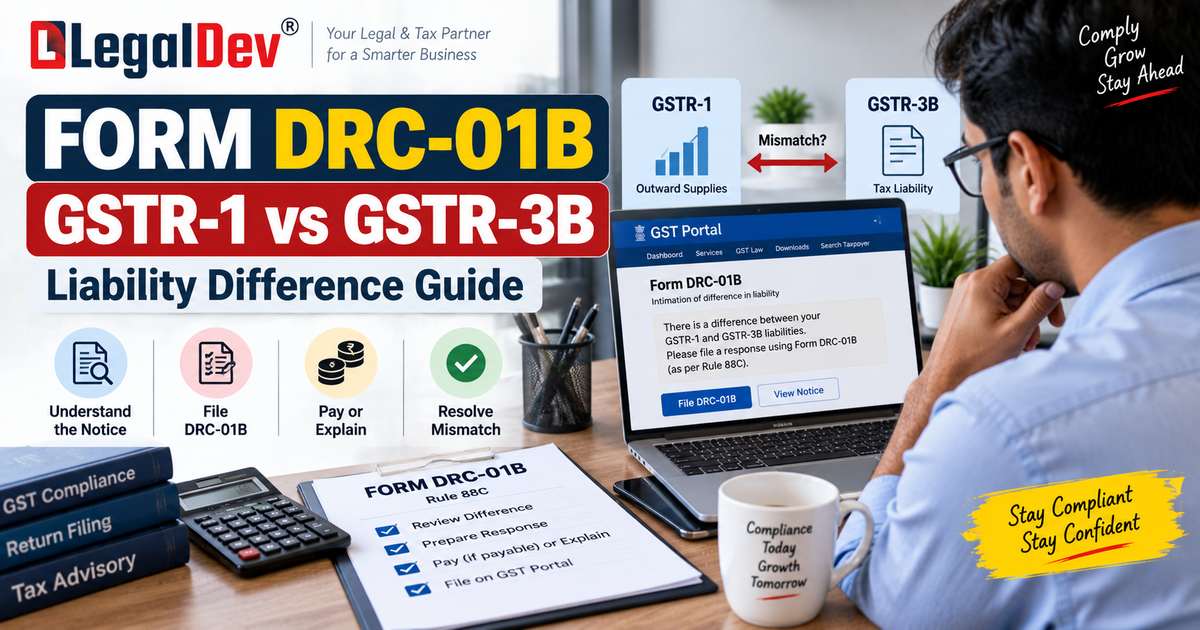
Introduction
On 29th June 2023, GSTN rolled out an advisory introducing a new compliance feature on the GST portal. This feature was designed to let taxpayers explain discrepancies between the liability they've declared in their GSTR-1 (outward supplies statement) and the liability they've actually paid off through GSTR-3B (their summary return), for every return period.
Whenever the system detects a gap between these two figures, it automatically issues an intimation in Form DRC-01B. This article walks through what Form DRC-01B is, when and why it gets triggered, the full procedure for replying through Part B, and the compliance consequences of ignoring it.
What Exactly Is Form DRC-01B?
Form DRC-01B is a relatively new, system-driven functionality added to the GST portal. It's automatically issued to a taxpayer whenever there's a mismatch between the liability shown in GSTR-1 and the liability actually discharged through GSTR-3B.
Specifically, the GST portal generates this intimation when either of these two conditions is met:
-
The liability declared in GSTR-1 exceeds the liability paid via GSTR-3B by more than a pre-defined monetary limit; or
-
The percentage difference between the two figures crosses a configurable threshold set by the department.
This isn't limited to any one category of taxpayer — Form DRC-01B is applicable across the board, covering regular taxpayers, casual taxable persons, composition scheme dealers, SEZ units, and SEZ developers alike.
When Is Form DRC-01B Generated?
The timing of this notice depends entirely on how frequently you file your returns:
-
If you're a monthly filer, Form DRC-01B gets generated right after you file your monthly GSTR-3B return, provided a mismatch is detected.
-
If you're a quarterly filer, the form is generated after you file your quarterly GSTR-3B return.
In either case, the comparison and subsequent notice generation only happens after GSTR-3B has been filed for that period — not before.
The Two Parts of Form DRC-01B
Form DRC-01B is structured into two clearly separated sections, and understanding the difference between them is key to responding correctly.
Part A – System-Generated Intimation
This section summarizes and explains the exact liability mismatch that has been detected. It is generated entirely by the system — no manual input goes into it, and equally important, no taxpayer can alter or edit anything in Part A. It's a locked, computer-generated summary of the discrepancy.
As soon as Part A is generated, the GST portal assigns a unique Reference Number to that specific case, and an intimation is sent to the taxpayer through both SMS and email, ensuring the notice doesn't go unnoticed.
Part B – Taxpayer's Response
This is the section where the taxpayer actually responds to the intimation. Importantly, once you've received a Form DRC-01B intimation, filing a reply through Part B is mandatory — there's no option to simply ignore it or let it lapse without consequence (more on that below).
Step-by-Step Procedure to File Part B of Form DRC-01B
If you've received this intimation, here's exactly how to file your response on the GST portal:
Step 1: Visit the official GST portal.
Step 2: Click on 'Login' and enter your username, password, and the captcha code shown.
Step 3: Once logged in, navigate through the following path: Services > Returns > Return Compliance.
Step 4: You'll see an option labelled 'Liability Mismatch (DRC-01B)' — click 'View' next to it.
Step 5: A table will be displayed showing key details: Reference Number, Form Type, Financial Year, Return Period, and Status. Click on the hyperlinked Reference Number to open your specific case.
Step 6: The full Liability Mismatch (DRC-01B) form will open, showing two parts:
-
Part A – the system-generated intimation explaining the difference between the liability reported in GSTR-1 (outward supplies) and the liability reported in GSTR-3B (return).
-
Part B – the section where you, the taxpayer, reply to that intimation.
Remember, Part A cannot be edited under any circumstances — it's purely informational. Your actual explanation or resolution goes into Part B.
Step 7: At this stage, you'll fall into one of three possible situations regarding the liability mismatch:
-
Situation 1: You fully accept the difference in liability, and you go ahead and pay the difference amount.
-
Situation 2: You do not accept the difference at all, in which case you must provide a valid, justifiable reason explaining the discrepancy.
-
Situation 3: It's a partial case — you accept and pay a portion of the difference, while disputing and explaining the remaining portion with valid reasoning.
Step 8: Based on which of these three situations applies to you, fill in Part B accordingly:
-
If you accept the difference in liability — you'll need to pay the amount through Form DRC-03, and then enter the ARN (Application Reference Number) of that DRC-03 payment in your Part B response.
-
If you do not accept the difference — you'll need to select one or more applicable reasons from the dropdown options provided, or choose the "any other reason" option and type out your own explanation.
Step 9: Tick the verification checkbox, select the Name of the Authorized Signatory from the dropdown list, and enter the Place of filing.
Step 10: Click SAVE to save your entries before final submission.
Step 11: Once you've thoroughly reviewed all the details you've entered, click 'File GST DRC-01B' to complete and submit your response.
What Happens If You Don't Respond to Form DRC-01B?
This is a critical point that many taxpayers underestimate. If you receive an intimation in Form DRC-01B and fail to file your response through Part B, the consequence is significant: you will be blocked from filing your GSTR-1 (or IFF) for any subsequent period until this pending reply is cleared.
In practical terms, this means your outward supply reporting for future tax periods comes to a halt, which can also affect your buyers' ability to claim input tax credit on time — making it a compliance issue that cascades well beyond just this one notice.
Frequently Asked Questions
What is the purpose of Form DRC-01B?
Form DRC-01B is a system-driven feature on the GST portal that allows taxpayers to explain any mismatch between the liability declared in their GSTR-1 (outward supplies statement) and the liability actually paid through GSTR-3B (self-assessed return). The portal compares these two figures for each return period, and if the gap crosses either a fixed rupee threshold or a defined percentage limit, an intimation is automatically generated.
When is Form DRC-01B generated?
For taxpayers who file monthly, the form is generated right after the monthly GSTR-3B is filed, provided a mismatch exists. For quarterly filers, it's generated after the quarterly GSTR-3B is filed. In both cases, it's issued specifically because of a detected difference between the GSTR-1 and GSTR-3B liability figures.
What types of taxpayers need to respond to Form DRC-01B?
The form applies to a wide range of taxpayer categories — regular taxpayers, casual taxable persons, composition scheme dealers, SEZ units, and SEZ developers. Regardless of category, any taxpayer who receives this intimation is required to file a response through Part B.
What are the possible ways to respond in Part B of Form DRC-01B?
There are three possible responses: (1) fully accept the difference and pay the amount, citing the relevant DRC-03 ARN in your reply; (2) fully reject the difference and provide a valid explanation for the mismatch; or (3) accept part of the difference (paying that portion via DRC-03) while explaining and disputing the remaining part.
What happens if a taxpayer doesn't respond to Form DRC-01B?
Failing to file a reply through Part B means the taxpayer will not be able to file their GSTR-1 or IFF for any future return period. Since responding is mandatory, this restriction stays in place until the reply is submitted.
How does a taxpayer access and file Part B of Form DRC-01B?
Taxpayers need to log into the GST portal, go to Services > Returns > Return Compliance, and click on 'Liability Mismatch (DRC-01B).' From there, they open their specific case using the Reference Number and fill in their response under Part B, following the required steps and submitting via 'File GST DRC-01B.'
What details are included in Part A of Form DRC-01B?
Part A is entirely system-generated and provides a summary explaining the exact difference detected between the liability in GSTR-1 and GSTR-3B. It also comes with a unique Reference Number, and the taxpayer is notified of this intimation via both SMS and email.
Does Form DRC-01B apply to all categories of GST taxpayers?
Yes. It applies broadly — covering regular taxpayers, casual taxable persons, composition scheme dealers, and SEZ units/developers. Any taxpayer falling into these categories who receives the intimation must respond through Part B.
What is the Reference Number in Part A used for?
The Reference Number is a unique identifier assigned to each specific DRC-01B case the moment Part A is generated. Taxpayers use this number to locate and open their case on the GST portal in order to file their Part B response.
Can a taxpayer edit or change the details in Part A of Form DRC-01B?
No. Part A is generated automatically by the system and cannot be modified or edited in any way. Any clarification, acceptance, or dispute regarding the mismatch must be communicated exclusively through Part B.