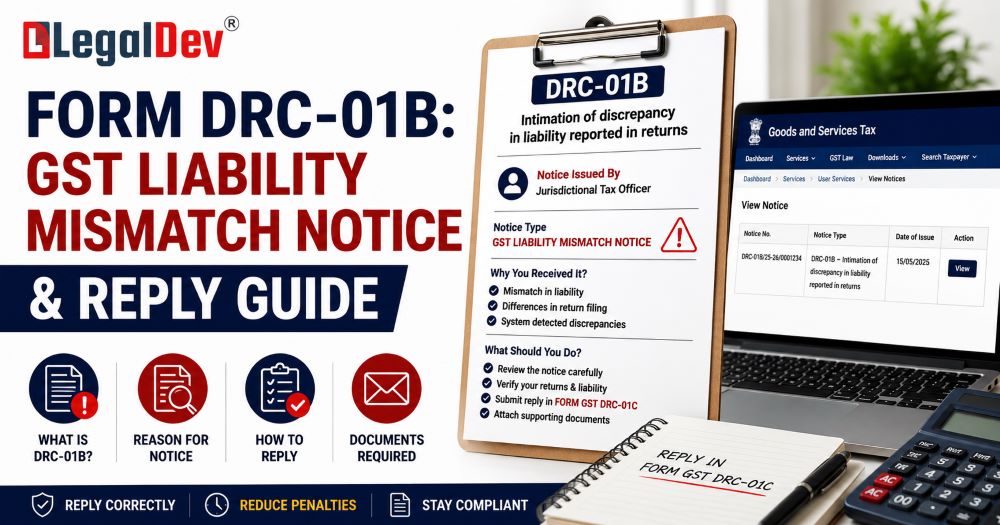
Form DRC-01B in GST: What It Is, Why You Got It, and How to Respond
If you just received a Form DRC-01B notice on the GST portal, the first thing to know is this: you have 7 days to respond, and ignoring it will get your GSTR-1 filing blocked. That means your customers cannot claim input tax credit from your invoices — which tends to create very uncomfortable phone calls.
This guide explains exactly what Form DRC-01B is, what triggered it in your case, your three options for replying, and the step-by-step process to file your response in Part B — plus how to prevent this from happening again.
Quick Reference
|
Detail
|
Information
|
|
Form Name
|
Form DRC-01B
|
|
Governed By
|
Rule 88C of the CGST Rules, 2017
|
|
Trigger
|
GSTR-1 declared liability exceeds GSTR-3B paid liability beyond the threshold
|
|
Threshold
|
More than ₹1 lakh OR more than 20% of GSTR-3B liability (whichever is lower)
|
|
Reply Deadline
|
7 days from the date of intimation
|
|
Reply Form
|
Part B of Form DRC-01B
|
|
Payment (if applicable)
|
Via Form DRC-03
|
|
Consequence of Non-Reply
|
GSTR-1/IFF filing blocked for subsequent periods
|
|
Applicable To
|
Regular taxpayers, SEZ units/developers, casual taxpayers, QRMP filers
|
What Is Form DRC-01B?
Form DRC-01B is a system-generated intimation issued under Rule 88C of the CGST Rules, 2017. It is not a demand notice or a show cause notice — at this stage, it is an automated alert asking you to either explain or settle a detected gap between two of your GST filings.
Here is the simple version of how it works: the GST portal automatically compares the tax liability you declared in GSTR-1 (your outward supply statement) against the tax you actually paid through GSTR-3B (your return). If your GSTR-1 figure is materially higher than your GSTR-3B payment — beyond the system's configured threshold — an intimation fires automatically.
Example: You reported ₹10 lakh in tax liability through GSTR-1 but only paid ₹7 lakh in GSTR-3B. The ₹3 lakh gap is above the threshold. The system detects this after you file GSTR-3B and issues DRC-01B automatically.
The notice has two parts:
-
Part A — System-generated intimation showing the computed difference, broken down by tax head (IGST, CGST, SGST, Cess). You cannot modify anything here.
-
Part B — Your response section, where you either confirm a payment or explain the reason for the gap.
Once Part A is issued, a Reference Number is assigned and you receive an SMS and email notification.
Who Gets a DRC-01B Notice?
Form DRC-01B applies to the following categories of GST-registered taxpayers:
-
Regular taxpayers (including monthly and QRMP filers)
-
SEZ units and SEZ developers
-
Casual taxpayers
-
Composition scheme dealers
Frequency of issuance:
-
For monthly filers — DRC-01B is generated monthly, after each GSTR-3B filing
-
For quarterly filers (QRMP) — DRC-01B is generated after the quarterly GSTR-3B is filed
Why Did You Get This Notice? Common Real-World Causes
DRC-01B notices are rarely issued because of fraud. In most cases, the mismatch is entirely unintentional. Here are the situations that most commonly trigger it:
1. Invoice reported in GSTR-1 but liability missed in GSTR-3B You uploaded the invoice correctly in GSTR-1 but forgot to include the corresponding tax amount in Table 3.1 of GSTR-3B. Classic oversight.
2. Timing difference between the two returns You invoiced in October and reported it in GSTR-1 for October, but the tax was paid in GSTR-3B for November. The system flags October as a mismatch even though the payment was eventually made.
3. Data entry error in GSTR-1 A typo — such as entering ₹5,00,000 instead of ₹50,000 as the taxable value — inflates the declared liability and pushes it past the threshold.
4. ITC offset not reflected correctly You reduced your cash outflow in GSTR-3B by offsetting eligible ITC, but the full liability still shows in GSTR-1. No tax went unpaid, but the system sees a gap.
5. Credit notes not accounted for You issued a credit note after filing GSTR-1 but before filing GSTR-3B. The original invoice liability in GSTR-1 is higher than what you paid after adjusting for the credit note.
Your Three Options When Replying to DRC-01B
When you file Part B of Form DRC-01B, you have three distinct paths depending on your situation:
Option 1 — You Accept the Difference and Have Paid It
Use this when the mismatch is genuine — you underpaid in GSTR-3B and have since settled the amount via Form DRC-03 (voluntary payment). Enter the ARN of the DRC-03 payment in Part B. Interest at 18% per annum under Section 50 applies from the original due date to the date of payment, so make sure your DRC-03 includes interest as well.
⚠️ DRC-03 ARN Validation Rules: The ARN will only be accepted if:
-
It belongs to the same GSTIN
-
The cause of payment is stated as "Liability mismatch – GSTR-1 to GSTR-3B"
-
The DRC-03 was filed on or after the date Part A of DRC-01B was issued
-
The tax period matches the period for which DRC-01B was issued
Option 2 — You Do Not Accept the Difference
Use this when the mismatch is due to ITC adjustment, credit notes, a timing difference, or a data error — and no tax is actually owed. Select the applicable reason(s) from the dropdown menu and provide a clear explanation in the text box (up to 500 characters). You do not need to make any payment in this case.
Option 3 — Partial Acceptance
Use this when part of the gap is genuine (you pay that portion via DRC-03) and part is explainable (you provide a reason for the balance). Both sub-parts of Part B can be filled simultaneously — enter the DRC-03 ARN for the accepted amount and select the reason for the remaining difference.
Step-by-Step Process to File DRC-01B Part B on the GST Portal
Step 1: Go to gst.gov.in and log in using your GSTIN, password, and captcha.
Step 2: Navigate to Services → Returns → Return Compliance. You can also access this directly from the dashboard if the link is visible.
Step 3: On the Return Compliance page, locate the "Liability Mismatch (DRC-01B)" tile and click "View."
Step 4: The pending DRC-01B records will be displayed. You can search by Reference Number (ARN), Return Period (select the financial year first), or Status. Click the hyperlinked Reference Number for the notice you want to respond to.
Step 5: The full DRC-01B form opens, displaying both Part A (system-generated, read-only) and Part B (your reply section). Review Part A carefully — it shows the declared liability from GSTR-1/IFF and the paid liability from GSTR-3B/3BQ, broken down by tax head.
Step 6: In Part B — Sub-part 1, if you are accepting the liability (fully or partially), enter the ARN of your DRC-03 payment and click "Validate." The payment details will populate automatically. If you have not made the payment yet, click "Click Here for DRC-03" to navigate to the payment screen and complete it before returning.
Step 7: In Part B — Sub-part 2, if any portion of the difference is not accepted, check the applicable reason(s) from the dropdown and add your explanation in the text box. You can use both sub-parts simultaneously for partial acceptance.
Step 8: Click the verification/declaration checkbox, select the Name of the Authorised Signatory from the dropdown, and enter your Place of signing.
Step 9: Click "Save" first to preserve your entries, then click "File GST DRC-01B" to submit.
Step 10: Choose your filing method — EVC (OTP-based) or DSC (Digital Signature Certificate). Enter the OTP sent to the registered mobile number and email of the primary authorised signatory, then click "Verify."
Step 11: Once filed, click "Download DRC-01B" to save the final acknowledgement PDF for your records.
✅ After successfully filing Part B, you can immediately file your GSTR-1/IFF for the current period. If the portal shows an error, log out, wait a few minutes, and log back in.
What Happens If You Do Not Reply Within 7 Days?
This is where ignoring DRC-01B becomes genuinely damaging to your business:
Immediate consequence: Your GSTR-1 or IFF filing for the next period gets automatically blocked. You cannot declare outward supplies, which means your buyers cannot see your invoices in their GSTR-2B and lose access to the input tax credit from your supplies.
Escalation risk: If the unresolved amount remains outstanding, the GST department can move toward formal proceedings under:
-
Section 73 (non-fraud cases) — demand with interest and a penalty of up to 10% of the tax amount
-
Section 74 (fraud cases) — demand with interest and a penalty of up to 100% of the tax amount
-
Section 79 — direct recovery proceedings, which can be initiated without a traditional show cause notice
The block continues until you either deposit the amount specified in the notice or file a valid explanation via Part B — whichever applies to your case.
How to View a Filed DRC-01B Response
If you have already submitted a reply and want to retrieve it:
-
Go to Services → Returns → Return Compliance → Liability Mismatch (DRC-01B)
-
Select the "Status" radio button
-
Choose "Completed" from the dropdown and click "Search"
-
Click the relevant Reference Number hyperlink
-
Click "Download DRC-01B" to get the final filed PDF
How to Prevent DRC-01B Notices in the Future
The most reliable way to avoid receiving this notice is a discipline that every GST-registered business should build into its monthly workflow: reconciling GSTR-1 and GSTR-3B data before filing either return.
Practical steps that help:
-
Cross-check before filing GSTR-3B — match the liability figures in Table 3.1 against the invoices already uploaded in GSTR-1 for the same period
-
Handle timing differences carefully — if an invoice was reported in GSTR-1 for Month 1 but the tax will be paid in Month 2, flag it internally so it does not create a recurring mismatch
-
Review credit notes promptly — ensure credit notes issued after GSTR-1 filing are accounted for correctly in GSTR-3B
-
Verify data entry in GSTR-1 — even a single digit error in the taxable value can push a transaction above the threshold and trigger an automatic notice
-
Use accounting software with reconciliation tools — many platforms flag GSTR-1 vs GSTR-3B differences before submission, giving you time to fix them without a notice
Frequently Asked Questions
What is the difference between DRC-01B and DRC-01C?
DRC-01B deals with mismatches between GSTR-1 declared liability and GSTR-3B paid liability (outward supply side). DRC-01C, introduced later, deals with mismatches between ITC available as per GSTR-2B and ITC claimed in GSTR-3B (input side). Both require a Part B reply to avoid GSTR-1/IFF blocking.
Is it mandatory to make payment via DRC-03 to respond to DRC-01B?
No. If the mismatch is due to ITC adjustment, credit notes, timing differences, or a data error, you can respond by selecting the appropriate reason in Part B without making any payment. Payment via DRC-03 is only required when you accept that a genuine liability shortfall exists.
How much time do I have to reply to DRC-01B?
You have 7 days from the date shown on the Part A intimation. The clock starts from the notice date — not from when you first log in or view the notice.
Can I reply to DRC-01B after the 7-day window?
Technically, the system may still allow you to file Part B after the deadline, but your GSTR-1 for the subsequent period will already have been blocked by then. Filing the reply is the only way to unblock it.
What should I enter as the "cause of payment" in DRC-03 when paying for DRC-01B?
The cause of payment must be specified as "Liability mismatch – GSTR-1 to GSTR-3B." If any other cause is entered, the ARN will not be validated in Part B of DRC-01B.
After filing Part B, how quickly can I file GSTR-1?
Immediately. GSTR-1/IFF access is restored as soon as Part B is successfully filed. If you see an error, log out and log back in after a few minutes.
What if the reason I need to explain is not available in the dropdown?
Select "Any other reason" from the dropdown and manually describe the specific cause in the text box provided. Keep the explanation factual and clear.
DRC-01B was issued but the mismatch was a system error or GSTN issue. What do I do?
Select the most relevant reason in Part B and clearly explain in the text box that the discrepancy was due to a portal/system error. You can also raise a grievance through the GST portal's helpdesk if the issue persists.
Conclusion
Form DRC-01B is the GST system's automated way of flagging a gap between what you declared you owed and what you actually paid. It is not a final penalty — but it demands a response within 7 days, and that window is strict.
If the mismatch is genuine, pay the differential via DRC-03 and quote the ARN in your reply. If there is a valid reason the figures differ, explain it clearly in Part B. In either case, responding on time keeps your GSTR-1 unblocked and your supply chain running without disruption.
Going forward, a monthly reconciliation of your GSTR-1 and GSTR-3B figures before submission is the single most effective step to ensure you do not see this notice again.
GST Helpdesk: 1800-103-4786 Official GST Portal: gst.gov.in
This article is for informational purposes only. For official guidelines and updates, refer to the GST portal at gst.gov.in or consult a qualified GST practitioner.