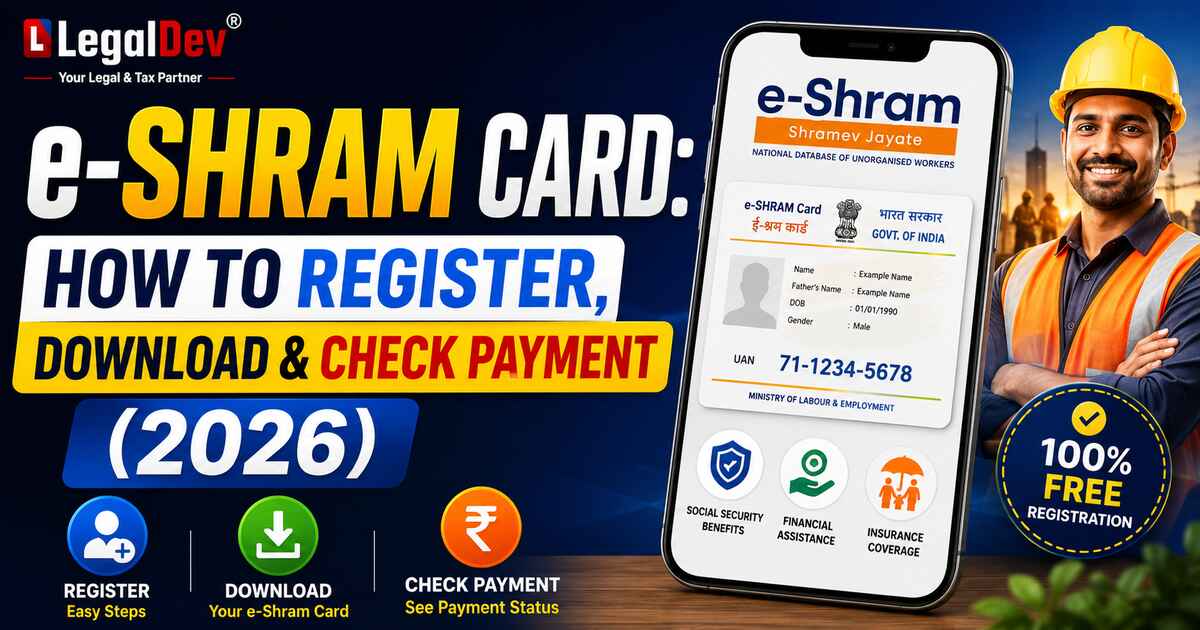
e-Shram Card 2026: Registration, Benefits, Download by Mobile Number, Payment Status & Balance Check
Thirty crore workers have already registered. Most of them still don't know half the benefits they're entitled to.
If you work as a construction worker, domestic helper, delivery partner, street vendor, or daily wage earner — the e-Shram card is probably the most useful government document you don't have yet. It costs nothing to get. Takes about ten minutes. And once you have it, you're connected to pension, accident insurance, and direct cash transfers from the government.
Here's everything, laid out simply.
What Is the e-Shram Card?
The e-Shram card — sometimes called the Shramik card or e-labour card — is an official ID issued by India's Ministry of Labour and Employment. When the government launched the e-Shram portal (eshram.gov.in) back in August 2021, the goal was straightforward: build a national database of unorganised workers so benefits actually reach them.
When you register on the e-Shram portal, you get a 12-digit Universal Account Number — your UAN. This number stays with you for life. Move cities, change jobs, shift states — the UAN doesn't change. It follows you.
As of 2026, over 30 crore workers are registered. But honestly? Most of them are leaving benefits on the table because they registered and stopped there.
e-Shram Card — Quick Details
|
Detail
|
Information
|
|
Scheme Name
|
e-Shram Card / Shramik Card
|
|
Launched By
|
Ministry of Labour and Employment
|
|
Launch Date
|
August 26, 2021
|
|
Eligible Age
|
16 to 59 years
|
|
Accident Insurance
|
₹2 lakh (death) / ₹1 lakh (partial disability)
|
|
Pension Benefit
|
₹3,000/month after age 60 (via PM-SYM)
|
|
Application Mode
|
Online (self) and Offline (via CSC)
|
|
Official Website
|
eshram.gov.in
|
|
Helpline
|
14434 / 18008896811
|
|
Email
|
eshramcare-mole@gov.in
|
Who Counts as an Unorganised Worker?
Any business or workplace with fewer than ten workers — and not covered under ESIC or EPFO — falls into the unorganised sector. Construction sites, roadside stalls, homes where domestic workers work, farms, auto-repair shops — these all count.
Construction workers, farmers, tailors, fishermen, rickshaw pullers, migrant labourers, domestic helpers — they all qualify. And from November 2025, this list officially includes gig and platform workers too. For the first time, the definition of 'gig workers' and 'platform workers' and provisions related to them have been included in the Code on Social Security, 2020, which came into force on 21 November 2025. labour
So if you drive for Ola or deliver for Swiggy and you're not under any EPFO scheme, you're eligible.
e-Shram Card Benefits — What You Get
Accident Insurance Under PMSBY
Every registered worker gets ₹2,00,000 in case of accidental death and ₹1,00,000 if there's partial disability. If the cardholder passes away in an accident, the spouse receives the full amount. This happens under Pradhan Mantri Suraksha Bima Yojana — the annual premium is just ₹20.
Pension of ₹3,000 Per Month After 60
Workers who enroll in PM-SYM through their UAN get ₹3,000 every month once they turn 60. The government matches half your monthly contribution. Depending on your age when you join, your own share ranges from ₹55 to ₹200 per month. Small amount going in, meaningful support coming out.
Your 12-Digit UAN — A Permanent ID
The e-Shram Universal Account Number is valid across all states. It doesn't expire. It doesn't reset. Whether you're working in Delhi today or moving to Pune next year, the same UAN works.
Direct Money During Emergencies — No Application Needed
This one surprises most people. The government uses your registered Aadhaar-bank-e-Shram linkage to transfer money directly during natural disasters. Direct DBT during emergencies — a cyclone in Odisha triggered automatic e-Shram-based DBT for affected workers — no form, no application, automatic credit if you're in the affected area and registered. RTI Wiki
One Stop Solution — All Schemes, One Place
The e-Shram One Stop Solution, launched in October 2024, puts PM-SYM, PM-SVANidhi, and other central and state schemes under one dashboard. You log in once and see everything you're connected to.
Jobs and Free Training
The e-Shram card is now linked to the National Career Service portal, where workers can search for job opportunities. Free skill training is also available through Skill India Digital — covering trades like electrician, beautician, and more. This wasn't available at launch. It's a 2026 addition worth using. E Shram Card
DigiLocker — Card Always With You
DigiLocker integration allows workers to securely store and retrieve their e-Shram card digitally. Open DigiLocker, search "Ministry of Labour," select "UAN Card," enter your Aadhaar — done. Your card lives in DigiLocker permanently. No need to re-download every time. Bhandara DCCB
State-Level Extra Benefits
Uttar Pradesh regularly sends ₹500–₹1,000 maintenance allowances directly to registered workers' accounts. Bihar, Madhya Pradesh, and other states run separate schemes for migrant workers and their children. These credits land in your bank account without you doing anything extra — as long as your details are updated on the portal.
Gig Worker Recognition — Updated December 2024
The Ministry of Labour and Employment launched an Aggregator Module on the e-Shram portal on 12 December 2024 for registration of aggregators and platform workers engaged by them. Platform companies are now required to register their workers through this module. If you're a platform worker, your registration on e-Shram now carries more official weight than before. Press Information Bureau
Who Can Apply for the e-Shram Card?
-
Any unorganised sector worker between 16 and 59 years of age
-
Must have an Aadhaar-linked mobile number (for OTP)
-
Must not be an active EPFO or ESIC member
-
Must not be an income tax payer
-
Gig/platform workers qualify — select "Platform & Gig Worker" during registration
Documents You Need for e shram card
Just three things:
-
Aadhaar card
-
Mobile number linked to Aadhaar
-
Bank account with IFSC code
No income proof. No address certificate. No fees — not even ₹1.
e-Shram Card Registration: Step-by-Step Online Apply Process
You can do this yourself from your phone. Or visit a CSC centre if you need help.
Step 1: Open eshram.gov.in on your browser.
Step 2: Click "Register on eShram" under the One Stop Solution tab.
Step 3: Enter your Aadhaar-linked mobile number and the captcha. Select whether you're an active EPFO/ESIC member. Click "Send OTP".
Step 4: Enter the OTP that arrives on your phone, fill the captcha, click "Submit".
Step 5: Complete Aadhaar e-KYC — select "Register using Aadhaar number," enter your Aadhaar, choose OTP verification, fill captcha, accept the consent, and hit "Submit".
Step 6: Enter the Aadhaar OTP and captcha. Click "Validate".
Step 7: Your personal details pulled from Aadhaar appear on screen. Verify them and click "Continue to Enter Other Details".
Step 8: Fill in your current address, educational qualification, occupation, skills, and bank account details.
Step 9: Tick the self-declaration box and click "Submit".
Step 10: Your e-Shram card is generated on screen. Click "Download" — save the PDF.
One important thing: If your mobile isn't linked to Aadhaar, you can't self-register online. Head to your nearest CSC — they verify you through fingerprint biometrics. Also free.
e-Shram Card Download PDF — Three Ways
Download by Mobile Number
-
Go to eshram.gov.in → click "Login" under One Stop Solution
-
Enter your Aadhaar-linked mobile number + captcha → click "Send OTP"
-
Enter OTP + captcha → click "Submit"
-
Enter your Aadhaar number, choose OTP, fill captcha → click "Submit"
-
Enter OTP + captcha → click "Validate"
-
Click "Download UAN Card" → then "Download"
Download by Aadhaar Number
Same process as above — you log in using your Aadhaar-linked mobile, then verify with your Aadhaar OTP. Both methods use the same login path.
Download by UAN Number
-
Go to eshram.gov.in → One Stop Solution tab
-
Select "Login Using UAN"
-
Enter UAN number, date of birth, captcha → click "Generate OTP"
-
Enter OTP + captcha → click "Validate"
-
Click "Download UAN Card" → then "Download"
Download via DigiLocker or UMANG App
In 2026, the e-Shram card can also be downloaded using the UMANG and DigiLocker apps. In DigiLocker — search "Ministry of Labour" → select "UAN Card" → enter Aadhaar. In UMANG — search "e-Shram One Stop Solution" → log in with mobile number. Both save the card permanently. Bajaj Finserv
How to Check e-Shram Card Status
By phone: Call 14434 from your registered mobile number. You'll get an SMS with your card status — takes under a minute.
Via portal: Log in to eshram.gov.in with your mobile number, Aadhaar, and OTP. Your registration status shows directly on the dashboard once you're in.
How to Check e-Shram Payment Status
-
Go to eshram.gov.in → click "Login" under One Stop Solution
-
Enter mobile number + captcha → verify OTP → click "Submit"
-
Enter Aadhaar number + OTP → click "Validate"
-
On your dashboard, click "Check Payment Status" or "Know Your Payment"
-
Enter your UAN number, e-Shram card number, or Aadhaar → click "Submit"
-
Current payment status is shown on screen
How to Check Balance in e-Shram Card
-
Log in to eshram.gov.in using mobile number + Aadhaar OTP
-
After login, go to "My Account" section on the dashboard
-
Click "Check Balance"
Balance linked to your e-Shram account appears here. For state-specific allowances like UP's maintenance payments — those usually land directly in your bank account, so check your passbook or bank app too.
How to Update e-Shram Card Online
Changed your mobile number? Moved to a new address? Switched jobs? Log in to eshram.gov.in, go to "Update Profile" on your dashboard, and make the changes. Most updates go through OTP-based verification and reflect immediately.
Keeping your profile current is not optional if you want benefit transfers to reach you without issues.
e-Shram Card Links with Other Schemes
PM-SYM: Workers aged 18–40 can enroll using their UAN for ₹3,000/month pension after 60. Separate enrollment required — e-Shram card makes you eligible but doesn't auto-enroll you.
National Career Service (NCS): Your UAN gives direct access to the NCS portal for job searches.
Skill India Digital: Free vocational training and apprenticeship opportunities across multiple trades — accessible through your e-Shram login.
PM-SVANidhi: Street vendors and small shop owners can apply for working capital loans through this scheme using their e-Shram registration.
Helpline and Support
Toll-free: 14434 or 18008896811 (Monday to Sunday, 9:00 AM – 6:00 PM) Email: eshramcare-mole@gov.in Portal: eshram.gov.in
For CSC assistance — visit eshram.gov.in, enter your state and district, and find the nearest centre.
Is e-Shram Card Registration Really Free?
Yes. Completely. No registration charge. No renewal fee. No hidden cost.
If someone asks you to pay for e-Shram registration — that's not official. Walk away or report it.
FAQs
Q: What is e-Shram card and who should apply for it?
A: The e-Shram card is a government identity document for workers in India's unorganised sector — construction workers, domestic helpers, delivery partners, street vendors, farmers, and migrant labourers. Any worker aged 16–59 who is not under EPFO/ESIC and does not pay income tax can apply free at eshram.gov.in.
Q: How to download e-Shram card by mobile number?
A: Visit eshram.gov.in and click "Login" under the One Stop Solution tab. Enter your Aadhaar-linked mobile number, verify with OTP, then enter your Aadhaar number and validate with another OTP. Once inside your dashboard, click "Download UAN Card" and save the PDF.
Q: What are the e-Shram card benefits in 2026?
A: Benefits include ₹2 lakh accident death insurance and ₹1 lakh for partial disability under PMSBY, ₹3,000/month pension after 60 through PM-SYM, automatic DBT during emergencies, free job search access via NCS portal, free skill training through Skill India Digital, and state-specific cash allowances in UP, Bihar, MP, and other states.
Q: What is the e-Shram Universal Account Number and what is it used for?
A: The e-Shram UAN is a permanent 12-digit number given to every registered worker. It doesn't change even if you move states or switch occupations. It's used to log in to the portal, download your card, access linked schemes like PM-SYM and PM-SVANidhi, and receive direct benefit transfers to your bank account.
Q: How to check e-Shram card payment status online?
A: Log in to eshram.gov.in with your mobile number and Aadhaar OTP. From your dashboard, click "Check Payment Status" or "Know Your Payment," enter your UAN or Aadhaar number, and submit. Your current payment status appears on screen immediately.
Q: Can Swiggy, Zomato, or Ola delivery workers apply for the e-Shram card?
A: Yes — gig and platform workers are now officially covered under the Code on Social Security, 2020 (effective November 2025). Delivery partners, cab drivers, and freelancers not under EPFO/ESIC can register. Select "Platform & Gig Worker" as the occupational category during e-Shram card self registration.
Q: How to do e-Shram card self registration online step by step?
A: Go to eshram.gov.in, click "Register on eShram," enter your Aadhaar-linked mobile number, verify OTP, complete Aadhaar e-KYC, fill personal and bank details, tick self-declaration, and submit. Your UAN card generates immediately and can be downloaded as a PDF right then.
Q: Is e-Shram card and shramik card the same thing?
A: Yes, they refer to the same national identity document issued by the Ministry of Labour and Employment. Some state governments also issue separate state-level labour cards — those are different. The e-Shram card is the central government document linked to your UAN, and state labour cards are often auto-linked using your e-Shram data.
Q: How to check e-Shram card balance?
A: Log in to eshram.gov.in using your Aadhaar-linked mobile number and OTP. Go to "My Account" on your dashboard and click "Check Balance." For state allowances like UP maintenance payments, these are usually credited directly to your linked bank account — check your passbook or bank app alongside the portal.
Q: What should I do if my mobile number is not linked to Aadhaar for e-Shram registration?
A: Online self-registration requires OTP on your Aadhaar-linked mobile — so if the linkage isn't there, you can't complete it online. Visit your nearest CSC centre instead. The operator verifies your identity through biometric fingerprint scan and completes the registration for you. No charge for this either.