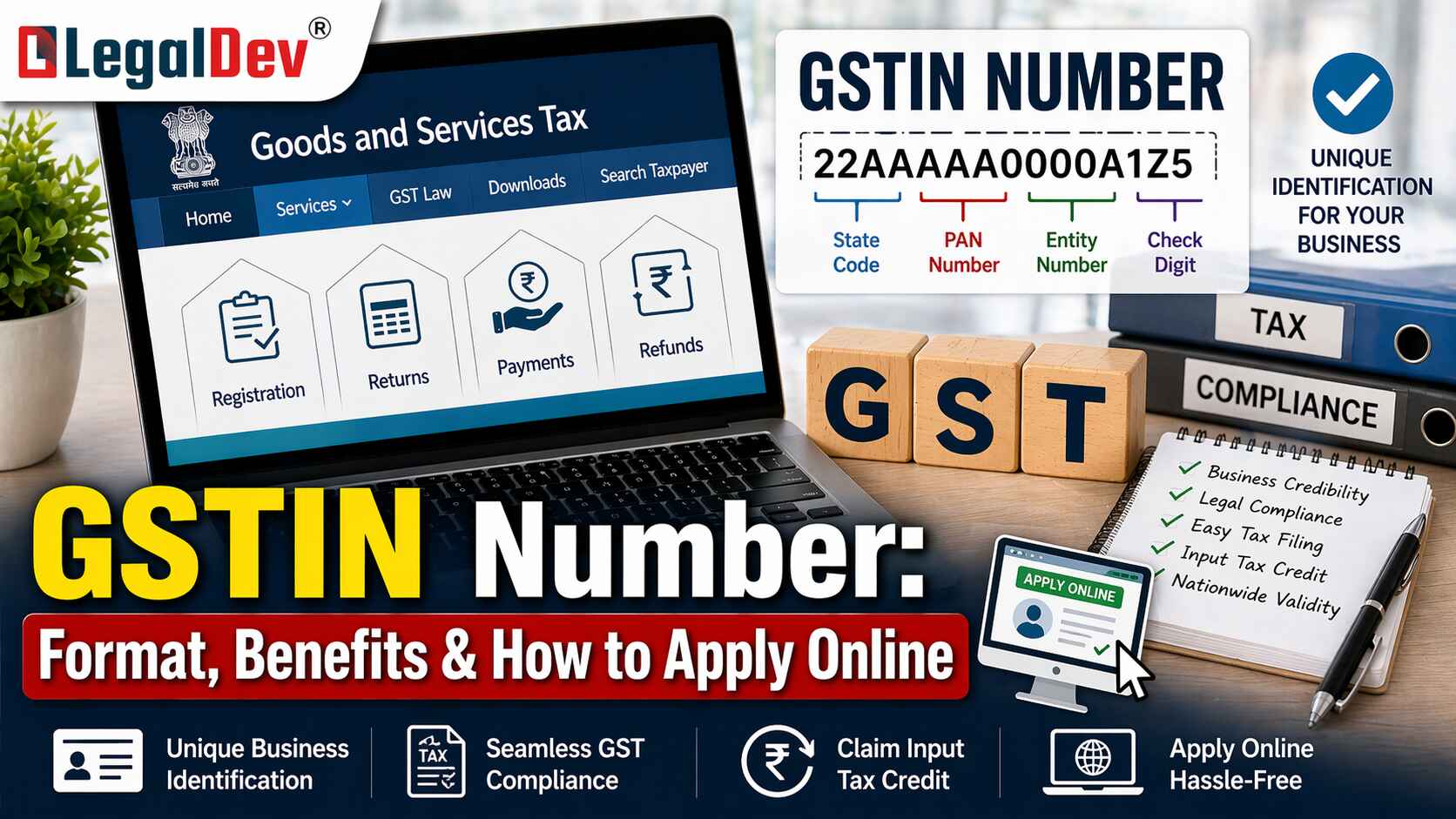
Every registered business under GST runs on one number — the GSTIN.
The GSTIN, short for Goods and Services Tax Identification Number, is a 15-digit alphanumeric code issued after online GST registration. It is the tax identity of your business. Without it, you cannot legally collect GST. You cannot claim Input Tax Credit. You cannot file returns correctly. It's that foundational.
This guide covers the GSTIN meaning, its full form, how to read the format, the online GST registration process, verification steps on the GST portal, and the risks businesses frequently miss.
Key Takeaways
-
GSTIN is a unique 15-digit alphanumeric code — your digital identity for all GST compliance in India
-
The GSTIN format encodes your state code, PAN, registration sequence, and a checksum digit
-
GSTIN verification on the GST portal is essential before processing invoices or onboarding new vendors
-
Benefits include mandatory compliance, ITC claims, interstate trade, and improved access to financing
-
GSTIN is a tax registration number. GSTN is the IT organisation that operates the GST portal — two very different things
What is GSTIN?
GSTIN is a unique 15-digit alphanumeric code assigned to every business that completes the GST number online registration in India. It acts as the digital identity for all GST compliance — invoicing, return filing, ITC claims, and regulatory reporting all flow through it.
The GST number is usually the first thing a buyer checks before a transaction. Which makes sense — it tells you a lot about who you're dealing with.
Who Needs a GSTIN?
Every business that crosses the mandatory GST registration threshold is required to register and obtain a GSTIN. Beyond that, businesses can voluntarily opt for GST registration even below the threshold — primarily to claim ITC benefits and build credibility with larger buyers.
Once registered, full compliance with GST law kicks in. That includes regular return filing, without exception.
Why Do You Need a GSTIN?
A GSTIN is required to:
-
Legally collect GST from customers
-
Claim input tax credit on purchases
-
File periodic GST returns on the GST portal
-
Supply goods or services across state borders
-
Participate in government tenders and get onboarded on e-commerce platforms
GST registration isn't just procedural. It determines your tax legitimacy as a business — and without it, certain transactions simply cannot happen.
GSTIN Number Format & Example
The 15-digit GSTIN is more than a random identifier. Each segment carries specific information about the business. Understanding the structure helps you read any GSTIN number and business name combination accurately — and spot issues when something doesn't add up.
Take the example "27ABCDE1234F2Z5":
-
27 — First two digits: state code (27 = Maharashtra)
-
ABCDE1234F — Next ten characters: the business's PAN — this is exactly where the GST and PAN number connection becomes visible
-
2 — 13th digit: entity number, showing the count of GST registrations under the same PAN within that state
-
Z — 14th character: a default value
-
5 — 15th digit: checksum, used to verify GSTIN accuracy
This structure is why tools that let you find a company name with a GST number — or get details from a GST number — actually work. The business information is baked into the number itself.
How to Apply for GSTIN Online
The GST number process runs entirely through the GST registration online procedure on the official portal. Once your application is reviewed and approved by a GST officer, a unique GSTIN is allocated automatically.
Here's the GST registration online process, step by step:
-
Visit the official GST portal and go to Services > Registration > New Registration
-
Fill in your business and personal details — PAN, mobile number, and email
-
Upload supporting documents: identity proof, address proof, and bank details
-
Verify your mobile number and email via OTP
-
Complete the application with a digital signature where applicable and submit
-
Wait for the GST officer to review and process the application
-
Once approved, your GSTIN is issued and becomes active
For a more detailed walkthrough of the GST registration online procedure, refer to our full guide on GST Registration.
Documents Required for GST Number
When applying through the GST portal, keep these documents and details ready:
-
PAN Card — verifies the identity of the business and owner; this is the core of the GST and PAN number link
-
Proof of Business Registration — incorporation certificate, partnership deed, or equivalent
-
Identity Proof — Aadhaar, passport, or voter ID of the proprietor or authorised signatory
-
Address Proof — utility bills, rental agreement, or property tax receipts
-
Bank Account Details — cancelled cheque or bank statement
-
Mobile Number and Email ID — for OTP-based authentication during the gst number how to apply process
-
Photographs — recent passport-sized photos of the proprietor or authorised signatory
-
Jurisdiction Details — state code and relevant local jurisdiction
-
Digital Signature Certificate — required for companies and LLPs
Having all of this ready before you start avoids unnecessary delays in approval.
How to Verify a GSTIN on the GST Portal
GSTIN verification is non-negotiable — especially before claiming ITC or finalising any new vendor relationship. A mismatch you missed earlier can show up as an ITC reversal or a compliance notice later. That's a headache no one needs.
Steps to Check GSTIN:
-
Visit the GST portal
-
Select Search Taxpayer
-
Choose Search by GSTIN / UIN
-
Enter the 15-digit GSTIN number
-
Review the legal name, trade name, and registration status
When you do a GSTIN check, confirm:
-
Business name matches the invoice details exactly
-
Registration status shows Active
-
Address corresponds to the actual business location
-
Taxpayer type is as expected — regular or composition scheme
-
Return filing history shows consistency
You can also use the Legaldev GST Search Tool for a quick GST no online check.
When Should You Run a GSTIN Check?
-
During invoice processing and reconciliation
-
While claiming input tax credit
-
Before finalising new vendor agreements
-
During compliance audits
These are routine situations — not edge cases. Building this check into your workflow saves time and money.
Benefits of Getting a GSTIN Number
GSTIN matters beyond just staying compliant:
Mandatory Requirement — Businesses liable for registration that skip it face penalties of ₹10,000 or the tax amount due, whichever is higher.
ITC Benefit — Claim credit for GST paid on purchases, directly cutting tax liability and improving cash flow.
Interstate Trade — Move goods and services across state lines seamlessly, without juggling multiple state-level registrations.
Enhanced Credibility — A valid GSTIN builds trust with customers, suppliers, and stakeholders. Buyers increasingly want to see it before placing large orders.
Market Access — Government contracts, tenders, and onboarding on major e-commerce platforms all require a valid GST number.
Transparent Transactions — Proper invoicing and systematic tracking reduce tax evasion risk on both ends of a transaction.
Improved Access to Financing — GST-compliant businesses find it noticeably easier to access loans and credit. Many banks and NBFCs now look at GST filing history as part of credit evaluation.
How is GSTIN Different from GSTN?
These two terms get mixed up constantly — and it's easy to see why.
|
Basis
|
GSTIN
|
GSTN
|
|
Full Form
|
Goods and Services Tax Identification Number
|
Goods and Services Tax Network
|
|
Nature
|
Tax registration number
|
IT infrastructure organisation
|
|
Function
|
Identifies the registered taxpayer
|
Operates the GST portal and system
|
|
Issued To
|
Individual businesses
|
Not issued — it is an entity itself
|
GSTIN identifies your business. GSTN is the technology backbone that keeps the entire GST system running.
Once you have a GSTIN, the next steps are generating GST-compliant invoices and filing your returns through the portal regularly.
How to Spot a Fake or Inactive GSTIN
Fully fake GSTINs are relatively rare. Inactive or misused ones — that's a different story.
To protect your business:
-
Always verify the GSTIN on the official GST portal before proceeding with a transaction
-
Confirm the PAN portion of the GSTIN matches the entity you're dealing with
-
Check that the status shows Active — not suspended or cancelled
-
Match the legal name on the portal with what appears on the invoice
If anything doesn't line up, don't proceed without clarification. ITC reversals and compliance notices regularly trace back to exactly these kinds of mismatches. It's not worth the risk.
FAQs
Q: How do I find a company's name using their GST number?
A: You can find a company name with a GST number by visiting the GST portal, selecting "Search Taxpayer," and entering the 15-digit GSTIN. The portal shows the legal name, trade name, registration status, and address linked to that GST number. This is the most reliable way to get GST details by GST number before processing any transaction.
Q: What does GSTIN optional mean when filling out a form?
A: When a field is marked GSTIN optional, it means the GST number is not compulsory for that particular transaction — typically for unregistered individuals making B2C purchases. However, any GST-registered business should always provide their GSTIN to ensure ITC eligibility and correct invoice matching in GSTR-2B.
Q: How do I check if my GSTIN is active or blocked on the GST portal?
A: Go to the GST portal and select Search Taxpayer, then Search by GSTIN. Enter your 15-digit GST number and check the registration status field. An "Active" status confirms your GSTIN is valid and operational. If it shows "Suspended" or "Cancelled," contact your tax consultant or the GST helpdesk without delay.
Q: Is GSTIN the same as a PAN number?
A: No — GSTIN and PAN are different, but they are directly linked. The GST and PAN number connection is built into the GSTIN format: digits 3 to 12 of your GSTIN correspond to your PAN. PAN is issued by the Income Tax department, while GSTIN is issued under GST registration. Both are required for full tax compliance.
Q: What is GSTIN meaning in Marathi, and is the registration process different for Maharashtra?
A: GSTIN meaning in Marathi is "वस्तू आणि सेवा कर ओळख क्रमांक" — essentially your GST identification number. The online GST registration process is identical across all states, including Maharashtra. Businesses registered in Maharashtra will find "27" as the first two digits of their GSTIN, which is the state code. The GST portal and registration procedure are fully centralised and uniform nationwide.