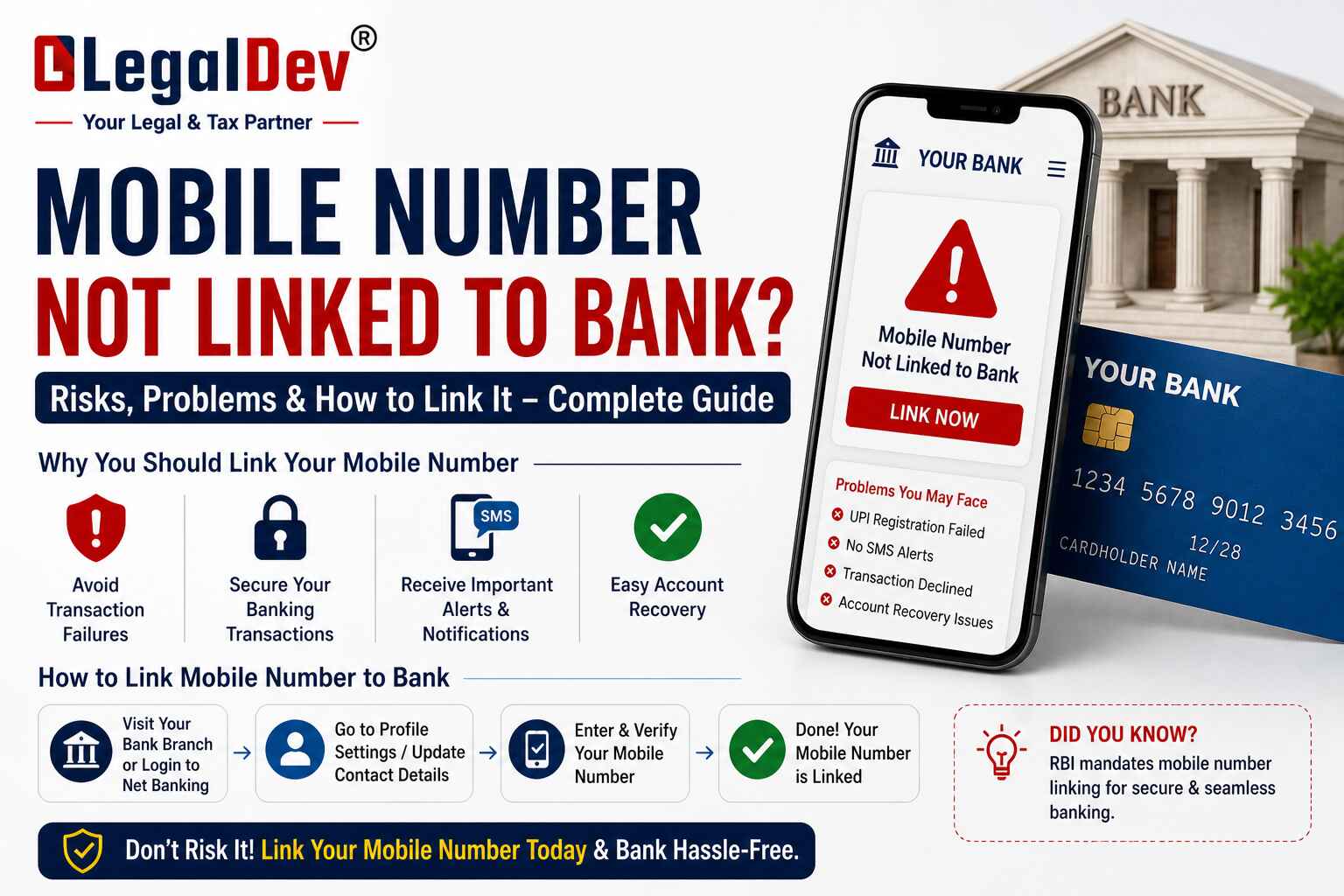
How to Link Mobile Number With Bank Account Online — 4 Simple Ways
Your bank account is only as safe as the phone number attached to it. If your mobile number is not linked, you won't get OTPs, transaction alerts, or even access to UPI and net banking. That's a problem worth fixing today — and it takes less than five minutes.
Here's everything you need to know.
Why Should You Link Your Mobile Number With Your Bank Account?
A lot of people skip this step and don't think about it — until they miss an OTP or find an unknown transaction on their statement.
When your mobile number is linked to your bank account, you get instant alerts every time money moves in or out. Suspicious activity gets flagged to you right away. You can also reset your banking password through OTP, access internet banking, use mobile banking apps, and run UPI payments without any friction.
It also makes the entire verification process smoother during any service changes or account-related updates — things that used to require branch visits. DBS
Simply put — no linked number means no real control over your account.
4 Ways to Link Mobile Number With Bank Account
There are four methods. Pick the one that works best for you.
I. Through Net Banking
This is the fastest option if you already have internet banking set up.
Step 1: Go to your bank's official website and log into your internet banking account.
Step 2: Head to the 'My Profile', 'Settings', or 'Update Contact Details' section.
Step 3: Choose the option to update your mobile number.
Step 4: Enter your new mobile number and confirm it.
Step 5: Verify using your PIN or password.
Step 6: Enter the OTP sent to your new number.
Step 7: Click 'Submit'. The bank will link your mobile number to your bank account within 24 to 48 hours and send a confirmation once it's done. DBS
II. Through Mobile Banking App
If you're more comfortable on your phone, the mobile app works just as well.
Step 1: Open your bank's official app and log in with your mPIN or password.
Step 2: Go to the 'Profile' or 'Settings' section.
Step 3: Tap on 'Update Contact Details'.
Step 4: Enter your new mobile number.
Step 5: Verify using OTP, mPIN, or both — depending on what your bank requires.
Step 6: Enter the OTP to finish the process.
Done. Most banks process this instantly or within a few hours.
III. Through an ATM
No internet access? The ATM option works fine. Most people don't realise their ATM can do this.
Step 1: Go to your bank's ATM with your debit card.
Step 2: Insert your card and enter your ATM PIN.
Step 3: Look for the option 'Register Mobile Number' or 'Mobile Number Registration' on the screen.
Step 4: Enter your new mobile number and submit the request.
Step 5: You'll receive an OTP on your new number. Enter it.
Step 6: Press 'Confirm' to complete.
The bank will establish the mobile number link to the bank account within 24 to 48 hours and send a confirmation notification once it's processed. DBS
IV. By Visiting Your Bank Branch
This is the safest route if you've lost access to your old number entirely and can't receive OTPs at all.
Step 1: Visit the branch where your account is held.
Step 2: Ask for the 'Change/Update Mobile Number' form and fill it out.
Step 3: Submit it along with a copy of your ID proof — Aadhaar card, PAN card, or any valid photo ID will work.
Step 4: The bank processes your request and updates the number within 24 to 48 hours.
After verification, you'll receive a confirmation message on the newly linked mobile number. Upstox
How to Check Which Mobile Number Is Linked to Your Bank Account
Already linked but not sure which number is on file? There are several quick ways to find out.
Mobile Banking App: Log in and go to the Profile or Account section. Your linked number will usually appear under personal details — sometimes partially masked.
Internet Banking: Log into your account and check the 'Profile' or 'Personal Details' section. The registered number shows up there, though it's often masked for security.
SMS: If you're already receiving transaction alerts and OTPs, your number is linked and working fine.
ATM: Insert your card at your bank's ATM and look for options like 'Profile Information' or 'Mobile Registration' — some banks allow you to view your linked number from there.
Customer Care: Call your bank's toll-free helpline. After identity verification, the representative can confirm which mobile number is currently registered on your account.
Branch Visit: Walk into your nearest branch with a valid ID and ask directly. They can pull up your account details and confirm the linked number on the spot.
Benefits of Linking Mobile Number With Your Bank Account
Real-Time Transaction Alerts
Every deposit, withdrawal, and transfer triggers an instant SMS to your linked number. For every single transaction, you get a real-time notification — which means you catch anything unusual before it becomes a bigger problem. Fibe
Two-Factor Authentication (2FA)
OTPs sent to your mobile number add a second layer of security to every transaction. Even if someone has your card details or password, they can't complete a transaction without the OTP that only reaches your phone.
Access to Digital Banking Services
Most online banking services require a mobile number linked to a bank account for secure transactions. Internet banking, UPI apps, mobile banking — none of it works properly without a registered number. Fibe
Easy Account Recovery
Forgot your net banking password? A linked mobile number lets you reset it through OTP in under two minutes — no branch visit needed.
Mini Statements and Balance Checks via SMS
Once your number is registered, you can get your account balance or a mini statement just by sending an SMS. Quick, free, and available even without internet.
Timely Updates From Your Bank
New offers, policy changes, maintenance windows — your bank sends all of it to your registered number. You stay informed without having to check anything manually.
Linking your mobile number with your bank account is one of those small things that makes a real difference. Whether you do it through net banking, the mobile app, an ATM, or your branch — the process is simple, the benefits are immediate, and there's no good reason to leave it unlinked.
FAQs
Q: How do I link my mobile number to my bank account online without visiting the branch?
A: Log into your bank's internet banking portal or mobile banking app, go to the Profile or Contact Details section, enter your new mobile number, and verify with an OTP. The update usually takes 24 to 48 hours. No branch visit is needed if you already have net banking or mobile banking access.
Q: What happens if my linked mobile number is deactivated or lost?
A: If your registered mobile number is inactive, you will stop receiving OTPs, transaction alerts, and security notifications. You won't be able to complete online transactions or recover your banking password. In this case, visit your bank branch with a valid ID to update your mobile number offline — that's the only option when OTP access is gone.
Q: Can I link the same mobile number to multiple bank accounts?
A: Yes, in most cases you can use the same mobile number across different bank accounts — even with different banks. Each bank treats the mobile number independently. However, if you have multiple accounts within the same bank, check that bank's specific policy, as it may vary.
Q: Why am I not receiving the OTP when trying to link my mobile number to my bank account?
A: The OTP is sent to the new mobile number you're trying to register, not your old one. Make sure the number you entered is active, has network coverage, and is correctly inserted in your phone. If you're still not receiving it, try after some time or use the ATM method as an alternative.
Q: How long does it take for a mobile number to get linked to a bank account after submitting the request?
A: Most financial institutions process this change within one to two business days, after which you'll start receiving notifications at your updated number. If you submit the request at a branch, processing can sometimes take up to 48 hours. Blog
Q: Can I update my linked mobile number through the ATM if I don't have internet banking?
A: Yes. Most banks allow mobile number registration or update directly at the ATM. Insert your debit card, enter your PIN, select the mobile number registration option, enter your new number, and confirm with the OTP received. It's a quick process and works without any internet banking setup.
Q: Is it safe to link my mobile number to my bank account?
A: Completely. Linking your mobile number actually makes your bank account more secure — not less. Every transaction generates an alert, so any unauthorised activity gets noticed immediately. Banks use your registered number only for OTPs, alerts, and verification — they never share it externally.
Q: What documents do I need to link or update a mobile number at the bank branch?
A: You'll need a valid government-issued photo ID — Aadhaar card, PAN card, passport, or voter ID. Carry the original along with a self-attested photocopy. Fill in the bank's mobile number update form at the branch, attach the documents, and submit. The bank processes it within 24 to 48 hours.
Q: Can I link mobile number to bank account for UPI if it was never registered before?
A: Yes. If your mobile number was never linked to your bank account, you need to register it first — either through the branch, ATM, or net banking — before you can use it for UPI. UPI apps verify your mobile number against the bank's records, so the number must match before any UPI transaction can go through.
Q: Will my old linked mobile number still work after I update it to a new one?
A: No. Once the new number is successfully updated, the old number is removed from the bank's records. All future OTPs, alerts, and notifications will go to the new number only. Make sure the new number is active and accessible before completing the update.