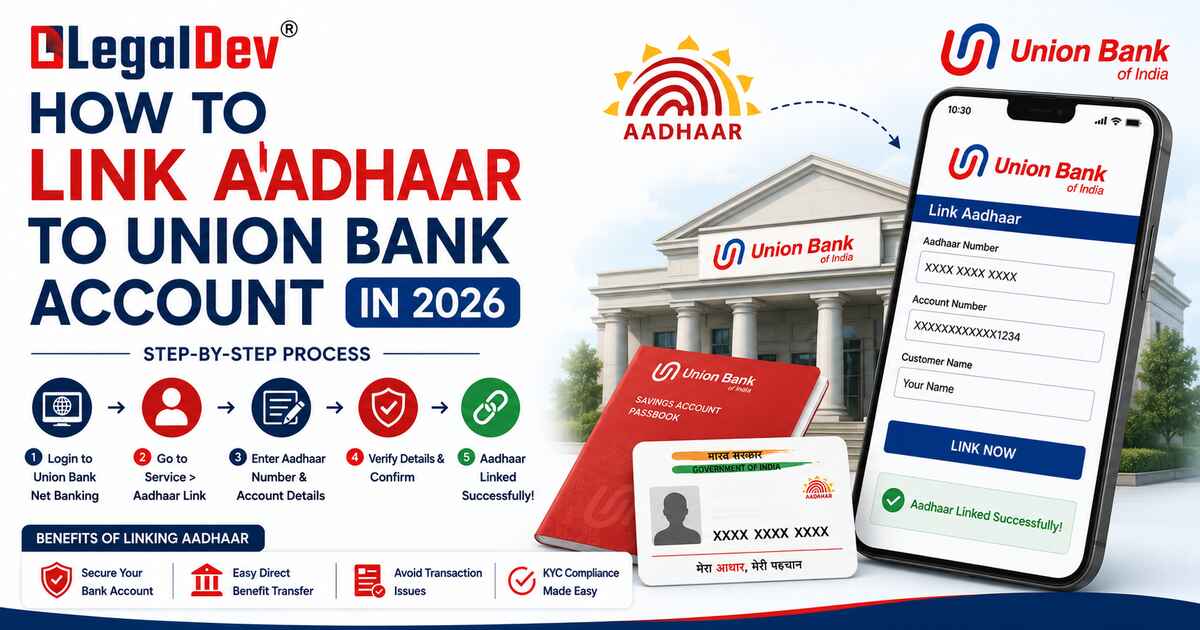
Want to link Aadhaar with Union Bank? Here's the simplest guide (2026)
Honestly, most people ignore this until their transaction gets declined mid-payment. That's the worst time to find out your account needs an Aadhaar update. Five minutes now saves you a very frustrating afternoon later.
Union Bank has made Aadhaar linking non-negotiable across all account types — savings, current, and loans. Skip it, and you're looking at blocked transfers, frozen DBT payments, and a customer care queue you really don't want to be in.
The good news? There are five different ways to do this. Pick whichever one fits your situation today.
Online Method – Do Net Banking in 4 Steps
If net banking is already set up on your account, this is your fastest route. Takes about three minutes, no documents needed.
Step 1: Open your browser and go to Union Bank of India's official website.
Step 2: Click 'Internet Banking' and log in with your user ID and password.
Step 3: Head to the Services section. Look for 'Link Your Aadhaar' — it's usually listed under account management or KYC services.
Step 4: A form will appear — 'Link Aadhaar Number to Account Number'. Type your 12-digit Aadhaar number carefully and hit submit.
That's it from your end. A bank official reviews the request in the background, and your Union Bank account Aadhaar linking gets confirmed within 2–3 working days. You'll get an SMS once it's done.
Mobile App Method – Union ASE App Users Should Do This
The Union Ease app is genuinely underrated for stuff like this. Clean interface, and the Aadhaar linking option isn't buried five menus deep.
Step 1: If you don't have it yet, download Union Ease from the Play Store or App Store. Log in.
Step 2: From the home screen, tap 'Other Services'.
Step 3: Select 'Requests', then choose 'Link Aadhaar with your account'.
Step 4: Enter your account number and 12-digit Aadhaar number. Submit.
Done. The bank processes it from their side — same 2–3 working day window. The app also shows you the status of your request, which is a nice touch.
Branch Visit Method – If you want to do it offline
Some people just prefer walking in. Fair enough — especially if your mobile number isn't registered with the bank yet, because most online methods need OTP verification on your registered number.
Step 1: Walk into your nearest Union Bank of India branch. Any branch works, not just the one where you opened the account.
Step 2: Tell the representative you need the Aadhaar linking form. They'll hand it to you.
Step 3: Fill out the form. Attach a self-attested photocopy of your Aadhaar. Submit both at the counter.
Step 4: They'll ask for your original Aadhaar card for verification — carry it. The executive runs a quick check and initiates the linking.
Your Union Bank KYC update goes through within a day or two. Branch visits tend to move faster than people expect.
The SMS Method—No Internet? Try This
No smartphone, no internet, but you have a basic phone? This method was literally built for that situation.
Step 1: Open your message app and type:
UID [space] [15-digit account number] [space] [12-digit Aadhaar number]
Example: UID 123456789012345 987612345678
Step 2: Send this to 09223008486 — from your registered mobile number only.
Important: if your phone number isn't registered with the bank, this won't work. The system rejects unregistered numbers automatically. In that case, visit a branch first to get your number registered, then come back to this method.
Processing time is up to two working days. A confirmation SMS lands on your phone once the Aadhaar SMS linking is complete.
ATM method – take your card and it's done
This one surprises people — most don't realize you can link Aadhaar at an ATM. But you can, and it's actually quite straightforward.
Step 1: Go to any Union Bank of India ATM. Insert your debit card.
Step 2: Enter your ATM PIN.
Step 3: On the main menu, select 'Services'.
Step 4: From the services list, tap 'Requests'.
Step 5: Choose 'Link Aadhaar' from the options on screen.
Step 6: Enter your 12-digit Aadhaar number. Press 'Submit'.
Step 7: The machine asks you to re-enter your Aadhaar number — confirm it, then submit again.
You'll get a printed slip from the ATM and an SMS on your registered number confirming the request has been received.
Phone Banking / IVR Method — Do You Prefer Calling?
Old school, but it works. Union Bank's IVR system handles Aadhaar linking requests around the clock.
Step 1: Call 1800 2222 44 or 1800 208 2244 — both are toll-free and available 24 hours.
Step 2: Listen to the IVR menu and choose the Aadhaar linking option. It's usually in the account services section.
Step 3: Enter your account details when the system asks — this is for identity verification.
Step 4: Enter your 12-digit Aadhaar number. The system will ask you to enter it again to confirm.
Step 5: Accept the terms and conditions when prompted.
Step 6: Wait a moment while the system processes your request.
Step 7: You'll hear a confirmation and receive a reference number. Write it down — you'll need it if anything goes sideways later.
Confused About Which Method to Use?
Here's a quick way to figure it out:
|
Your Situation
|
Go With
|
|
Net banking is active
|
Online — done in 3 minutes
|
|
You use the Union Ease app
|
Mobile app — cleanest experience
|
|
Mobile number not registered
|
Branch visit — only option that works
|
|
No smartphone or internet
|
SMS to 09223008486
|
|
Have your ATM card handy
|
ATM — no internet needed
|
|
Prefer calling someone
|
IVR at 1800 2222 44
|
AAll roads lead to the same destination. It's just about which one you can actually use right now.
What You'll Need — Keep These Handy
Regardless of which method you pick:
-
15-digit Union Bank account number (check your passbook or welcome letter)
-
12-digit Aadhaar number (from your Aadhaar card or mAadhaar app)
-
Registered mobile number (needed for OTP in online methods)
-
Self-attested Aadhaar photocopy (branch visit only)
-
Original Aadhaar card (carry it to the branch just in case)
What Happens If You Don't Link Aadhaar?
Nothing dramatic at first. Then one day your NEFT transfer gets blocked, or a government subsidy doesn't hit your account, or you try to do a high-value transaction and the bank flags it.
Accounts without completed Aadhaar KYC verification face:
-
Restricted or blocked high-value transactions
-
DBT (Direct Benefit Transfer) payments not credited
-
Loss of access to some banking features
-
Possible partial freezing of the account in compliance cases
None of this gets reversed without completing the linking anyway. So the effort is happening either way — just better to do it before the problem shows up.
Is It Safe to Share Your Aadhaar with the Bank?
Yes — and this is actually the one place where you absolutely should. Union Bank operates under RBI-mandated KYC norms, and this data goes through secure, encrypted channels. No third party gets access to it.
In fact, linking adds a security layer. Your account becomes tied to a government-verified identity, which makes it significantly harder for anyone to misuse it. Banks with Aadhaar-linked accounts flag suspicious activity faster than those without.
FAQs
Q: How long does Union Bank take to complete Aadhaar linking after I submit the request?
A: Most online and app-based requests are processed within 2 to 3 working days. Branch submissions are sometimes faster since verification happens in person. The SMS method also takes up to two working days. You'll receive a confirmation SMS on your registered number the moment the linking is complete — so you don't have to keep checking manually.
Q: Can I link Aadhaar with Union Bank account if my mobile number is not registered?
A: Not through online, app, SMS, or IVR methods — all of them require OTP or verification on your registered number. Your only option in this case is a branch visit. Once you're there, ask them to update your mobile number first and complete the Aadhaar card link to Union Bank in the same visit. Saves you a second trip.
Q: What is the exact SMS format to link Aadhaar with Union Bank?
A: Type: UID [space] [15-digit account number] [space] [12-digit Aadhaar number] and send it to 09223008486 from your registered mobile number. The format has to be exact — no extra characters, no commas, no dashes. If the format is wrong, the request simply doesn't go through and you won't get any error message, which is a bit annoying.
Q: Can the same Aadhaar be linked to more than one Union Bank account?
A: Yes. One Aadhaar number can be linked to multiple accounts — useful if you hold both a savings and a current account. Each account needs to be linked separately though. You have to run through the process individually for each one; there's no batch option.
Q: How do I check if my Aadhaar is already linked to my Union Bank account?
A: Log into Union Bank's net banking portal and check the Services section — it usually shows your Aadhaar link status clearly. You can also check via the Union Ease app under account details. The simplest way: call 1800 22 22 44 and ask the IVR or a representative to verify your KYC status. If linking is done, they'll confirm it on the spot.
Q: What if my Aadhaar linking request fails or shows an error online?
A: Double check that you've entered the 15-digit account number and 12-digit Aadhaar number correctly — a single digit wrong and it fails silently. If you're sure the numbers are right and it's still not working, try a different method (switch from net banking to the app, or try the ATM). Persistent issues: call 1800 22 22 44 or visit your branch with your original Aadhaar card and account details.
Q: Is Union Bank Aadhaar linking mandatory even for dormant accounts?
A: Yes — KYC compliance applies to all account types regardless of activity status. A dormant account without Aadhaar KYC linked will remain restricted even after you try to reactivate it. In most cases, you'll need to visit a branch to reactivate a dormant account anyway, so handle the Aadhaar linking in the same visit.
Q: Will linking Aadhaar with Union Bank account make me eligible for government subsidies?
A: Yes. Direct Benefit Transfer (DBT) from the government — LPG subsidies, scholarship payments, pension credits, MGNREGS wages — all route through Aadhaar-linked bank accounts. Without this link, those transfers don't reach your account. The money gets sent, but it bounces back to the government. Linking is what completes that circuit.
Q: Can I complete Union Bank Aadhaar linking through the UIDAI website instead?
A: UIDAI's website lets you link Aadhaar with a bank account through their portal as well. However, the most reliable method for Union Bank specifically is to use Union Bank's own channels — net banking, app, or branch — since those go directly into the bank's system. Using the UIDAI route sometimes takes longer to reflect on the bank's end.
Q: What documents do I need for offline Aadhaar linking at Union Bank branch?
A: Carry your original Aadhaar card and a self-attested photocopy. You'll also need to fill out the bank's Aadhaar linking form at the branch — they provide it at the counter. If you're doing the linking for someone else (like an elderly family member), you'll need an authorization letter along with both your and their identity documents. The process is straightforward once you have everything in hand.