IEC Verification: How to Check & Update Your IEC Code Online (2026 Guide)
Your IEC can become inactive without any warning — and when that happens, your shipments stop, your bank can't process trade payments, and your export incentive claims go nowhere. For any enterprise doing international trade from India, IEC verification isn't optional paperwork. It's what keeps your business moving. Here's how to check your status, what the status messages actually mean, and how to stay compliant.
What Is an IEC Code?
An IEC — Importer Exporter Code — is a 10-digit unique identification number issued by the Directorate General of Foreign Trade (DGFT). Any enterprise that imports or exports goods commercially from India must have one. No IEC, no trade. Simple as that.
One thing that confuses a lot of people: your IEC number is now identical to your PAN number, but they are not interchangeable. PAN is for tax tracking. The IEC has to be separately activated through a DGFT application before it can be used for international trade. Two different codes, two different purposes — even if the digits match.
Key Highlights
|
Detail
|
What to Know
|
|
Issued by
|
DGFT (Directorate General of Foreign Trade)
|
|
Format
|
10-digit code, same as PAN
|
|
Validity
|
Lifetime — but requires annual online confirmation
|
|
Annual Update Window
|
1st April to 30th June every year
|
|
Deadline Consequence
|
Auto-deactivation from 1st July if not updated
|
|
Verification Tool
|
DGFT portal → Services → View Any IEC Details
|
Why IEC Verification Matters
Letting your IEC slip into "Inactive" status is more disruptive than most traders realize. Here's what actually gets blocked:
Customs clearance — ICEGATE, the customs system, cross-checks your IEC status before releasing any cargo at the port. An inactive IEC means your shipment sits at customs until you fix it.
Foreign remittances — Under RBI guidelines, banks cannot process international wire transfers for trade — incoming export proceeds or outgoing import payments — without a verified, active IEC. Your money doesn't move.
Export incentives — Schemes like RoDTEP, Advance Authorisation, and duty drawback are accessible only when the IEC is active. A deactivated code means you can't claim benefits you've already earned.
Business credibility — Foreign buyers and suppliers use the DGFT's "View Any IEC" tool to do due diligence before entering trade agreements. An inactive or suspended IEC raises red flags.
Mandatory Annual IEC Update — Don't Miss This
The IEC itself has lifetime validity. But DGFT mandates that all IEC holders confirm or update their profile online between 1st April and 30th June every year — even if nothing in the business has changed.
Miss the June 30th deadline and your IEC is automatically deactivated from 1st July, without any separate notice. No email warning, no grace period — just a blocked IEC until you complete the update.
The good news: reactivation is self-service. Log in to the DGFT portal, go through the update process, and the system typically reactivates the IEC within a few hours — though complex cases can take up to 2 working days.
For the annual update, no document uploads are required — only digital authentication via DSC or Aadhaar OTP is needed. If you're making actual changes (address, bank account, directors), a nominal fee of ₹200 plus GST applies and supporting documents will be required.
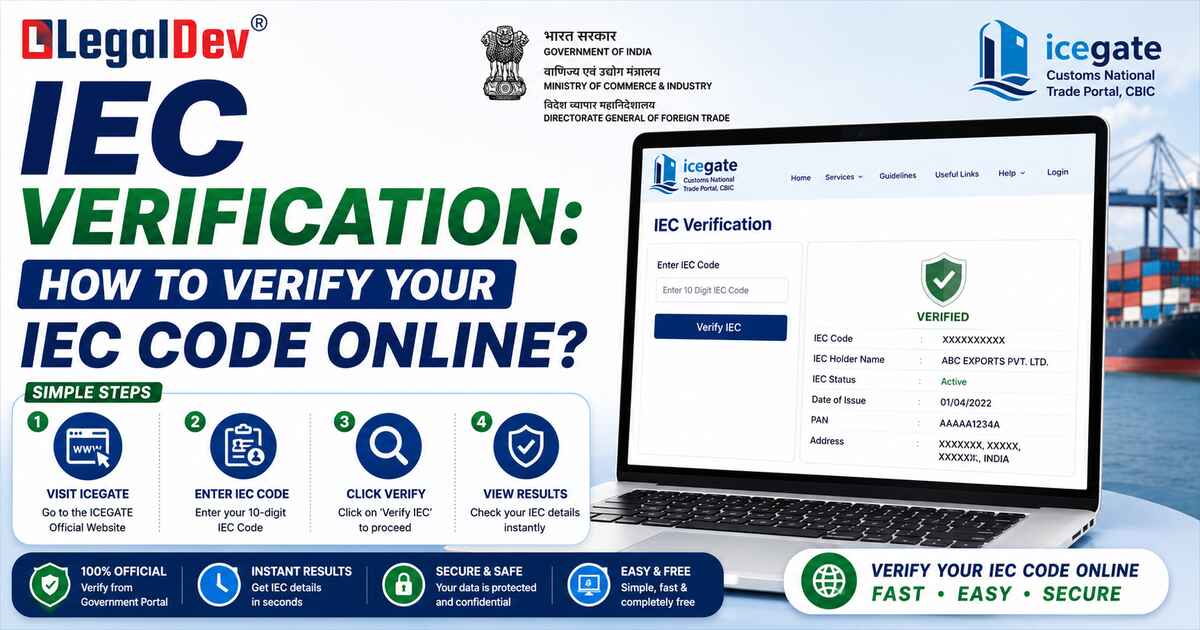
How to Verify IEC Code Online (No Login Required)
Need help with GST? Let our experts handle it for you.
✔ Fast Process ✔ 100% Online ✔ Trusted by Businesses
This is the quickest route — public access, no credentials needed.
Step 1: Go to the official DGFT portal at dgft.gov.in
Step 2: Navigate to Services → View Any IEC Details
Step 3: Enter your IEC Number (or PAN number, since they're the same) and the first three letters of your firm name
Step 4: Enter the CAPTCHA
Step 5: Click Search — the real-time status will display immediately
You'll see the current status — Active, Inactive, Suspended, or otherwise — along with basic firm details. Takes under two minutes.
IEC Status Messages — What Each One Means
|
IEC Status
|
What It Actually Means
|
|
Active
|
IEC is valid and ready for import/export use
|
|
Inactive
|
Annual update not completed — trade is blocked
|
|
Suspended
|
Temporarily disabled due to non-compliance or an ongoing investigation
|
|
Cancelled
|
IEC permanently withdrawn — cannot be reactivated
|
|
Under Amendment
|
A modification request has been submitted and is awaiting DGFT approval
|
|
Pending
|
IEC has been issued but verification or profile update is still incomplete
|
The status to watch most closely is "Registered by DGFT & Accepted by ICEGATE" — that's the confirmation that your IEC is fully active across both the DGFT and customs systems and is ready for live trade transactions.
How to Complete the Mandatory Annual IEC Update
The annual update process is straightforward. Have your DSC (for companies and LLPs) or Aadhaar OTP (for proprietorships) ready before you start.
Step 1: Log in to the DGFT portal at dgft.gov.in with your registered credentials
Step 2: Go to Services → IEC Profile Management → Update/Modify IEC
Step 3: The system will display your existing IEC details in the ANF 2A format — General Information, Proprietor/Partner/Director details, banking information, and preferred operation sectors
Step 4: Review all sections carefully. If nothing has changed, simply confirm the existing details as accurate
Step 5: If there are changes — address, bank account, directors, export sector — update the relevant fields and upload supporting documents
Step 6: Proceed to the declaration section, review the application summary, and digitally authenticate using your DSC or Aadhaar OTP
Step 7: Submit. The system will process the update and your IEC status will reflect the change within a few hours
Make sure your registered mobile number and email ID on the DGFT portal are current — OTPs for authentication go there, and all DGFT communications use these contact details.
How to Reactivate a Deactivated IEC
Missed the June 30th deadline? The process for reactivation is the same as the annual update — log in, go to IEC Profile Management, click Update/Modify IEC, verify or update your details, and authenticate via DSC or Aadhaar OTP.
The system allows submission even after the deadline. Once submitted successfully, reactivation typically happens within a few hours. In cases where discrepancies are found in the application, it can take up to 3–5 working days.
One thing worth noting: newly issued IECs can take a few days to sync from the DGFT system to ICEGATE. If your IEC shows Active on DGFT but isn't reflecting on ICEGATE after 2–3 days, contact the DGFT helpdesk directly.
Benefits of Keeping Your IEC Verification Current
-
Zero-delay customs clearance — ICEGATE verifies IEC status before releasing any cargo. An active, verified IEC means no unnecessary holds at the port.
-
Seamless international banking — Banks process export proceeds and import payments only against an active IEC, per RBI guidelines. No verification delays on your wire transfers.
-
Full access to export incentive schemes — RoDTEP, Advance Authorisation, duty drawback — all of these require your IEC to be active and in good standing.
-
Credibility with overseas partners — Foreign buyers and suppliers run IEC checks before committing to trade. An active status signals a compliant, legitimate business.
-
Smoother GST reconciliation — An active IEC linked correctly with your GSTIN keeps export documentation clean and audit-ready.
Documents You Need for IEC-Related Activities
|
Activity
|
Documents Required
|
|
IEC Registration (fresh)
|
PAN card, bank account in firm name, valid address proof, applicant photo
|
|
Annual Update (no changes)
|
DSC or Aadhaar OTP only — no uploads needed
|
|
Modification (with changes)
|
PAN details, address proof, cancelled cheque/bank certificate, DSC or Aadhaar OTP
|
|
IEC Verification (public check)
|
IEC number (or PAN) and first 3 letters of firm name
|
Registration fee for a fresh IEC is ₹500. Modification with changes costs ₹200 plus GST. The annual update confirmation — when no changes are made — is free.
FAQs
Q1: Can I check IEC status online without logging in to the DGFT portal?
A1: Yes — the "View Any IEC Details" tool under the Services section on the DGFT portal lets anyone check IEC status without logging in. You need the IEC number (or PAN) and the first three letters of the firm name. The status appears in real time after entering the CAPTCHA.
Q2: What happens if I don't complete the annual IEC update by June 30th?
A2: Your IEC is automatically deactivated from 1st July without any separate notice from DGFT. An inactive IEC blocks customs clearance, trade-related banking, and access to export incentive schemes. Reactivation requires logging in to the DGFT portal and completing the update — it's self-service and typically takes a few hours to reflect.
Q3: Is there a fee for the mandatory annual IEC update on DGFT?
A3: No — if you're only confirming existing details without making any changes, the annual IEC update is completely free. A fee of ₹200 plus GST applies only when you're modifying IEC details such as address, bank account, or director information. Document uploads are also only required for modifications, not for a simple annual confirmation.
Q4: Can I verify IEC code using PAN number instead of IEC number?
A4: Yes. Since your IEC is now the same 10-digit number as your PAN, you can use either to search on the DGFT "View Any IEC Details" tool. Enter your PAN number along with the first three letters of your firm name and the CAPTCHA — the status will display the same way.
Q5: What does "IEC Inactive" mean and how do I fix it?
A5: An Inactive status means your IEC was not updated during the April–June window, or was deactivated by DGFT for another reason. To fix it, log in to the DGFT portal, go to Services → IEC Profile Management → Update/Modify IEC, review and confirm your details, and authenticate via Aadhaar OTP or DSC. Reactivation usually happens within a few hours of successful submission.
Q6: How long does it take to get a fresh IEC after applying?
A6: A fresh IEC is generally issued instantly or within 1–2 working days after successful online submission on the DGFT portal. The verification status reflects immediately on the DGFT portal once issued. Note that it can take a few additional days for the new IEC to sync across to the ICEGATE customs system.
Q7: What is the difference between IEC Suspended and IEC Cancelled?
A7: A Suspended IEC is temporarily disabled — usually due to non-compliance or an ongoing DGFT investigation. It can potentially be reactivated once the issue is resolved. A Cancelled IEC is permanently withdrawn and cannot be reactivated under any circumstances. If your IEC is cancelled and you need to trade again, a fresh application is required.
Q8: Do I need a separate IEC for each branch or business location?
A8: No — a single IEC covers all branches and locations linked to the same PAN. However, all branches and units linked to the IEC should be verified and updated during the annual renewal process to ensure the IEC profile reflects the complete and accurate business structure.
Q9: Can a foreign buyer or supplier verify my IEC code?
A9: Yes — the DGFT's "View Any IEC Details" tool is publicly accessible and is used by foreign buyers, suppliers, shipping lines, and banks for due diligence before entering trade agreements. Keeping your IEC active and your profile details accurate directly impacts how your business appears to overseas partners.
Q10: What is the difference between IEC and RCMC? Do I need both?
A10: IEC (Importer Exporter Code) is mandatory for all importers and exporters and is issued by DGFT. RCMC (Registration-cum-Membership Certificate) is issued by Export Promotion Councils and is required specifically to claim benefits under the Foreign Trade Policy — such as duty exemptions and incentives. Not all exporters need an RCMC, but those claiming FTP benefits do. The two serve different purposes and are applied for separately.
Need help with GST? Let our experts handle it for you.
✔ Fast Process ✔ 100% Online ✔ Trusted by Businesses