How to Download GST Registration Certificate from GST Portal (2026)
Your GST registration certificate isn't just paperwork — it's the legal proof that your business exists in the eyes of Indian tax law. And if you don't know how to download it, display it, or update it, you're one compliance notice away from a penalty you didn't see coming.
This guide covers everything: the exact steps to download your GST certificate, what it contains, how long it's valid, and what to do when things go wrong.
What Is a GST Registration Certificate?
Every business that successfully registers under GST gets a certificate in Form GST REG-06. This is your official GST registration certificate — it carries your GSTIN (GST Identification Number), your business details, and the stamp of the approving tax authority.
Need help with GST? Let our experts handle it for you.
✔ Fast Process ✔ 100% Online ✔ Trusted by Businesses
The government doesn't issue a physical copy. There's no envelope, no courier, no stamped document arriving at your door. The GST certificate download is digital-only, available exclusively on the GST portal at gst.gov.in.
Who gets one? Regular taxpayers, composition dealers, TDS/TCS applicants, non-resident taxable persons (NRTPs), OIDAR service providers, UIN holders under Section 25(9) of the CGST Act, and businesses that migrated from the pre-GST tax regime — all of them receive this certificate after their registration is verified and approved by a tax officer.
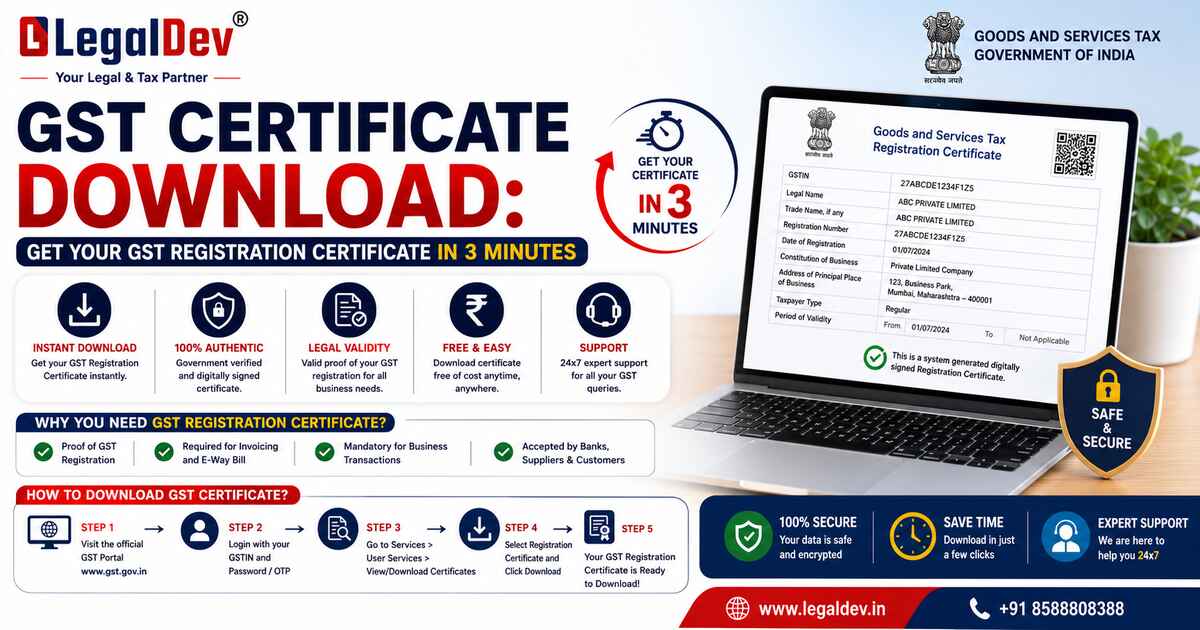
How to Download GST Certificate from GST Portal — Step by Step
If you're already registered, here's the exact process for GST registration certificate download:
Step 1: Go to gst.gov.in and log in with your username and password.
Step 2: From the top menu, click Services → User Services → View/Download Certificate.
Step 3: Click the Download icon next to your certificate.
Step 4: Open the downloaded PDF. That's your GST certificate download PDF — Form GST REG-06.
Step 5: Print it and display it at every registered place of business in your state or UT.
That's it. Five steps. Under three minutes if your login works.
One thing worth noting — if you've ever amended your registration details, the updated certificate shows up in the same section. Always download the latest version. The old one is outdated the moment any core detail changes.
GST Certificate Download by GSTIN or PAN — Can You Do It?
A lot of people search for gst certificate download by gst number or gst certificate download by pan number — usually because they've lost login access or want to verify someone else's registration.
Here's the honest answer:
The actual certificate (Form GST REG-06) can only be downloaded after logging into the GST portal. There's no public link that gives you the PDF directly by entering a GSTIN or PAN.
But — if you only need to verify a GSTIN or check registration status publicly, you can:
-
Go to gst.gov.in
-
Click Search Taxpayer → Search by GSTIN/UIN or Search by PAN
-
Enter the number and get registration status, business name, and state — without any login
This is useful for vendor verification, but it won't give you the actual original gst certificate pdf. For that, login is mandatory.
How to Download GST Certificate Without Login — Is It Possible?
Short answer: No, not the full certificate.
The GST registration certificate download without login is not supported on the portal. The certificate contains sensitive business information — GSTIN, principal place of business, stakeholder details — and the portal requires authentication before showing it.
What you can do without login:
-
Verify a GSTIN publicly via the Search Taxpayer tool
-
Check if a business is active or cancelled
-
Confirm basic registration details
But to download gst certificate online as a PDF? You need your username and password. If you've forgotten them, scroll down to the troubleshooting section — it's a quick fix.
What Does the GST Registration Certificate Contain?
The certificate isn't just one page. It comes with the main certificate and two annexures.
Main Certificate includes:
-
GSTIN
-
Trade Name and Legal Name of the business
-
Constitution type (Proprietorship, Partnership, LLP, Company, Trust, etc.)
-
Principal Place of Business address
-
Date of Liability
-
Validity Period
-
Type of Registration
-
Approving Authority details (name, designation, jurisdiction, digital signature)
-
Date of Issue
Annexure A — lists all additional places of business declared at the time of registration.
Annexure B — lists the people-in-charge: proprietor, partners, Karta, managing director, whole-time directors, board of trustees, etc. — along with their name, designation, state of residence, and photograph.
If your business has only one location and one owner, Annexure A and B will be short. Multi-location businesses with multiple directors will have more detailed annexures.
Validity of the GST Registration Certificate
|
Type of Taxpayer
|
Validity
|
|
Regular taxpayer
|
Permanent — valid until cancelled, surrendered, or revoked
|
|
Casual taxable person
|
Maximum 90 days from registration date; extendable
|
|
Non-resident taxable person
|
Maximum 90 days from registration date; extendable
|
For regular taxpayers, the gst certificate doesn't expire. It stays valid unless your GST registration is cancelled — either by you voluntarily or by the department for non-compliance.
One important detail: the certificate's validity starts from the date you became liable to register — but only if you applied within 30 days of that date. Applied late? The validity begins from the date the certificate was actually granted under CGST Rules 9(1), 9(3), or 9(5).
GST Certificate for Different Taxpayer Types
The format is the same for everyone — Form GST REG-06. But the details inside differ depending on what kind of taxpayer you are.
Regular Taxpayers — Full registration details. You can collect GST from customers and claim Input Tax Credit (ITC). Standard certificate, no restrictions shown.
Composition Taxpayers — The certificate explicitly identifies you as a composition dealer. You cannot collect GST from customers, cannot claim ITC, and must display a notice at your premises saying you're under the composition scheme.
Casual Taxable Persons — Issued for temporary or seasonal business activity (exhibitions, pop-up shops, seasonal trade). Valid for up to 90 days. Advance GST deposit is required at registration.
Non-Resident Taxable Persons — For foreign entities operating temporarily in India. Valid for 90 days. GSTIN and the certificate must be displayed at the Indian business location.
Exporters — The certificate reflects goods or services being exported and confirms eligibility for IGST exemption or accumulated ITC refund claims.
Is It Mandatory to Display the GST Certificate?
Yes — and this isn't optional.
Under Rule 18(1) of the CGST Rules, 2017, every registered taxpayer must display a printed copy of the GST registration certificate at their principal place of business and at every additional place of business listed in the certificate.
Not doing this can attract a penalty of up to ₹25,000. So print gst certificate as soon as you download it and put it up — not in a drawer.
How to Amend the GST Registration Certificate
Sometimes the details on your certificate are wrong or outdated. Maybe your business address changed, you added a partner, or your trade name got updated. Here's how it works:
Core Field Changes (require tax officer verification and approval):
-
Change in legal or trade name (when PAN is unchanged)
-
Change in principal place of business (not a change in state)
-
Adding or removing additional places of business
-
Adding or removing partners, Karta, promoters, managing directors, or trustees
Non-Core Field Changes (auto-approved — no officer review needed):
-
Bank account details
-
Business description or goods/services details
-
Authorised signatory updates
-
Minor edits to existing places of business
How to file the amendment:
Login → Services → Registration → Amendment of Registration Core Fields (or Non-Core) → Upload supporting documents → Submit via DSC, e-Signature, or EVC.
Once approved, go back to Services → User Services → View/Download Certificate and download gst registration certificate again — the updated version will be available there.
Common Issues While Downloading GST Certificate — and How to Fix Them
|
Issue
|
Fix
|
|
Forgotten login credentials
|
Click Forgot Username / Forgot Password on the login page. Verify via OTP on your registered mobile or email.
|
|
Invalid or unrecognized GSTIN
|
Cross-check the 15-digit GSTIN carefully. Use the Search Taxpayer tool on gst.gov.in to verify it first.
|
|
Portal not loading or technical errors
|
Wait and retry after some time. Persistent issues? Call GSTN Helpdesk: 1800-103-4786 (toll-free).
|
|
GST account suspended
|
Pending returns or unresolved notices need to be cleared before you can access or download the certificate.
|
If the portal is acting up, clear your browser cache, try a different browser, or use the portal on a desktop rather than mobile for more stability.
Can You Download the GST Certificate on Mobile?
Yes. The GST portal is accessible on mobile browsers. Login, go to Services → User Services → View/Download Certificate, hit Download, and the PDF lands on your phone. You can save it, share it, or send it directly to a printer app.
It works — though the portal is better optimized for desktop. If buttons aren't responding on mobile, switch to desktop mode in your browser settings.
FAQs
Q: How to download GST registration certificate from GST portal?
A: Log in to gst.gov.in with your credentials. Go to Services → User Services → View/Download Certificate. Click the Download icon and save the PDF. That's your official GST registration certificate in Form GST REG-06. Print it and display it at your place of business.
Q: How to download my GST certificate without login?
A: The actual GST certificate PDF cannot be downloaded without logging in — the portal requires authentication. However, you can publicly verify a GSTIN or PAN without login using the Search Taxpayer tool on gst.gov.in. It shows registration status and basic details but not the full certificate.
Q: How to download GST certificate by GST number (GSTIN)?
A: The GST portal does not offer direct certificate download by entering a GSTIN without login. You need to log in with your username and password, then go to Services → User Services → View/Download Certificate. For public GSTIN verification only, use the Search Taxpayer option on the portal homepage.
Q: How to download GST certificate by PAN number?
A: Direct GST certificate download by PAN is not available without portal login. If you've forgotten your GSTIN, use the Search Taxpayer → Search by PAN option on gst.gov.in to find it. Once you have the GSTIN, log in to your account and download the certificate from the User Services section.
Q: What is GST certificate and why do I need it?
A: The GST certificate (Form GST REG-06) is the official proof that your business is legally registered under GST. You need it to collect GST from customers, claim Input Tax Credit, participate in tenders, onboard as a vendor, and stay compliant. It must be displayed at your registered place of business under Rule 18(1) of CGST Rules — failing to do so can result in a penalty of up to ₹25,000.
Q: How to download GST certificate online after amendment?
A: After filing an amendment on the GST portal, once it's approved (or auto-approved for non-core fields), the updated certificate appears in the same section — Services → User Services → View/Download Certificate. Always download the latest version post-amendment, as the old certificate becomes outdated.
Q: Can I download GST registration certificate on mobile?
A: Yes. The GST portal works on mobile browsers. Log in, go to Services → User Services → View/Download Certificate, and tap the Download icon. The certificate downloads as a PDF directly to your phone. If the portal behaves oddly on mobile, switch to desktop mode in your browser for a smoother experience.
A: If your GST registration has been cancelled, the cancellation order (Form GST REG-19) is available on the portal. Log in, go to Services → Registration → Application for Cancellation of Registration, and check the status. The cancellation certificate or order can be downloaded from your dashboard after the process is complete.
Q: What is the validity of the GST certificate?
A: For regular taxpayers, the GST registration certificate has no expiry — it remains valid unless cancelled by the department, voluntarily surrendered, or revoked. For casual taxable persons and non-resident taxable persons, the certificate is valid for a maximum of 90 days from the date of registration, with an option to extend before it expires.
Q: How to add bank details in GST portal after certificate download?
A: Log in to gst.gov.in → Services → Registration → Amendment of Registration Non-Core Fields. Bank account details fall under non-core fields, so changes are auto-approved without officer intervention. Add the bank account information, submit via EVC or DSC, and the update is reflected in your registration immediately.
Need help with GST? Let our experts handle it for you.
✔ Fast Process ✔ 100% Online ✔ Trusted by Businesses