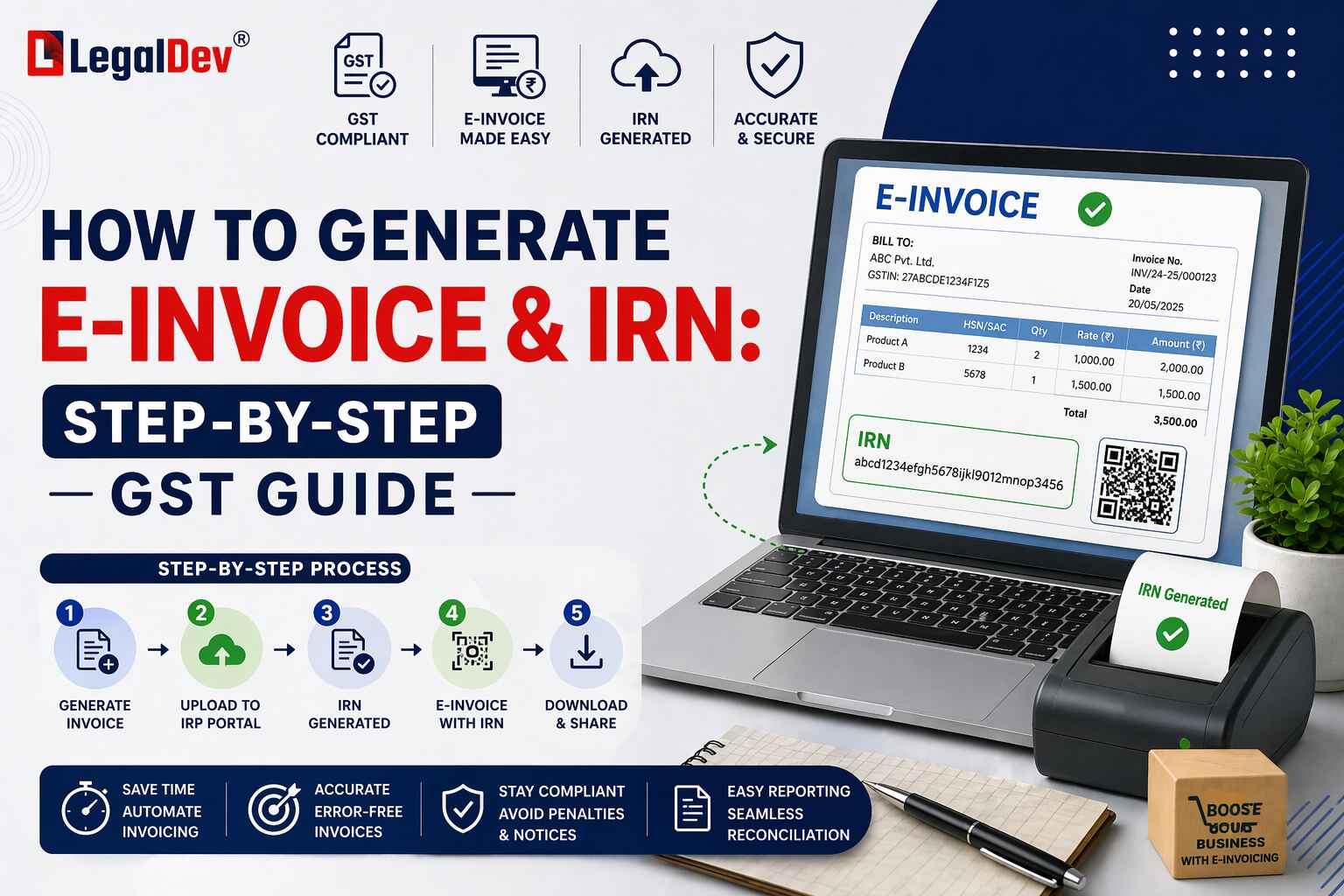
How to Generate an e-Invoice and IRN Under GST
If you've been hunting for a clear answer on how to generate an e-invoice, you're not alone. It's one of the most searched GST compliance questions — and frankly, one of the most confusing ones too. Here's everything you need, in the right order.
An e-invoice is essentially a B2B, B2G, or export invoice that applicable GST-registered businesses must report to the e-invoice portal (GSTN) in the format notified by the CBIC. It's not a different kind of invoice — it's your regular invoice, validated through the system.
Latest Updates You Should Know
April 4, 2025 — Effective June 1, 2025, the IRP will treat invoice numbers as case-insensitive during IRN generation. All invoice numbers will be converted to uppercase automatically — so no more duplicate IRN rejections just because of capitalisation differences.
May 10, 2023 — The 6th phase of e-invoicing was notified. Businesses with turnover exceeding Rs. 5 crore in any financial year from 2017-18 onwards must issue e-invoices from August 1, 2023.
May 6, 2023 — The 7-day time limit for reporting older e-invoices on IRP portals was deferred by three months. A new implementation date is yet to be announced.
April 13, 2023 — GSTN advisory: taxpayers with annual turnover of Rs. 100 crore and above must report invoices and credit/debit notes to the IRP within 7 days of the issue date, effective May 1, 2023.
January 30, 2023 — A few changes on the NIC e-invoice portal: users can now select POS state code '96 – Other Country' against HSN codes 9965 and 9968 (transport of goods including courier). Only documents dated October 1, 2021 or later will be accepted. A new error code 2295 has been added for duplicate IRN requests — specifically when an IRN has already been registered with the GSTN Lookup Portal by another IRP.
Steps to generate an e-invoice
Step 1 — Create the Invoice on Your ERP System
Your existing invoicing workflow doesn't change. You continue generating invoices as usual — but they now need to comply with the e-invoice schema and include all mandatory fields.
This is essentially a one-time setup. Once your billing software or ERP is configured to produce a valid JSON in the right format, the rest of the process becomes routine.
The mandatory fields for a supply of goods invoice are listed below:
|
Sl. No.
|
Field Name
|
Specifications
|
|
1
|
Document Type Code
|
INV / CRN / DBN
|
|
2
|
Supplier Legal Name
|
Max 100 chars; as per PAN
|
|
3
|
Supplier GSTIN
|
Max 15 chars; alphanumeric
|
|
4
|
Supplier Address
|
Max 100 chars
|
|
5
|
Supplier Place
|
Max 50 chars (city/town/village)
|
|
6
|
Supplier State Code
|
From GSTN state list
|
|
7
|
Supplier Pincode
|
6-digit code
|
|
8
|
Document Number
|
Max 16 chars; unique and sequential
|
|
9
|
Preceding Invoice Reference & Date
|
Max 16 chars; for amendments via CDN
|
|
10
|
Document Date
|
DD/MM/YYYY format
|
|
11
|
Recipient Legal Name
|
Max 100 chars; as per PAN
|
|
12
|
Recipient GSTIN
|
Max 15 chars
|
|
13
|
Recipient Address
|
Max 100 chars
|
|
14
|
Recipient State Code
|
From enumerated list
|
|
15
|
Place of Supply State Code
|
From GSTN state list
|
|
16
|
Recipient Pincode
|
6-digit code
|
|
17
|
Recipient Place
|
Max 100 chars
|
|
18
|
IRN
|
Max 64 chars; left blank at creation, filled after GSTN acceptance
|
|
19
|
ShippingTo GSTIN
|
Max 15 chars
|
|
20
|
Shipping To State, Pincode & Code
|
Max 100 chars / 6-digit / enumerated
|
|
21
|
Dispatch From — Name, Address, Place, Pincode
|
Max 100 chars each; 6-digit pincode
|
|
22
|
Is_Service
|
Y or N
|
|
23
|
Supply Type Code
|
B2B / B2C / SEZWP / SEZWOP / EXPWP / EXPWOP / DEXP
|
|
24
|
Item Description
|
Max 300 chars
|
|
25
|
HSN Code
|
Max 8 chars
|
|
26
|
Item Price
|
Decimal (12,3); exclusive of GST; cannot be negative
|
|
27
|
Assessable Value
|
Decimal (13,2); gross price minus discount
|
|
28
|
GST Rate
|
Decimal (3,2); percentage
|
|
29
|
IGST / CGST / SGST Values
|
Decimal (11,2) — entered separately for each item
|
|
30
|
Total Invoice Value
|
Decimal (11,2); inclusive of GST; rounded to 2 decimals
|
Once you have these fields ready, you need to generate a JSON file from your accounting or billing software. You can do this through:
-
An accounting or billing system that already supports e-invoice JSON export
-
A utility (Excel, Word, or mobile app) that interfaces with your ERP
-
An offline tool where you manually key in invoice data
Step 2 — Generate the Unique IRN
This is where the actual e-invoicing happens. The IRN — Invoice Reference Number — is a unique 64-character alphanumeric code generated by the e-invoice system using a hash algorithm. Every single document gets its own IRN, no exceptions.
The Invoice Registration Portal (IRP) currently supports two modes for IRN generation.
Using the Offline Tool
If you're looking for how to generate an e-invoice manually — without API integration — the offline tool is your option. Upload your invoices in a standard spreadsheet format, and the system generates IRNs in bulk.
Go to the e-invoice portal → Help → Tools → Bulk Generation Tools. Once you've prepared the bulk upload file, upload it, and your IRNs will be generated. You can download the complete IRN form with all details once it's done.
Using API — Through GSP Integration
GST Suvidha Providers (GSPs) handle the API integration here. Before going live, the integration must be tested in a sandbox environment. After testing, the GSP submits a test summary report to the sandbox portal.
If the GSP you're using is the same one registered on the e-way bill portal, no fresh registration is needed. The same credentials work. You'll need to create an API user with a username and password — this generates the token required to request an IRN.
Using API — Through Direct Integration
Here, your own system connects directly to the IRP. Test it in sandbox first, submit the summary report, and then register on the e-invoice portal (your e-way bill credentials work here too).
If you're already API-integrated with the e-way bill system, the same API credentials apply. If not, you'll need to complete API registration through IP whitelisting.
One more thing: if a sister concern with the same PAN has already done the whitelisting, you can reuse the client-ID credentials — but a new API user will still need to be created.
Using API — Through a Sister Concern's GSTIN
If a sister company (same PAN) is already API-enabled, your systems can integrate through that GSTIN. The IP addresses used by both entities must be the same when accessing e-way bill and e-invoice production APIs. Test in sandbox, submit your report, and register on the e-invoice portal using your e-way bill credentials.
For E-Way Bill API-Enabled Taxpayers
If you're already API-enabled on the e-way bill system, you're essentially ready. Test in sandbox, submit the summary report — and that's it. No additional steps required.
Step 3 — QR Code Generation
Once the IRN is generated, the system digitally signs both the e-invoice and attaches a QR code to it. This QR code allows instant validation from any handheld device — useful for field checks where an internet connection isn't available.
The QR code contains the following:
-
Supplier GSTIN
-
Recipient GSTIN
-
Invoice number (as given by the supplier)
-
Invoice generation date
-
Invoice value — taxable value and gross tax amount
-
Number of line items
-
HSN code of the main item (highest taxable value)
-
The unique IRN (hash)
The digitally signed QR code can be verified both on the central portal and through offline apps. Tax officers checking invoices on highways — no internet needed — can still validate them.
What Happens on the Backend
Once your signed e-invoice is submitted, it flows into the GST system automatically. The supplier's GSTR-1 gets updated. The buyer's GSTR-2B and GSTR-2A are updated too — based on the invoice details you entered.
And for e-way bills? The invoice details automatically populate Part A of the e-way bill. You only need to enter the vehicle number in Part B. That's a significant time-saver if you're dealing with high volumes.
Free Invoice Generator & Online Invoice Tools
If you're a small business or sole proprietor trying to understand the e-invoice format before integrating with an IRP, several online invoice generator and free invoice creator platforms let you build and preview invoice formats — including the GST bill format and the e-invoice schema. These can be useful for understanding the mandatory fields before configuring your billing software.
For businesses that issue invoices occasionally, an online invoice maker or free invoice generator can help create a compliant invoice format or GST bill format without full ERP integration. Once volumes increase and the turnover threshold applies, switching to an API-based invoice generate online workflow with IRP becomes necessary.
FAQs
Q: Can we generate an e-invoice directly from the GST portal?
A: No, you cannot raise or generate an e-invoice directly from the GST portal. The GST portal doesn't support e-invoice generation — the GSTN only validates B2B invoices electronically through the e-invoice portal. Generating in bulk directly from the portal is also not practical.
Q: How do I register on the e-invoice portal for the first time?
A: Visit the e-invoice portal, go to the Registration menu, and click on 'e-Invoice Enablement'. Enter your company's GSTIN, complete OTP verification, enter your annual turnover and relevant financial year, then submit. After that, you can log in and start uploading B2B invoices through your chosen mode to generate IRN.
Q: What is the time limit for generating an IRN after issuing an invoice?
A: There's no rigid statutory time limit for IRN generation in most cases. That said, it's strongly recommended to generate the IRN within the Time of Supply provisions under the CGST Act. For businesses with turnover of Rs. 100 crore and above, GSTN has mandated reporting within 7 days of the invoice date.
Q: What happens if the IRN is already generated by another IRP for the same invoice?
A: The system will throw error code 2295 — which means the IRN was already generated and registered with the GSTN Lookup Portal by another IRP. This is a duplicate request error. You'll need to check the existing IRN before re-submitting.
Q: Is GSP registration mandatory for API-based e-invoice generation?
A: Not necessarily. You can integrate directly with the IRP without a GSP, provided you complete sandbox testing and IP whitelisting. GSPs are useful if you prefer a managed integration — especially if you're already using one for e-way bill compliance. If the same GSP is used for e-way bills, no fresh registration is needed.
Q: What is the e-invoice format in Excel or offline mode?
A: The NIC e-invoice portal provides a bulk upload Excel-based offline tool. You fill in invoice data according to the e-invoice schema (all mandatory fields), and the tool generates IRNs in one go. This is the manual alternative to API integration — useful for businesses with low invoice volumes.
Q: From what turnover does e-invoicing become mandatory?
A: As of August 1, 2023 (6th phase), e-invoicing is mandatory for all GST-registered businesses with a turnover exceeding Rs. 5 crore in any financial year from 2017-18 onwards. Earlier phases covered Rs. 500 crore, Rs. 100 crore, Rs. 50 crore, Rs. 20 crore, and Rs. 10 crore thresholds respectively.
Q: Can a free invoice generator or online invoice maker be used for GST e-invoicing?
A: A free invoice generator or online invoice creator can help you build a compliant invoice format and understand the GST bill format — but they cannot replace IRP registration for e-invoice compliance. For actual IRN generation, your invoice must be reported to the Invoice Registration Portal either through the offline tool or via API. Use online invoice tools for drafting and reference, not for IRN generation.
Q: What data does the QR code on an e-invoice contain?
A: The QR code includes the supplier and recipient GSTINs, invoice number, invoice date, total invoice value (taxable + tax), number of line items, HSN code of the main item, and the unique IRN hash. This allows tax officers to verify the invoice offline using apps — without needing an internet connection.
Q: What is the difference between IRN and e-invoice?
A: The e-invoice is the full invoice document submitted to the Invoice Registration Portal in the prescribed JSON format. The IRN (Invoice Reference Number) is the unique 64-character hash generated by the system upon successful submission and validation of that e-invoice. Think of the IRN as the receipt of acceptance — the e-invoice is what you send, the IRN is what you get back.