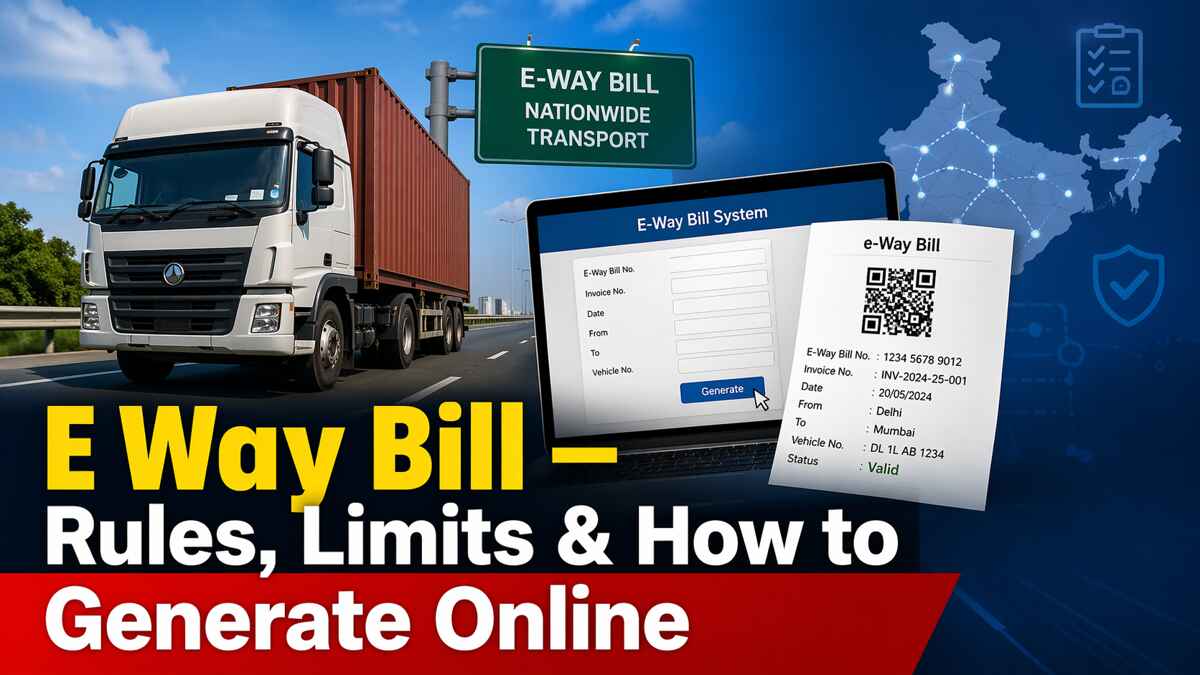
E Way Bill: Rules, Limits, Login & Generation Guide
Goods getting detained at a checkpost is one of the most disruptive things that can happen to a business mid-delivery. And the most common reason it happens? A missing, expired, or incorrectly generated e way bill. Getting this right isn't complicated — but it does require knowing exactly what the rules say.
An e way bill is a mandatory electronic document under GST that must be ready before goods worth more than Rs. 50,000 move. It applies to registered businesses, transporters, and — in specific situations — even unregistered persons. Miss it, and the penalty starts at Rs. 10,000.
Key facts at a glance:
-
Interstate threshold: Rs. 50,000 (uniform across India); intrastate limits vary by state
-
From 1st January 2025: e-way bills can only cover documents dated within the last 180 days
-
Validity: 1 day per 200 km (regular cargo), 1 day per 20 km (over-dimensional cargo)
-
Extensions capped at 360 days from the original generation date
-
2FA is mandatory for all taxpayers on the eway bill system from 1st April 2025
E Way Bill in GST: What It Is and Why It's Legally Required
Section 68 of the GST Act, read with Rule 138 of the CGST Rules 2017, makes the e way bill a legal requirement — not a formality. Before any consignment valued above Rs. 50,000 moves, the e way bill must already exist on the gst e way bill portal.
Once generated, the eway bill system assigns a unique E-Way Bill Number (EBN). That number goes to the supplier, the recipient, and the transporter. Whoever is physically in charge of the vehicle must carry the EBN — either printed or on a device — for the entire journey.
The e way bill gst portal gives you five ways to generate:
-
Web portal: ewaybillgst.gov.in (primary) or ewaybill2.gst.gov.in (live from 1st July 2025 — both portals sync in real time)
-
SMS: Via your registered mobile number
-
Android App: For registered taxpayers and enrolled transporters
-
Bulk upload: JSON file for multiple invoices in one shot — ideal for high-volume businesses
-
E way bill API: Direct system-to-system integration for enterprises running thousands of invoices daily; also works with tally e way bill setups via third-party connectors
When You Must Generate an E Way Bill — And the Cases Most People Miss
The standard threshold rule
An e-way bill is required whenever goods move by vehicle and either of these is true: the single consignment value (per invoice, bill of supply, or delivery challan) exceeds Rs. 50,000, or the combined value of all consignments loaded in one vehicle crosses Rs. 50,000. This covers sales, barters, transfers with or without consideration, branch stock movements, sales returns, and purchases from unregistered suppliers.
When it's e way bill mandatory regardless of value
Two situations require generation no matter what the consignment is worth. First: inter-state movement of goods from a principal to a job-worker, or the return journey from a registered job-worker back to the principal. Second: inter-state transport of handicraft goods by a dealer who's exempt from GST registration. In both cases, the value of the shipment is irrelevant — the e-way bill is compulsory.
When no e way bill is needed
Generation isn't required in these circumstances:
-
Goods carried by non-motorised transport (hand cart, animal-drawn vehicle)
-
Movement from a port, airport, air cargo complex, or land customs station to an Inland Container Depot or Container Freight Station for customs clearance
-
Goods moving under customs supervision or customs seal
-
Transit cargo to or from Nepal or Bhutan
-
Goods carried by defence formations (Ministry of Defence as consignor or consignee)
-
Empty cargo containers
-
Goods taken to a weighbridge within 20 km, accompanied by a delivery challan
-
Rail transport where the consignor is the Central Government, State Government, or a local authority
-
Exempted goods under Annexure to Rule 138(14), Schedule III no-supply items, and specified Central Tax Rate notifications
Note on Part B: If the distance between the consignor or consignee and the transporter is under 50 km and within the same state, Part B of the e-way bill doesn't need to be filled.
State-Wise E Way Bill Threshold Limits — And Why Yours Might Be Different
The Rs. 50,000 threshold applies uniformly to all inter-state movement across India. For movement within a state, each state sets its own limit — and these change more often than most people realise. Always verify the current notification for your state before relying on the table below; intrastate rules have been revised repeatedly in several states.
|
State
|
Intrastate Threshold
|
Notes
|
|
Andhra Pradesh
|
Rs. 50,000
|
All taxable goods
|
|
Bihar
|
Rs. 1,00,000
|
Above this for intrastate movement
|
|
Chhattisgarh
|
Rs. 50,000
|
Only for 15 notified goods; others exempt intrastate
|
|
Delhi
|
Rs. 1,00,000
|
Above this for intrastate movement
|
|
Goa
|
Rs. 50,000
|
Only for 22 specified goods
|
|
Gujarat
|
Rs. 50,000
|
Hank, yarn, fabric, garments exempt intrastate; no e-way bill for inter-city movement (from 1st Oct 2018)
|
|
Haryana
|
Rs. 50,000
|
All taxable goods
|
|
Himachal Pradesh
|
Rs. 50,000
|
All goods
|
|
Jammu & Kashmir
|
No intrastate EWB required
|
Rs. 50,000 for interstate
|
|
Jharkhand
|
Rs. 1,00,000
|
Except specified goods
|
|
Karnataka
|
Rs. 50,000
|
All taxable goods
|
|
Kerala
|
Rs. 50,000
|
No intrastate EWB except gold (mandatory from 20th Jan 2025)
|
|
Madhya Pradesh
|
Rs. 1,00,000
|
Except tobacco, pan masala, medicines, surgical goods, APIs
|
|
Maharashtra
|
Rs. 1,00,000
|
Intrastate; Rs. 50,000 for interstate
|
|
Manipur
|
Rs. 50,000
|
All taxable goods
|
|
Meghalaya
|
Rs. 50,000
|
All taxable goods
|
|
Odisha
|
Rs. 50,000
|
All taxable goods
|
|
Punjab
|
Rs. 1,00,000
|
Intrastate; Rs. 50,000 for interstate
|
|
Rajasthan
|
Rs. 2,00,000
|
Within city except specified goods; Rs. 1,00,000 intrastate
|
|
Tamil Nadu
|
Rs. 1,00,000
|
Intrastate; Rs. 50,000 for interstate
|
|
Telangana
|
Rs. 50,000
|
All taxable goods
|
|
Uttar Pradesh
|
Rs. 50,000
|
All taxable goods
|
|
Uttarakhand
|
Rs. 50,000
|
All taxable goods
|
|
West Bengal
|
Rs. 50,000
|
Reduced from Rs. 1,00,000 from 1st Dec 2023
|
The eway bill minimum amount for interstate movement is fixed. For intrastate, check your state's latest GST notification directly.
Who Generates the E Way Bill — Supplier, Transporter, or Recipient?
The answer depends on who's moving the goods and whether each party is registered.
|
Who
|
Obligation
|
Form
|
|
Registered Supplier (Consignor)
|
Before goods above Rs. 50,000 move
|
Fill Part A of Form GST EWB-01
|
|
Registered Recipient (Consignee)
|
When acting as transporter (own or hired vehicle)
|
Fill Part A + Part B of Form GST EWB-01
|
|
Registered or Enrolled Transporter
|
When supplier/recipient hasn't generated the EWB
|
Generate using Part A details from the registered party
|
|
Unregistered Transporter
|
Must enrol on the portal first to get a TRANSIN
|
Generate on behalf of clients after enrolment
|
|
Unregistered Supplier → Registered Recipient
|
Recipient takes on compliance responsibility
|
Recipient generates EWB as if they were the supplier
|
One important clarification on aggregate value: If a transporter carries multiple consignments where each individual invoice is below Rs. 50,000 but the vehicle's combined load exceeds that threshold, the transporter isn't required to generate individual EWBs. A consolidated e way bill (Form GST EWB-02) can be created to cover all consignments in that vehicle under one document.
E Way Bill Format: What Goes in Part A and Part B
The e way bill (Form GST EWB-01) splits into two distinct sections. Each has a different owner.
Part A — Consignment Details
Filled by the supplier, recipient, or transporter. Required fields:
-
Recipient's GSTIN
-
Delivery destination PIN code
-
Invoice or challan number and date
-
Consignment value
-
HSN code of the goods
-
Transport document number (Goods Receipt Number, Railway Receipt Number, Airway Bill Number, or Bill of Lading Number)
-
Reason for transportation
Part B — Transporter Details
Filled by whoever is in charge of the vehicle or conveyance:
-
Vehicle registration number (for road transport)
-
Transporter ID and transport document details (for rail, air, or ship)
The e-way bill's validity clock starts only when Part B is first entered. Once Part B is submitted, it can't be edited — only the vehicle number can be updated later if the vehicle changes mid-journey.
Documents You Need Before You Generate an E Way Bill
|
Transport Mode
|
Documents Required
|
|
All modes
|
Invoice / Bill of Supply / Delivery Challan for the consignment
|
|
Road
|
Transporter ID (GSTIN or TRANSIN) or vehicle registration number
|
|
Rail, Air, or Ship
|
Transporter ID + transport document number + date
|
Before you attempt eway bill login, make sure these prerequisites are in place:
-
Valid GSTIN and active GST registration
-
Separate registered account on ewaybillgst.gov.in (the e way bill login page is independent from the main GST portal login)
-
2FA (Multi-Factor Authentication) enabled — mandatory for all taxpayers from 1st April 2025
-
GST account status must be active, not suspended
How to Generate E Way Bill Online — Step by Step on the GST Portal
The gstewaybill portal offers two options: Portal 1 at ewaybillgst.gov.in and the new Portal 2 at ewaybill2.gst.gov.in (operational from 1st July 2025). Both run in real-time sync, so either works.
Step 1: Go to the e way bill login portal at ewaybillgst.gov.in. Enter your GSTIN-based credentials and complete 2FA via OTP on your registered mobile.
Step 2: From the dashboard, select E-Way Bill > Generate New.
Step 3: Choose your transaction type (Outward or Inward) and the relevant sub-type — Supply, Export, Job Work, Sales Return, and so on. Enter all goods details: HSN code, value, quantity, and the recipient's GSTIN.
Step 4: Fill in Part B with the transporter's GSTIN or TRANSIN, and the vehicle number.
Step 5: Submit. The system generates a unique EBN instantly. Download it as an eway bill pdf or save the number electronically — the person in charge of the vehicle needs this for the entire journey.
Other ways to generate
-
SMS-based: Register your mobile on the portal under Registration > For SMS, then send pre-defined SMS codes to GSTN's designated number — no portal login needed
-
Android App: IMEI-registered access for taxpayers and transporters
-
Bulk generation: Upload a JSON file to process multiple invoices in one go — the right approach for high-volume operations
-
E way bill API: Direct ERP integration for enterprises; also the basis for tally e way bill and similar accounting software integrations
E Way Bill Time Limit: The 180-Day Rule from January 2025
From 1st January 2025, e-way bills can only be generated against documents dated within the previous 180 days. This applies to invoices, delivery challans, and all other eligible documents.
In practice: an e-way bill raised on 1st March 2025 can only be linked to documents dated on or after 3rd September 2024. Anything older than that window is ineligible. This change was introduced following the GSTN advisory of 17th December 2024, specifically to stop generation against backdated or stale documents.
E Way Bill Validity: Distance Rules and the Extension Window
Validity begins the moment Part B is entered for the first time. It expires at midnight on the final day.
|
Conveyance Type
|
Distance
|
Validity
|
|
Regular (non-ODC)
|
Under 200 km
|
1 day
|
|
Regular (non-ODC)
|
Each additional 200 km or part thereof
|
+1 day
|
|
Over Dimensional Cargo (ODC)
|
Under 20 km
|
1 day
|
|
Over Dimensional Cargo (ODC)
|
Each additional 20 km or part thereof
|
+1 day
|
Example: A regular vehicle covering 310 km gets 2 days of validity — 1 day for the first 200 km, plus 1 more for the remaining 110 km (which counts as a partial next bracket).
How to extend before or after expiry
A transporter can request an extension up to 8 hours before or 8 hours after expiry. They'll need to provide a valid reason — vehicle breakdown, natural calamity, trans-shipment delay, law and order issues — and update Part B with current vehicle details. Extensions are capped at 360 days from the original generation date. If the e way bill expired beyond the extension window, a fresh EWB must be generated before goods move again.
E Way Bill Rules for Every Transaction Type — Sales, Returns, Imports & More
|
Transaction Type
|
E Way Bill Requirement
|
|
Outward supply (sale) — Interstate
|
Required if value exceeds Rs. 50,000
|
|
Outward supply (sale) — Intrastate
|
As per state-specific threshold
|
|
Branch / stock transfer
|
Required (counts as supply without consideration)
|
|
Purchase return e way bill / sales return
|
Required; use sub-type "Sales Return"
|
|
Job work — Interstate
|
Required regardless of value
|
|
Job work — Intrastate
|
As per state threshold
|
|
Imports (goods arriving in India)
|
Required from port or ICD to destination; distance calculated within India only
|
|
Export
|
Required from consignor's location to port or customs exit point
|
|
Goods on consignment / CKD or SKD mode
|
Separate EWB for each delivery challan per vehicle
|
|
Bill to ship to e way bill transactions
|
Both billing GSTIN and shipping address must appear on the EWB form
|
|
Debit note e way bill
|
Treated as a supply document; EWB required if value threshold is met
|
|
Multiple invoices (same consignor and consignee)
|
Separate EWBs per invoice; consolidate into a Consolidated EWB afterwards
|
E Way Bill for Unregistered Person: What the Rules Actually Say
Unregistered parties aren't off the hook. The rules are specific about who does what.
Unregistered supplier → Registered recipient: The registered recipient takes on full compliance responsibility — they generate the e-way bill as if they were the supplier. No partial responsibility here; the recipient owns the end-to-end obligation.
Unregistered supplier → Unregistered recipient: The unregistered person can enrol on the eway bill portal as a citizen — the eway bill for citizen option exists specifically for this scenario — and generate the EWB themselves through that access.
Handicraft goods dealers exempt from GST registration: Inter-state movement of handicraft goods requires an e-way bill regardless of consignment value, as per the fourth proviso to Rule 138(1). The value threshold simply doesn't apply here.
Unregistered transporters: Must enrol on the portal to obtain a TRANSIN — a 15-digit Transporter ID. Registered clients then use this TRANSIN when generating e-way bills that involve that transporter.
E Way Bill Penalty: What It Costs to Get This Wrong
|
Violation
|
Penalty
|
|
Moving goods without a valid e way bill
|
Rs. 10,000 or the tax amount being evaded — whichever is higher
|
|
Transporter failing to generate when required
|
Rs. 10,000 or tax evaded (whichever is higher)
|
|
Display violations under CGST Rule 18(1)
|
Up to Rs. 25,000
|
|
Goods transported without EWB
|
Risk of goods detention, vehicle seizure, and confiscation
|
Tax officers can stop any vehicle in transit for verification. The person in charge must produce the EBN — digitally or in print — on demand. There's no grace period for "I forgot to generate it."
E Way Bill Errors That Get Goods Detained — And How to Fix Them
|
Error
|
Cause
|
Fix
|
|
Invalid GSTIN
|
Wrong GSTIN entered for consignor or consignee
|
Enter 'URP' for unregistered parties; verify GSTIN via the GST Search tool first
|
|
Distance not available
|
PIN-to-PIN distance absent from the NIC database
|
Enter '0' — if NIC holds the data, it auto-fills; otherwise enter actual distance manually
|
|
Same PIN code error
|
Source and destination PIN codes are identical
|
Enter actual distance (must be under 100 km); the system won't generate with matching PIN codes
|
|
Invalid vehicle number format
|
Vehicle number entered in a non-standard format
|
Use the prescribed format (e.g., KA01AB1234); check the portal's format guide
|
|
Part-A Slip generated instead of full EWB
|
Part B details weren't entered
|
Add vehicle number or transport document number to convert the Part-A Slip into a complete e-way bill
|
|
Can't edit a generated EWB
|
EWBs are locked once created
|
Cancel within 24 hours (only if no officer has verified it) and regenerate with corrections
|
|
Portal login blocked after failed attempts
|
Account locked after 5 incorrect tries
|
Wait 5 minutes; use 'Forgot Password' to reset credentials
|
Frequently Asked Questions
How do I generate an e way bill online without errors?
Log in at ewaybillgst.gov.in using your GSTIN and complete the 2FA step — mandatory from 1st April 2025. Select E-Way Bill > Generate New, pick your transaction type, fill Part A with consignment details including the HSN code and recipient GSTIN, then add Part B with the vehicle number. A unique EBN is generated the moment Part B is saved. Check the vehicle number format before submitting — an invalid format is the single most common reason generation fails at that step.
If my e way bill expired, what do I do?
Don't move the goods — that's the hard rule. Moving goods on an expired e-way bill carries the same Rs. 10,000 penalty as not having one. Within an 8-hour window before or after expiry, the transporter can extend validity on the portal by stating the reason (breakdown, calamity, delay) and updating Part B. Extensions are capped at 360 days from the original date. If that window has passed, generate a fresh e way bill before the goods leave.
Can I download an e way bill without login?
No — downloading requires logging into the eway bill system at ewaybillgst.gov.in. Once inside, go to the E-Way Bill tab and click "Print EWB" to get the eway bill pdf. If you're a transporter who didn't generate the bill, the EWB number the supplier shared is enough to pull it up from your own portal account and download it.
What does "line sales in e way bill" mean?
Line sales are internal transfers from one unit, department, or division of a business to another unit within the same production chain — vertical movement within an organisation, not an external sale. CKD/SKD (Completely Knocked Down / Semi Knocked Down) covers goods shipped in disassembled parts for assembly elsewhere — fans in separate components being the classic example. Both appear as sub-type options under Outward Supply when you generate e way bill on the portal.
Is an e way bill required for service invoices?
No. The e-way bill rules cover the physical movement of goods only — service transactions are outside their scope entirely. An invoice purely for services, regardless of value, needs no EWB. Where a single invoice covers both goods and services, only the goods portion counts toward the Rs. 50,000 threshold calculation. The service value is excluded.
|
🚀 Get GST Filing Help from legaldev.in!
|
|
Do you want an expert to file your GSTR-1 and GSTR-3B — correctly, on time, and completely hassle-free?
|
|
Visit legaldev.in — a team of expert CAs is available for monthly GST filing, GST registration, notice replies, and all GST-related services.
|
|
Pricing is transparent with no hidden charges. First consultation is FREE.
|
|
👉 Visit: www.legaldev.in | Call/WhatsApp: 8588808388
|