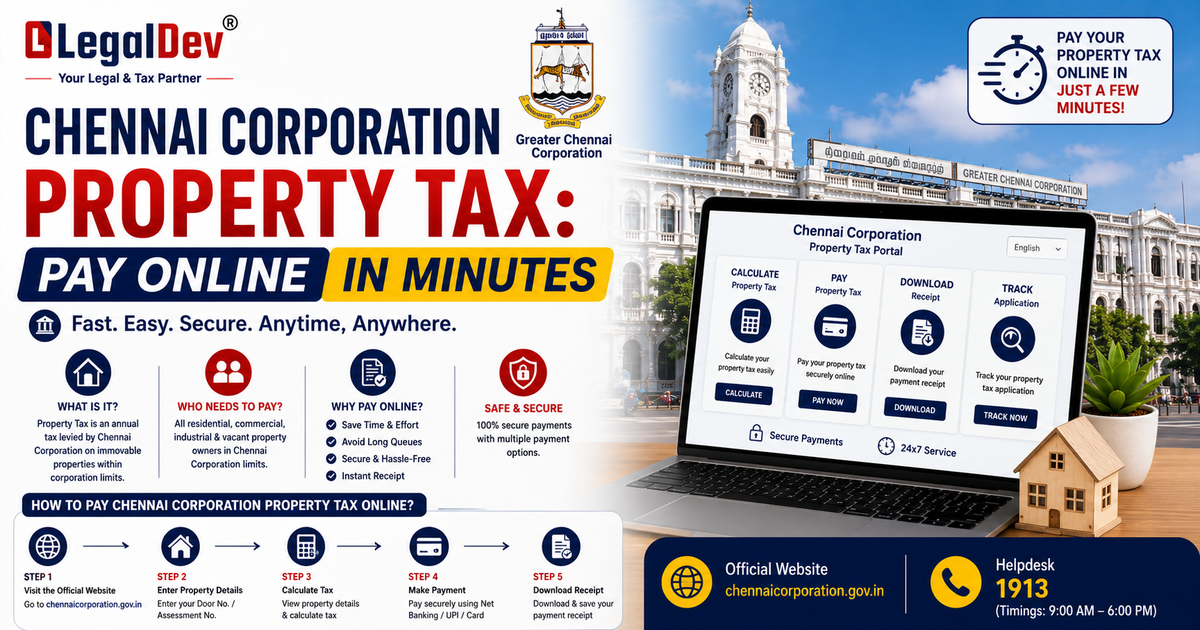
How to Pay Chennai Corporation Property Tax Online
If you own a building or a piece of land in Chennai, the Greater Chennai Corporation property tax is your responsibility. And whether you've been paying it for years or you're doing this for the first time, knowing the exact steps — and the deadlines — can save you from fines you really don't need.
Here's the full picture.
Who Collects Property Tax in Chennai?
The Greater Chennai Corporation (GCC) is the body responsible for regulating, managing, and collecting Chennai property tax. The tax applies to all buildings and vacant land within Chennai city limits — unless your property specifically qualifies for an exemption.
Chennai Property Tax Due Date and Penalty
Two dates matter here: 30th September and 31st March.
Those are your Chennai corporation property tax due dates, and missing them has a cost. After a 15-day grace period, a penalty of 1% per month kicks in on the outstanding amount. It's not a brutal rate — but it adds up fast if you let it slide for a few months.
Pay before the deadline. It's genuinely the simpler option.
How to Pay Chennai Property Tax Online
The Chennai corporation property tax online payment process is quick once you have your bill details in front of you. Here's how it works:
Step 1: Visit the official GCC property tax payment page: https://chennaicorporation.gov.in/gcc/online-payment/property-tax/property-tax-online-payment/
Step 2: Enter your zone number, division code, bill number, and sub number. All of these are printed on your property tax bill.
Step 3: Click "Pay Tax."
Step 4: The next page shows the amount due. Select the correct assessment year.
Step 5: Choose your payment mode — net banking, debit card, credit card, UPI, or whatever suits you.
Step 6: Complete the payment. An acknowledgement is sent to you once it goes through. Save it.
That's the entire Chennai property tax online payment process. Most people are done in under five minutes.
How to Pay Chennai Corporation Property Tax Offline
Prefer to pay in person? Several options are available.
Cheques and demand drafts should be drawn in favour of "The Revenue Officer, Corporation of Chennai." You can submit payment at any of the following:
-
Tax collectors at your local GCC zonal office
-
Authorised banks — Indian Overseas Bank, City Union Bank, Karur Vysya Bank, HDFC, IDBI, Canara Bank, Tamil Nadu Mercantile Bank, Kotak Mahindra Bank, Lakshmi Vilas Bank, Yes Bank, and IndusInd Bank (cash accepted too)
-
E-Seva / Common Service Centres set up by the Tamil Nadu Government
-
TACTC counters (Tamil Nadu Arasu Cable Television Corporation) in all Taluk Offices across Chennai district
And if you'd rather skip all of that — the Namma Chennai app lets you handle Chennai house tax online payment directly from your phone. It's the most convenient offline alternative, honestly.
Chennai Corporation Property Tax Rates
The basic street rates used to calculate Chennai property tax are:
|
Type of Property
|
Basic Street Rate (per sq. ft.)
|
|
Residential
|
₹0.88 – ₹1.40
|
|
Non-Residential
|
₹4.18
|
These are the standard rates, but revised rates vary by area. For the most accurate figure for your location, check the PDF available on the Greater Chennai Corporation website.
Chennai Property Tax Calculator — How to Use It
The GCC provides an online calculator for this. Visit: https://erp.chennaicorporation.gov.in/ptis/citizen/citizenCalc.action
Enter your floor details along with the residential and non-residential portions of your property. Hit "Calculate Demand" and the system shows you the full computation. Use it as a reference — the portal notes it's meant for test purposes, so treat the output as an estimate until confirmed by an official assessment.
How Chennai Property Tax Is Actually Computed
Understanding this helps you spot errors in your bill — and gives you a solid basis if you ever need to challenge an assessment.
Half-yearly property tax is calculated as a percentage of the Annual Value of the property, with an additional 10% Library Cess on top of the property tax amount.
Here's the breakdown:
Monthly Rental Value (MRV) = Plinth Area × Basic Street Rate per sq. ft.
Annual Rental Value (ARV) = MRV × 12
From the ARV, you deduct 10% attributable to land value. Then apply 10% depreciation on the building value. Add back the 10% land value portion. The result is the Annual Value on which tax is calculated.
A Practical Illustration
Say your plinth area is 100 sq. ft. and the basic rate is ₹1 per sq. ft.
-
Monthly RLV = ₹100
-
ARV = ₹100 × 12 = ₹1,200
-
Deduct 10% land value: ₹1,200 − ₹120 = ₹1,080
-
Deduct 10% depreciation on building: ₹1,080 − ₹108 = ₹972
-
Add back 10% land value: ₹972 + ₹120 = ₹1,092
So for any building, the common multiplier works out to 10.92. Multiply your MRV by 10.92 to arrive at the Annual Value.
Special Building Categories
The formula above applies to standard buildings. For the following, the method of computing Annual Value is different:
-
Nursing homes and hospitals
-
Star hotels and lodging houses
-
Cinema theatres
-
Kalyana mandapams (wedding halls)
If your property falls into any of these categories, the GCC handles assessment separately.
How to Get Your Property Assessed for Chennai Property Tax
Online Assessment
You can apply for a fresh property tax assessment through the GCC's online citizen portal. Create a user ID and password, then submit your division, name, property location, complete address, and contact number.
Offline Assessment
Submit a filled application form, a copy of the registered property documents, and your last tax paid receipt (if available) at any TACTV counter in a Greater Chennai Corporation office or zonal headquarters.
Once submitted, you receive an SMS acknowledgement. An assessor visits, measures the property, and submits a proposal. An assessment committee reviews it, and you receive your new assessment order — Notice 6 for new assessments.
The same process applies for:
-
Building modifications → Notice 7
-
Property tax appeals → Notice 10
-
Transfer of property tax → Notice 9
Exemptions and Concessions on Chennai Property Tax
Who's Exempt?
Properties owned by the Central Government and buildings occupied by foreign missions are fully exempt from Chennai corporation property tax. It's also worth noting that exemptions previously granted to private educational institutions were abolished in March 2018.
What Concessions Are Available?
The GCC offers several rebates that can reduce your total Chennai property tax liability:
-
20% rebate on monthly RLV for semi-permanent buildings
-
25% rebate on monthly RLV for owner-occupied residential buildings
-
10% rebate on monthly RLV for owner-occupied commercial portions of a building
-
1% depreciation per year for buildings older than 4 years, capped at a maximum rebate of 25%
If you're living in your own home, the 25% rebate alone makes a meaningful difference to what you owe.
How to Check Chennai Corporation Property Tax Status
Once payment is made, your Chennai corporation property tax status gets updated in the GCC system. You can verify it through the same portal used for payment. Keep your acknowledgement receipt — it's your proof of payment until the records update.
FAQs
Q: What is the due date for Chennai corporation property tax?
A: The Chennai corporation property tax is due on 31st March and 30th September every year. After a 15-day grace period beyond those dates, a penalty of 1% per month is applied to the outstanding amount. Paying before the deadline avoids any additional charges.
Q: How do I pay Chennai property tax online using my bill number?
A: Visit the official GCC Chennai corporation property tax online payment portal and enter your zone number, division code, bill number, and sub number — all of which are printed on your tax bill. Select the assessment year, choose a payment mode, and complete the transaction. You'll receive an acknowledgement once the Chennai property tax payment is confirmed.
Q: Can I pay Chennai house tax using the Namma Chennai app?
A: Yes. The Namma Chennai app, developed by the Greater Chennai Corporation, supports Chennai house tax online payment directly from your phone. It's one of the most convenient options for people who prefer mobile payments over desktop portals.
Q: What is the penalty for late Chennai property tax payment?
A: If you miss the Chennai property tax due date, a penalty of 1% per month is levied on the outstanding amount after a 15-day grace period. The charge accrues monthly, so the longer you delay, the higher the additional amount becomes. Paying before or on the due date is always the better move.
Q: How is Greater Chennai Corporation property tax calculated?
A: The Greater Chennai property tax is calculated based on the Annual Value of your property — derived from the Plinth Area, Basic Street Rate, and applicable deductions for land value and depreciation. A common multiplier of 10.92 is applied to the Monthly Rental Value to arrive at the Annual Value, on which the half-yearly tax percentage is then calculated. You can use the online Chennai property tax calculator on the GCC portal for an estimate.
Q: Where is the Chennai corporation property tax office located?
A: The Greater Chennai Corporation has zonal offices across the city where you can pay property tax in person or get your assessment done. TACTV counters are also set up within GCC premises and at Taluk offices throughout Chennai district. For specific office addresses, the official GCC website lists all zonal locations.
Q: Are there any rebates available on Chennai property tax for homeowners?
A: Yes. Owner-occupied residential properties qualify for a 25% rebate on monthly Rental Value under Greater Chennai Corporation property tax rules. Semi-permanent buildings get a 20% rebate, and buildings over 4 years old receive 1% annual depreciation, capped at 25%. These concessions can significantly reduce your final tax amount.
Q: Is Chennai water tax the same as property tax?
A: Chennai water tax and property tax are separate levies — both collected by the Greater Chennai Corporation, but assessed and billed differently. Property tax is based on the Annual Value of your building, while water tax is related to water connection and usage. They may appear on separate bills or sometimes together depending on your zone.
Q: Can I challenge my Greater Chennai Corporation property tax assessment?
A: Yes. If you believe your Chennai property tax has been assessed incorrectly, you can file an appeal through the GCC. Submit your complaint at the concerned zonal office with supporting documents. After review, the Corporation issues Notice 10 in case of appeals. If the assessment is found to be excessive, it may be revised accordingly.
Q: How do I check my Chennai corporation property tax payment status?
A: You can check your Chennai corporation property tax status through the official GCC payment portal using your zone number, division code, and bill number. Once payment is processed, the system reflects the updated status. Always keep your payment acknowledgement until the records are confirmed.